

Table of Contents
1. Introduction to Banner Automation
2. Examples of No-Code Workflows
4. Tutorials
5. Streamline Your Automated Banner Production
1. Introduction to Banner Automation
No-Code is among the most significant technological advancements of the last ten years. It allows users to build applications and workflows without needing to write any code, which greatly reduces development costs and shortens the time required to create effective applications. As workflow automation becomes easier to access, businesses can enhance their operations, improve efficiency, and scale rapidly.
DynaPictures supports the leading No-Code platforms, enabling you to create dynamic banners and automate the banner creation process for your marketing and branding campaigns.



Also, DynaPicture offers an API banner generator and SDK for image generation. These can be useful if you want to optimize bulk image creation but do not use No-Code tools.
2. Examples of Banner Automation with No-Code Workflows
There are many ways to integrate DynaPictures with existing tools using No-Code platforms. Below are some workflows to inspire you.
2.1 Generate Banners Automatically From New Rows in a Spreadsheet And Save Them to Google Drive
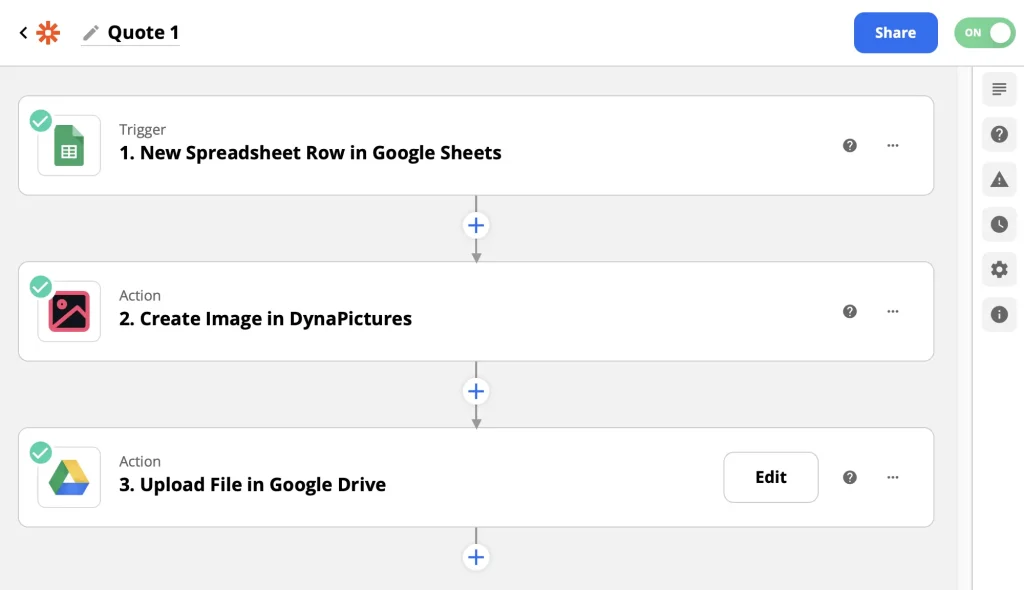
Start by choose an image template from the template library or creating your own custom banner template. Then, create a spreadsheet in Google Sheets with the data for your automation workflow. Each column in this spreadsheet corresponds to a layer in the image template that you want to customize.
Once the banner is automatically generated, it can be saved in a specific folder on Google Drive. Your workflow might look like the image below. For more details see our comprehensive Zapier tutorial.
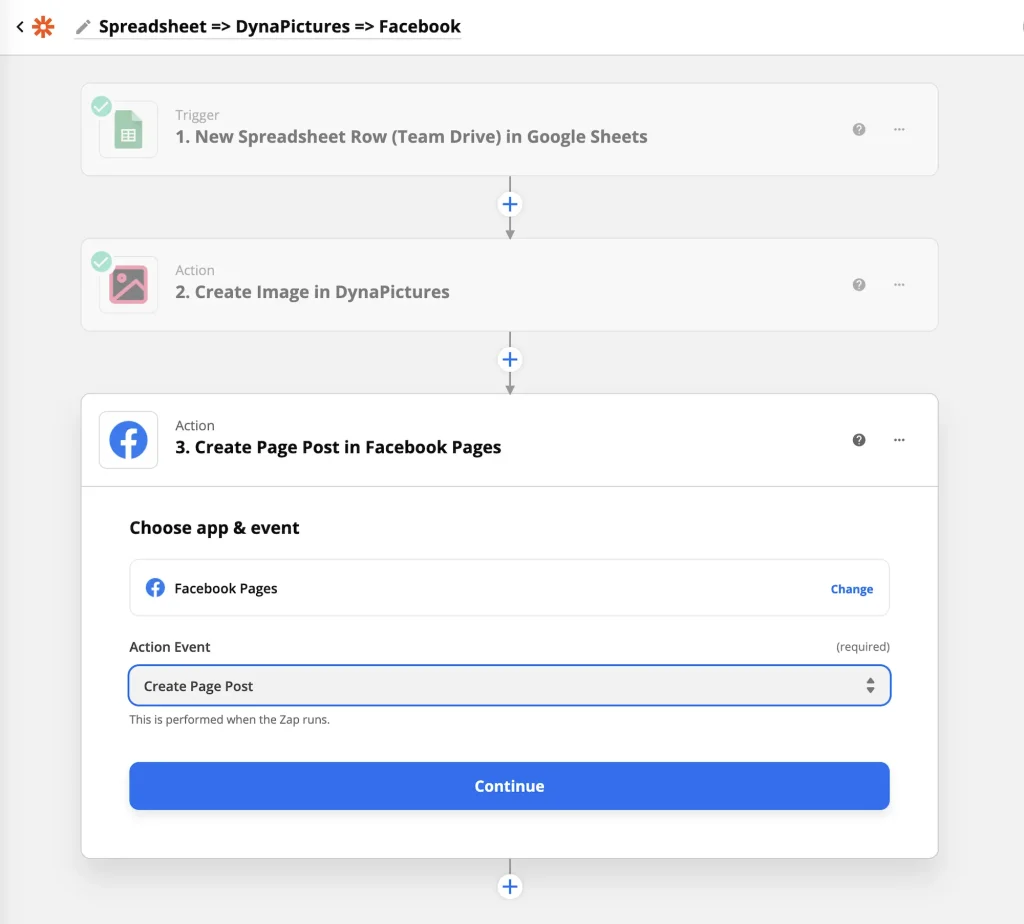
2.2 Create a Banner for Social Media and Publish it on Facebook
Similar to the previous workflow, you can create Facebook banners in batches and publish or schedule them along with a message directly on social media. Add this as the third step instead of saving it to Google Drive.
For instance:
- Use the “Metadata” field to pass the social media message alongside the image.
- Alternatively, map a Message column directly from a spreadsheet when configuring the “Publish on Facebook” action.
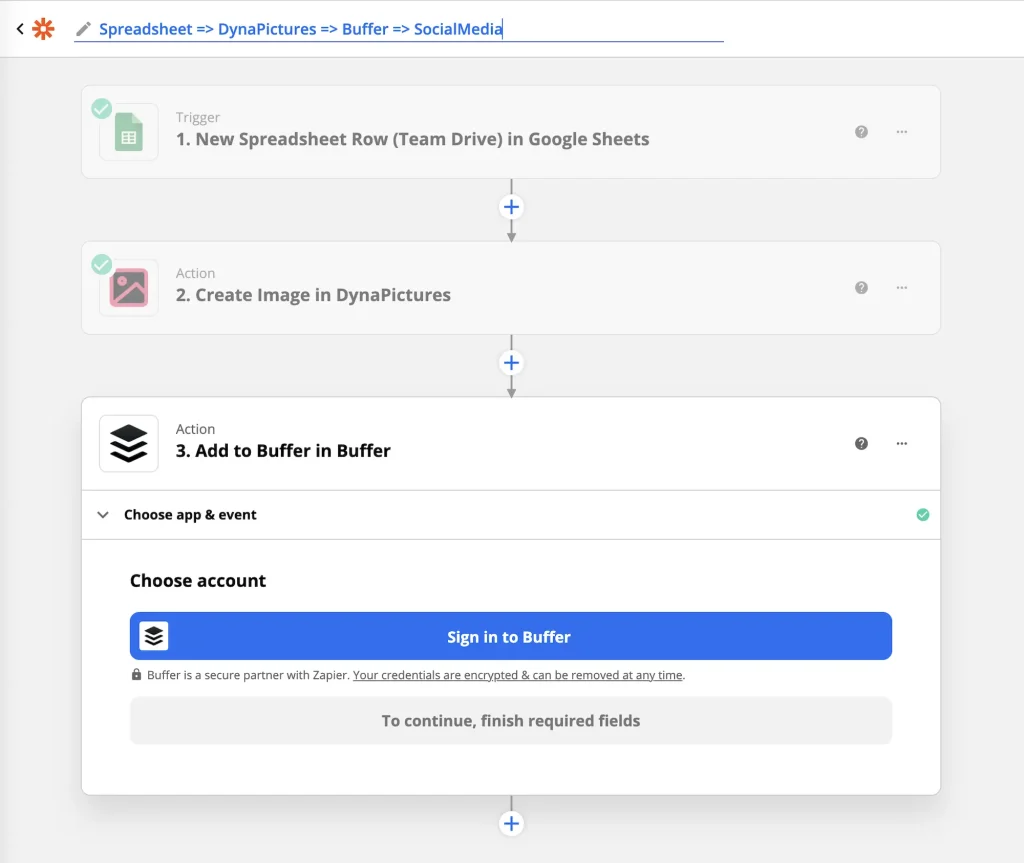
2.3 Generate a Banner for Social Media and Schedule it with Buffer
If you post regularly on social media, using scheduling tools and social media automation tools like Buffer can save time. Configure the workflow so that the third step schedules or queues your post in Buffer. This setup ensures seamless posting for marketing campaigns.
After you create Facebook banners dynamically, your automated workflow will look like this:
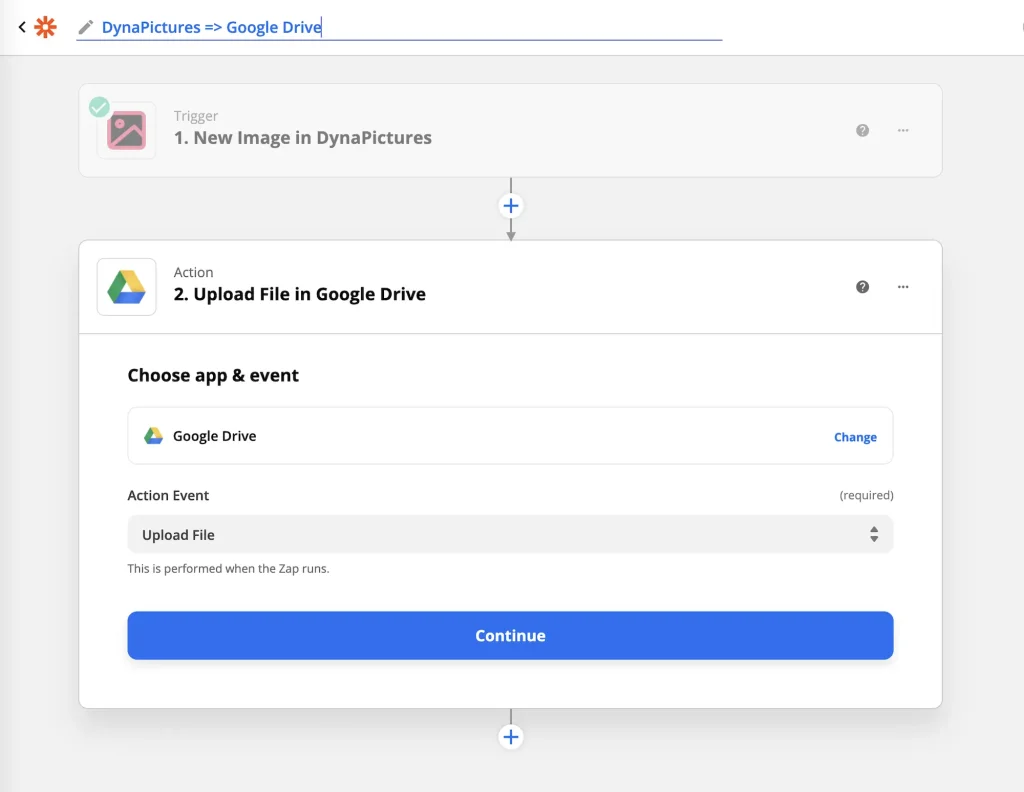
2.4 Archive and Download All Generated Images from Google Drive
Use Google Drive as a backup or a convenient way to access your automatically generated banners on your computer. You can listen for image-generated events and upload the images to a specific folder on your Google Drive::
3. Live Playground
Try out the power of automation yourself! Use our live Zapier widget below to see how easy it is to create banner automation using DynaPictures and No-Code tools.
4. Tutorials
We’ve created a detailed step-by-step tutorial for Zapier to get you started. Stay tuned as we expand with tutorials for other No-Code platforms like Integromat and Pabbly.
5. Streamline Your Automated Banner Production
Automating banner creation with No-Code tools and DynaPictures can revolutionize your design workflow. Whether you’re looking to create custom banners, generate banners in bulk, or automate banner creation for social media and marketing campaigns, the possibilities are endless.
By leveraging customizable templates, No-Code automation platforms like Zapier, and tools such as spreadsheets, you can:
- Save time
- Reduce manual effort
- Produce stunning, dynamic banners more easily
Start exploring these powerful tools today to elevate your branding and marketing efforts to the next level!
FAQ
DynaPictures, along with tools like Abyssale, Pixelixe, and Canva, is an excellent solution. It stands out as an automatic banner maker that integrates with No-Code platforms like Zapier for seamless workflow automation.
DynaPictures allows you to create custom banners using pre-made templates or designs from scratch. Its integration with No-Code platforms makes it a robust automatic banner generator for businesses and individuals alike.
DynaPictures is highly effective in creating banners. It enables you to create dynamic banners for marketing campaigns, social media, or ads. Combine it with tools like Zapier for automated workflows.
To create a custom YouTube banner:
1. Choose a suitable template on DynaPictures.
2. Customize it with branding, images, and text.
3. Download it or set up automation for consistent banner creation across other platforms.
DynaPictures is used for banner design one-by-one and in bulk. It’s an excellent automatic banner creator, offering pre-made templates and options for custom designs. Its seamless integration with No-Code platforms ensures efficient batch generation of banners.
Yes, DynaPictures allows you to create personalized banner templates. These can be reused for consistent and efficient dynamic web banners, Facebook and Youtube banners across various campaigns. You can use a set of templates for automated banner production and schedule posts in bulk using no-code tools.
