
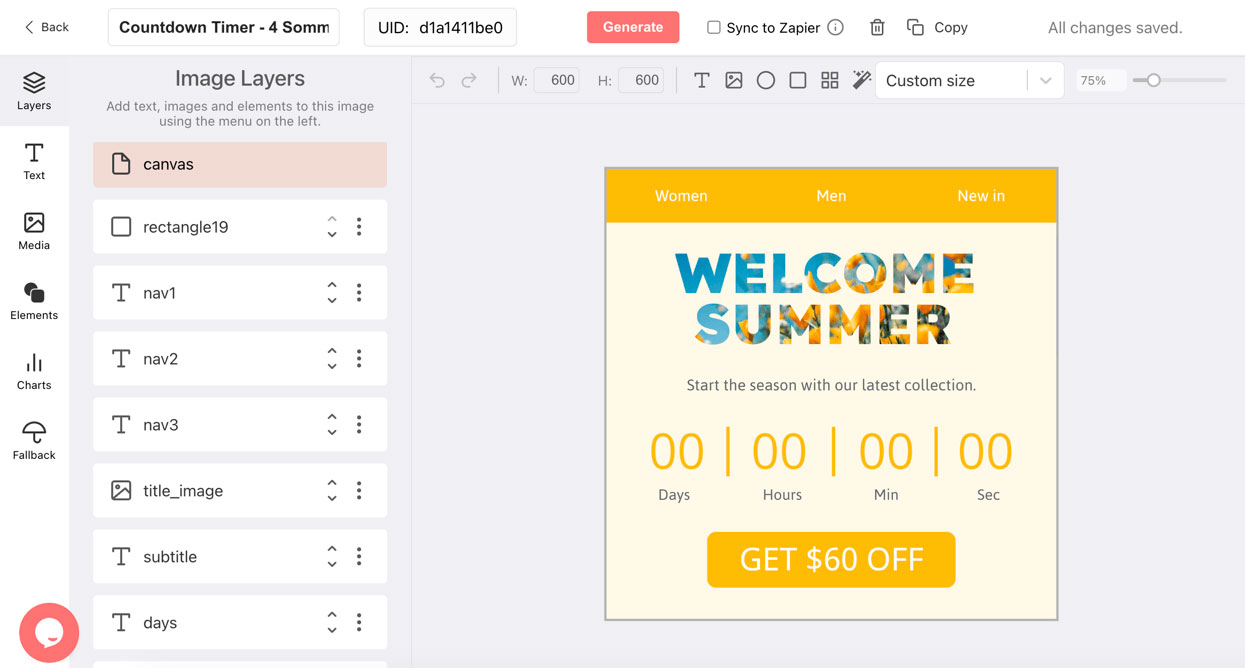
Sendtric and DynaPictures at a Glance
What Both Do
Both deliver a GIF countdown through an img tag, offer font and color customization, and support per-recipient timers on their paid tiers.
Where DynaPictures Differs
Stage designs switched by offset, countdown-driven gauges and progress bars, a free-layout design editor with uploaded brand fonts and AI backgrounds, and opens segmented by any parameter.
Plans, Stated Plainly
At the time of writing Sendtric lists a free tier of 10,000 monthly views (watermarked above that) and paid tiers priced by annual views. DynaPictures' free plan is for testing (100 opens); paid plans are sized to your list and never throttled. Check both pricing pages before deciding.
Switching Cost
Replacing the image URL in your templates. No other change is required.
What Changes When You Move From Sendtric
Stages Instead of One Design
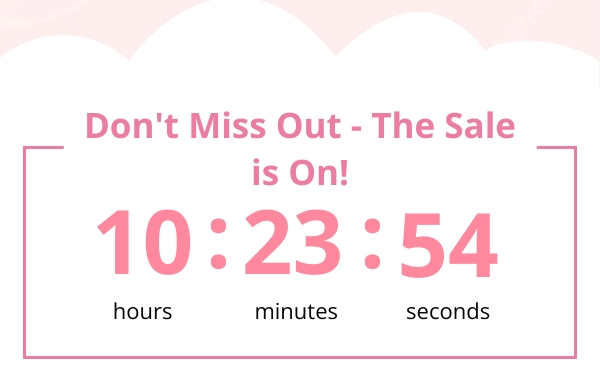
Design a teaser, a live countdown, a last-chance banner, and an after-deadline design in the countdown timer generator; DynaPictures switches them by the time left. Sendtric's documentation describes one design per timer with an optional expired image.
A Free-Layout Editor
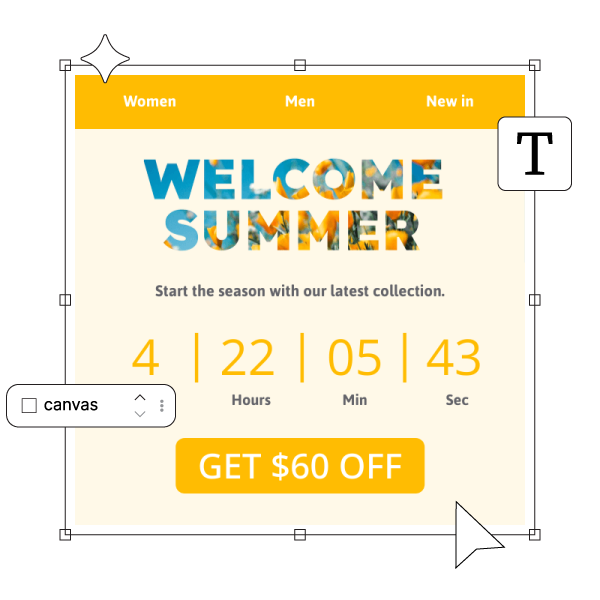
Place digits, labels, imagery, and gauges anywhere on the canvas, use any Google Font or an uploaded brand font, and generate backgrounds with the built-in AI image generator. Sendtric lists 900+ fonts and color customization within its widget layouts, with custom brand fonts on its enterprise tier.
Personalization and Analytics
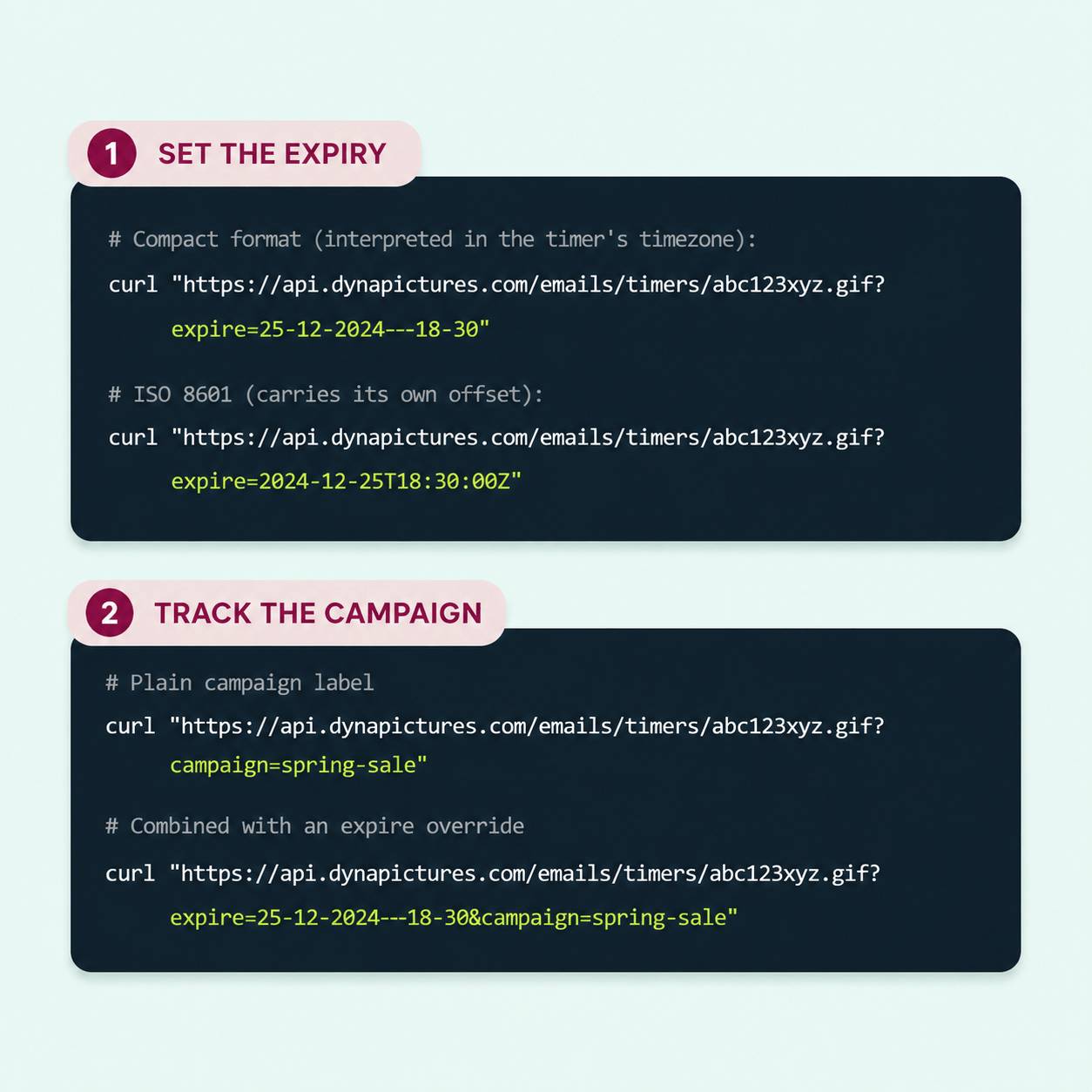
Per-recipient deadlines through the expire parameter on every DynaPictures plan, and opens broken out by campaign parameter, client, and country. Sendtric offers per-recipient timers from its Standard tier and view analytics with retention that varies by plan.
Everything Included When You Switch to DynaPictures
The Same Kind of Embed
A GIF in a standard img tag, like the tool you use today, so your templates need only a new URL. Outlook for Windows shows the first frame as a still.
Rendered per Open
Each open fetches an image with the time left at that moment, then animates for 60 seconds. Late openers see the current countdown.
Per-Recipient Deadlines
Append a merge tag from your email service provider (ESP) to the expire parameter and one timer serves a different deadline to every recipient.
Stage Designs
Early, urgent, and after-deadline designs switched automatically by offset, so one URL covers the whole campaign.
Gauges and Progress Bars
Time remaining as a gauge or a bar, alongside or instead of digits.
A Full Design Editor
Google Fonts, uploaded brand fonts, images, and an AI background generator, not a fixed template.
Analytics by Parameter
Opens broken out by any query parameter you add, plus email client and country.
Limits Stated Plainly
Runtime is 30 days ahead on Free, Lite, and Standard and unlimited on Pro. Free serves 100 opens in total; paid plans have a monthly view allowance and are never throttled or watermarked.
How to Switch From Sendtric to DynaPictures
Rebuild the Timer in the Generator
Open the DynaPictures countdown timer generator, recreate your current banner with your own fonts and artwork, add the stages you were missing, and publish to get the image URL.
Replace the Image URL in Your Templates
Swap the Sendtric image URL for the DynaPictures URL in your email service provider (ESP) templates. Append ?expire= with a merge tag where deadlines differ per recipient.
Tag Sends and Compare
Add a campaign parameter per send and watch opens arrive in the analytics dashboard while the old tool winds down.
Who Considers Moving From Sendtric
Brand-led teams
Who want the timer to look like the campaign rather than a widget.
Marketers running multi-email sequences
Who want one URL that changes design over time.
Teams that segment their analytics
By campaign, client, and country.
See the Difference Side by Side
Book a short walkthrough: rebuild one of your Sendtric timers in DynaPictures and compare it in your own inbox.
Where DynaPictures Stands Apart From Sendtric
Open-Time Rendering
DynaPictures renders the image when the email is opened and caches it per minute. Check how Sendtric handles late opens before you decide.
One Timer, Many Deadlines
The expire parameter turns one published timer into a personalized one through your ESP's merge tags.
Automatic Stage Switching
Teaser, live, last-chance, and after-deadline designs from one URL, selected by the offset to the deadline.
Gauges, Not Only Digits
Radial gauges, simple gauges, and progress bars driven by the countdown value.
Design Freedom
Your fonts, your imagery, free layout, and AI-generated backgrounds in one editor.
Segmentable Opens
Opens by campaign parameter, client, country, and hour, plus a REST API to read them.
Related Email Countdown Timers
Frequently Asked Questions
Not necessarily. Sendtric's entry tiers are priced low per view; DynaPictures prices by list size with more design and stage capability. Compare the pricing pages against your monthly opens.