


Try the banner maker as an attendee would
This is the real attendee widget from a demo campaign. Change the name, add a photo if you like, generate the banner and open the share sheet. Every banner you see on this page was made from a template designed in the same editor.
One Template, One Banner per Person
Design It Once, in a Real Editor
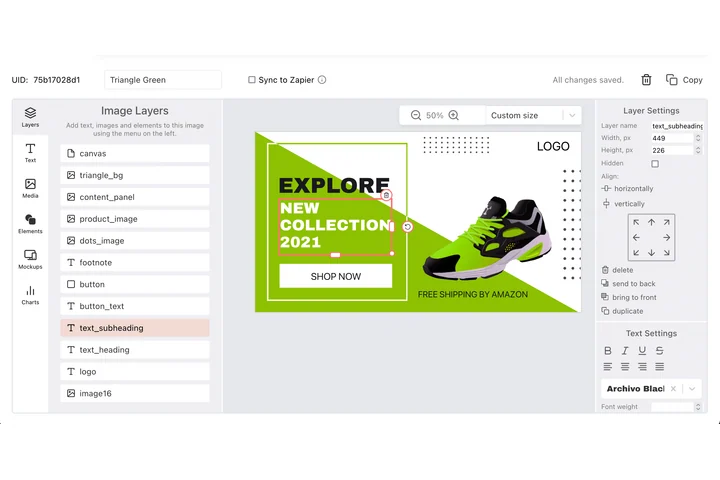
The event banner maker is the DynaPictures editor: text, images, shapes, your fonts, your brand colours. Mark the layers a person may change (name, talk title, photo) and lock everything else. The event name, the sponsor strip and the background stay exactly as you designed them, because a speaker can only edit what you mapped.
Import the Roster, Not One Banner at a Time
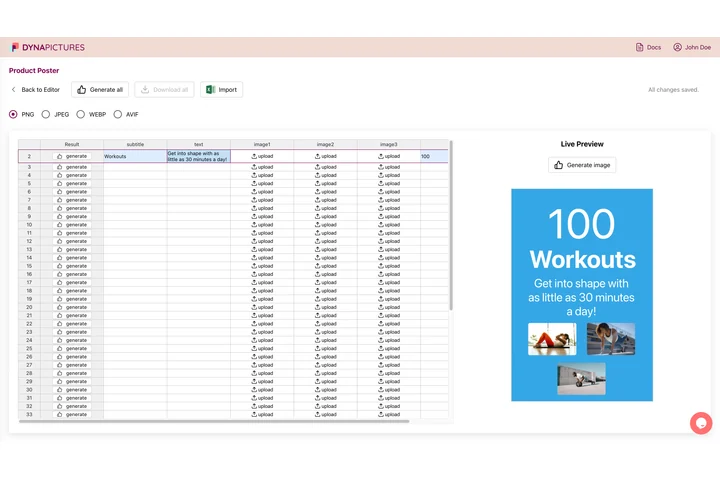
Upload speakers, sponsors and exhibitors from CSV or XLSX. Columns are matched by their headers (Name, Job title, Company, Email, Tier, Booth) and extra columns are kept, so a field you did not plan for can still land on the banner. Sponsors get their tier, exhibitors their booth number, every person gets a permanent share link.
They Share From a Page That Needs No Login
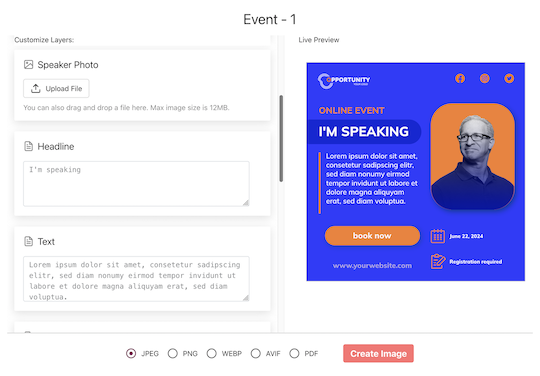
Each person receives a link to their own share page. It is pre-filled from your list, shows a live preview, lets them swap the photo and pick a design, then opens the device share sheet with the finished image attached. X, LinkedIn, Facebook, WhatsApp and email, plus download and copy-the-caption for everything else.
Attendees Get Theirs at the Moment They Register
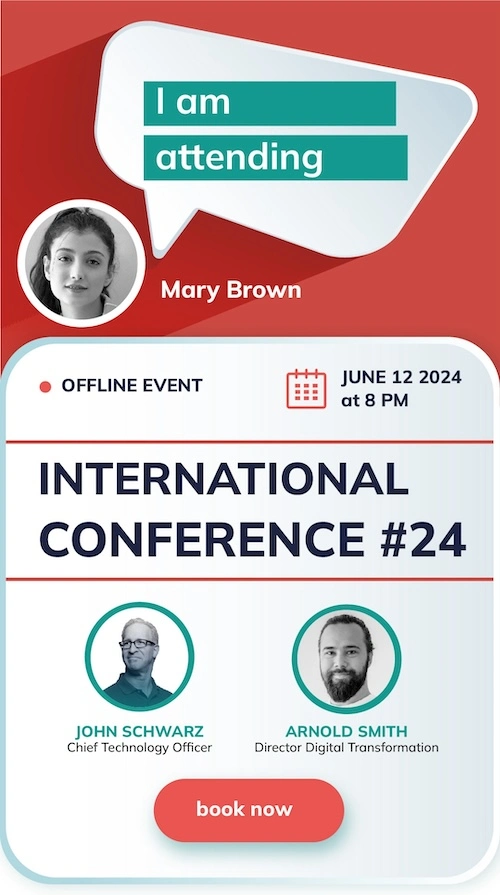
Paste one snippet on your confirmation page. Inline or as a popup fired after the purchase, the widget asks for a name and an optional photo, generates the banner and offers the same one-tap share. Attendees are never asked for an email address. You can prefill name, title and company from the data your ticketing form already has.
From Template to Shared Banner in an Afternoon
1. Pick or Design the Template
Start from the event templates in the library or from a blank canvas. Map the name, title, company, photo and logo layers per audience; the mapping is also what the public page is allowed to change.
2. Import Your People
Speakers, sponsors and exhibitors from a spreadsheet, or one by one. Attendees are not imported; they arrive through the widget on your registration page.
3. Send the Links
One wizard emails everyone their personal page, from your display name with replies to your inbox. You see who was emailed, who opened their page and who generated a banner.
4. Watch What Comes Back
Every share mints its own short link. Clicks are bot-filtered, and with the pixel on your ticket page, purchases and revenue are attributed to the person who posted.
Banner Ideas That Work for Every Audience
I'm Speaking At
Name, headshot, session title and time on your brand. Speakers post it once when the lineup is announced and again the week before, and both posts carry the same tracked link.
I'm Attending
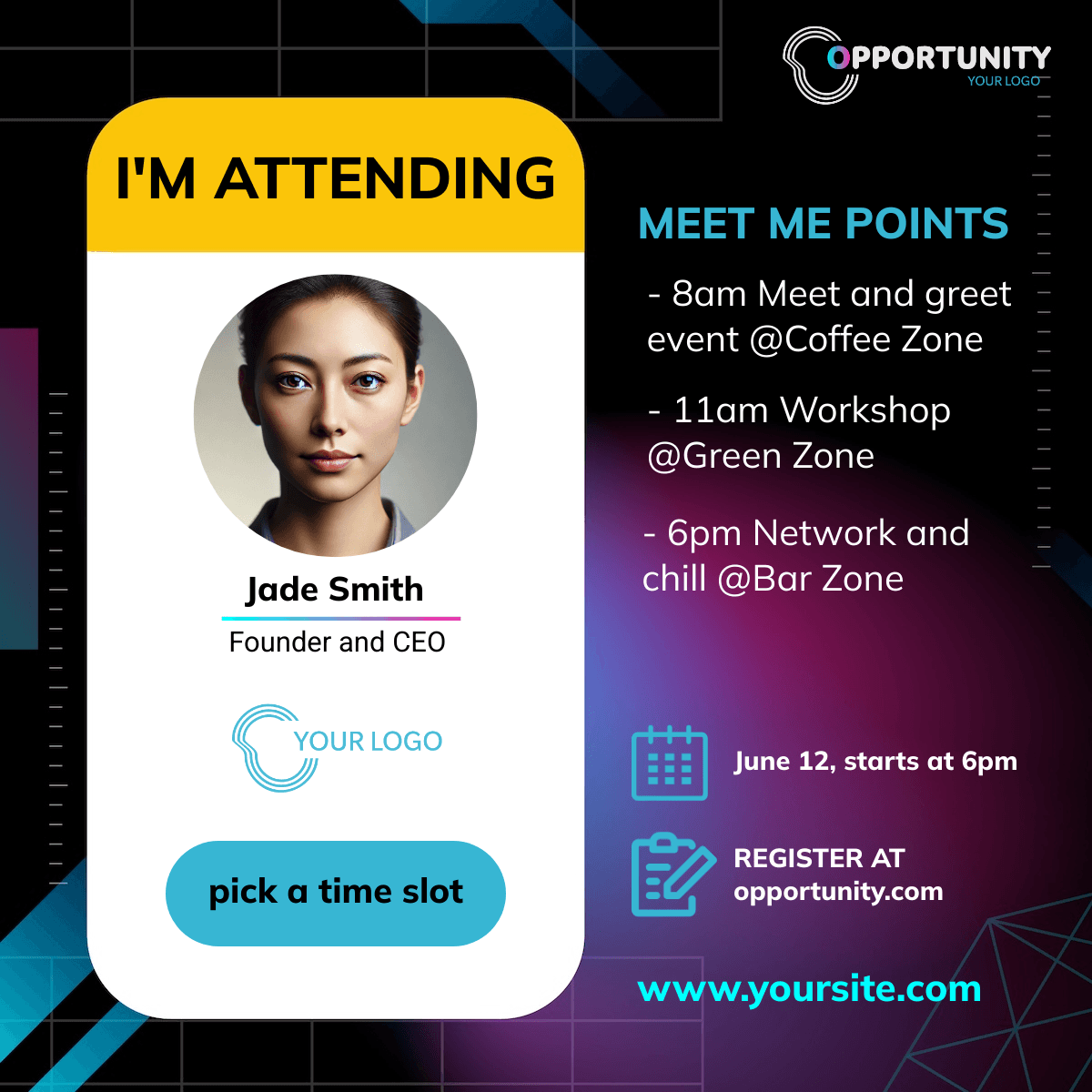
The widget banner. A name and an optional photo, generated the moment someone registers, while the excitement is highest and the ticket is fresh.
We're Sponsoring
Logo-led designs for sponsors with their tier on the banner. Sponsors love proof of exposure, and the report shows them the clicks their own post produced.
Visit Our Booth
Exhibitor banners with the booth number pulled from your list, so the invitation to stop by is already on the image.
Meet the Panel
A second design for the same speaker list, for example a square post with the session track, generated from the same data without a second import.
Email Signature Strip
A wide banner designed for email signatures and newsletters, shared through the same page as the social version.
Built for Every Format and Every Platform
Several Designs per Audience
A landscape LinkedIn banner, a square post and a story format can all sit on one share page, each generated from the same data. Every person picks the size that fits their channel.
Four Output Formats
Each design is delivered as PNG by default, or as JPEG, WebP or AVIF, crisp at the size you designed.
Works With Any Registration Platform
Export your list from Eventbrite, Cvent, Luma or whatever you use and import the file. The landing URL and the widget snippet work with any platform that lets you add a link and custom HTML.
English and German, Automatically
The share page and the widget follow the visitor's browser language. Your banner text can be in any language you like.
Banner Makers by Event Type and Platform
Frequently Asked Questions
One campaign, ten people in it and fifty generated banners a month, with a small Powered by DynaPictures line on the share page and widget. It is enough to run a meetup or to test the flow with your own speakers before an upgrade. Paid plans start at 129 EUR a month; the pricing page lists the limits per tier.