
Resize your image for social media
Drop a photo or graphic up to 15 MB, select the platforms you post on and download a PNG or a ZIP.
One photo, one row per placement, the subject in frame
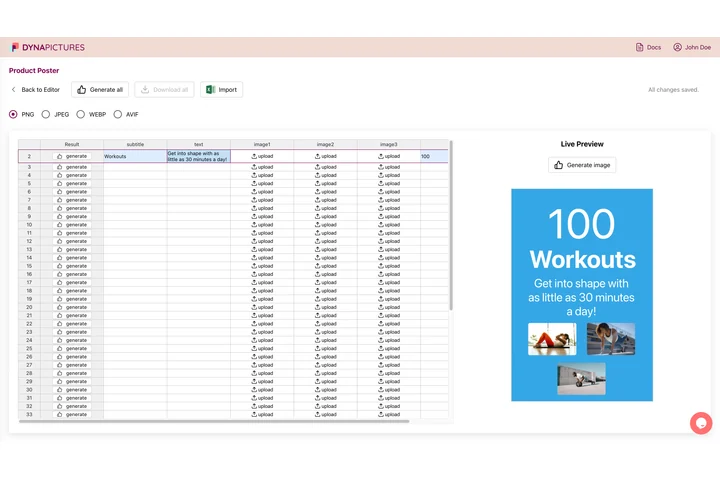
A campaign never ships as a single image: the same shot has to work as a square post, a 1584x396 banner and a 1280x720 thumbnail. In DynaPictures each row of an imported CSV or Excel sheet becomes one finished render, and 9 fit modes including face detection decide how the photo sits in every canvas.
- 9 fit modes, face detection included
- One row per placement, one finished render
- Every file named from a spreadsheet column
How to resize an image for social media
Upload one image
Drag a photo or graphic up to 15 MB into the box. A high-resolution original gives sharper results in the wide banner sizes.
Tick the platforms
Choose any of the 12 presets, from a 1080x1080 Instagram square to a 1584x396 LinkedIn banner. Select one or all of them.
Download PNG or ZIP
A single size comes back as a PNG, several sizes as one ZIP with a clearly named file per platform. Links stay live for 24 hours.
Why use this social media image resizer
Face-aware cropping
Faces are detected before each crop, so a portrait stays centered on the person in both the 9:16 story and the 4:1 banner.
12 sizes in one go
Instagram post, portrait and story, Facebook post and cover, LinkedIn post and banner, X post and header, YouTube thumbnail, Pinterest pin and TikTok.
Exact pixel dimensions
Every output matches the platform's recommended size to the pixel, so the app does not scale or re-crop your upload.
One ZIP for the whole campaign
Pick several platforms and get a single archive instead of exporting each artboard by hand.
20 free uses a day
Resize up to 20 images per day without an account or watermark; the counter resets at midnight UTC.
What the resizer does with your image
The tool scales your image to cover the target dimensions, then shifts the crop window so that detected faces stay inside it. Nothing is stretched. For graphics without faces the crop is centered. Each output is a PNG at the exact recommended size, which avoids the extra compression pass some platforms apply to oversized uploads.
Free limits
One image up to 15 MB per run, up to 12 sizes per run and 20 runs per day. Downloads are deleted after 24 hours.
Automate with an account
The daily cap is counted per visitor and is the same for everyone. For social media images at volume, DynaPictures renders them from your own templates through the API, Zapier, Make or a spreadsheet.
Supported platforms
Instagram (1080x1080, 1080x1350, 1080x1920), Facebook (1200x630, 820x312), LinkedIn (1200x627, 1584x396), X (1600x900, 1500x500), YouTube 1280x720, Pinterest 1000x1500, TikTok 1080x1920.
Frequently asked questions
Instagram post 1080x1080, portrait 1080x1350, story 1080x1920; Facebook post 1200x630, cover 820x312; LinkedIn post 1200x627, banner 1584x396; X post 1600x900, header 1500x500; YouTube thumbnail 1280x720; Pinterest pin 1000x1500; TikTok 1080x1920. All 12 are built into the tool.