
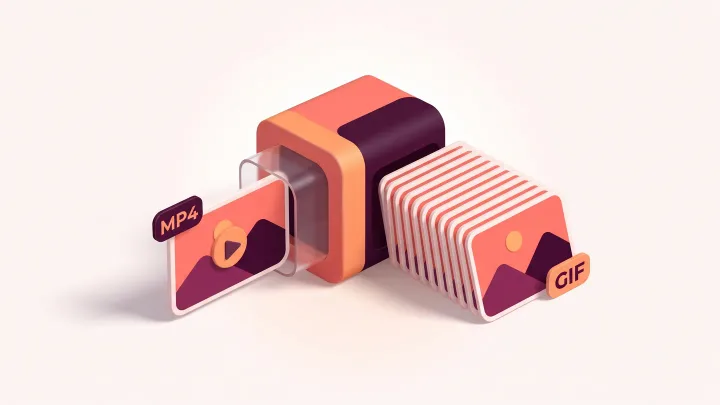
Convert your video to GIF
Drop an MP4, MOV or WebM up to 60 MB, choose start time, duration, fps and width, then download the GIF.
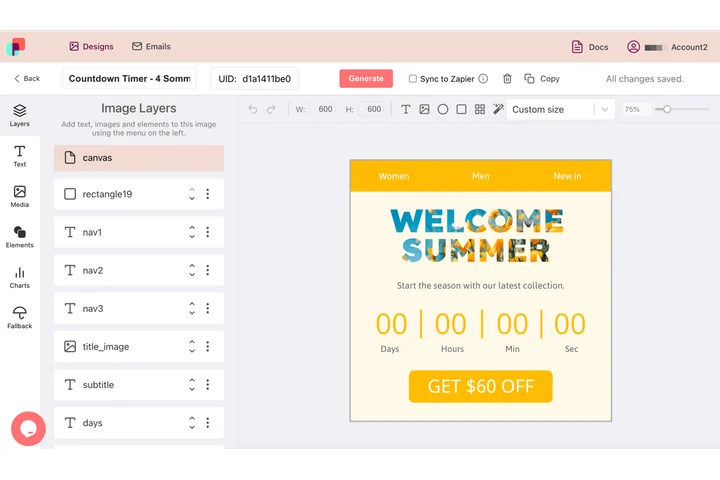
A branded loop for email, built in the editor
A clip earns its place in an email once it carries the headline, the brand color and the offer the send is about. In DynaPictures the loop is a design on a canvas: you place the type, the shapes and your logo, and the whole layout is composited onto every frame of the animated GIF.
- Whole layout composited onto every frame
- Unsplash stock, shapes and charts as layers
- Brand colors set once in the template
How to convert a video to GIF
Upload the video
Drag an MP4, MOV or WebM file up to 60 MB into the box or click to select it from your computer.
Pick the segment and settings
Enter the start time in seconds and a duration of up to 10 seconds, then choose a frame rate between 5 and 20 fps and a width up to 800 px.
Download the GIF
Click Convert, check the preview and file size, and save the animated GIF. The download link stays live for 24 hours.
Why convert MP4 to GIF here
All common video formats
MP4, MOV and WebM are accepted, so screen recordings from macOS, phones and browser tools work without re-encoding first.
Exact segment control
Start at any second and take up to 10 seconds, enough for a product demo, a reaction clip or a short UI walkthrough.
Frame rate and width you choose
Pick 5 to 20 fps and a width up to 800 px. Lower fps and a 600 px width keep the GIF small enough for email.
No app, no watermark
The conversion runs on our servers, works in any browser and leaves no logo on the result.
What happens during the conversion
The tool cuts the chosen segment out of the video, samples it at the frame rate you set, scales the frames to the requested width and builds an optimized 256-color palette so the GIF stays close to the original footage. Shorter clips, lower frame rates and smaller widths all reduce the file size, which matters because a GIF stores every frame in full instead of only the changes between frames like a video codec does.
Free limits
20 conversions per day per visitor, videos up to 60 MB, GIFs up to 10 seconds, downloads available for 24 hours.
Automate the conversion
The daily limit and the 24 hour retention apply to every visitor alike. For work that repeats, DynaPictures renders images and animated GIFs from your templates through the API, Zapier or Make.
Privacy
Your video is processed on our servers and deleted together with the GIF and its download link after 24 hours.
Frequently asked questions
MP4, MOV and WebM files up to 60 MB. That covers exports from phones, screen recorders and most editing apps.