
Check your TikTok frame
Drop a 1080x1920 image or a still exported from your editor. The overlay marks the top, right and bottom areas TikTok covers.
Design around the interface once, keep it for the series
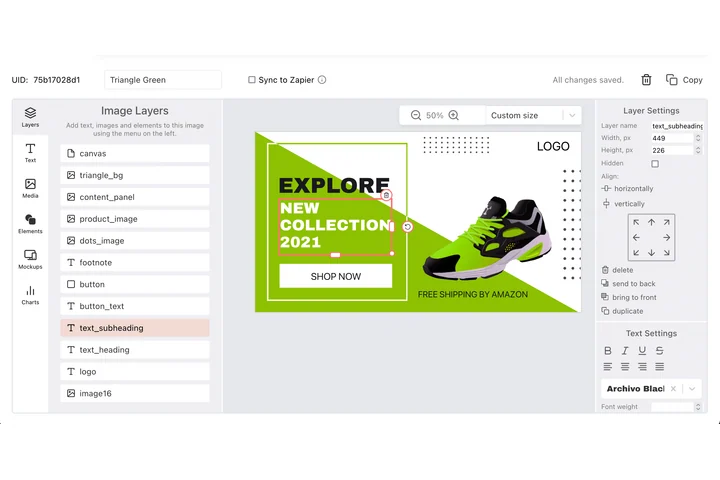
Covers for a series have to read as one set while the app lays its navigation, button column and sound bar over each of them. You draw that clearance a single time on a DynaPictures canvas, then rotation, z-order and align to canvas hold every following cover to the same arrangement.
- Rotation, z-order and align to canvas
- Unlimited templates and unlimited workspaces
- Your own font files, uploaded once
How to use the TikTok safe zone checker
Upload a 9:16 frame
Drop a 1080x1920 PNG or JPG, or a still from your video. Other 9:16 sizes are scaled to the same guides.
Compare with the overlay
Shaded zones show roughly the top 220 px with the Following and For You tabs, a 140 px button column on the right and about 480 px at the bottom for username, caption and sound bar.
Export the template
Download a PNG with the guides and add it as a top layer in your editor. Remove the layer before you export the final video.
Why check the TikTok safe zone first
Measured on the current app
The guides follow the 2026 TikTok layout on a 1080x1920 canvas: top tabs, right side buttons, caption and sound bar at the bottom.
Private by design
The checker runs fully in your browser. Unreleased clips and client work never leave your device.
No daily counter
There is no login and no per-day limit. Check every frame of every video if you want to.
A reusable TikTok safe zone template
The exported PNG doubles as a template overlay. Keep it in your project so every new video starts inside the safe area.
Works for ads too
TikTok In-Feed ads are shown with the same interface. Check your ad creative before you upload it to Ads Manager.
What the TikTok interface covers
On a 1080x1920 TikTok video, roughly the top 220 px hold the status bar and the Following, Shop and For You tabs. A column of about 140 px on the right holds the profile avatar, like, comment, bookmark and share buttons plus the spinning sound disc. Roughly the bottom 480 px are taken by the username, the caption, hashtags and the sound bar, and the caption grows upward when a viewer expands it. The clear area in the middle is where headlines, subtitles, product shots and calls to action belong. Keep subtitles above the caption block and never place a logo under the right button column.
Recommended layout
Keep essential text at least 220 px from the top, 480 px from the bottom and 140 px from the right edge. Faces and background footage may run behind the buttons.
Free limits
No login and no daily limit: the tool runs in your browser and nothing is uploaded. Exported PNG templates are saved straight to your device.
Automate your TikTok covers
The DynaPictures platform renders 1080x1920 cover images from a template and swaps text and images per video through the API, Zapier, Make or a spreadsheet.
Frequently asked questions
It is the area of a 1080x1920 video that no interface element covers. In 2026 that means staying roughly 220 px from the top, 480 px from the bottom and 140 px from the right edge.