
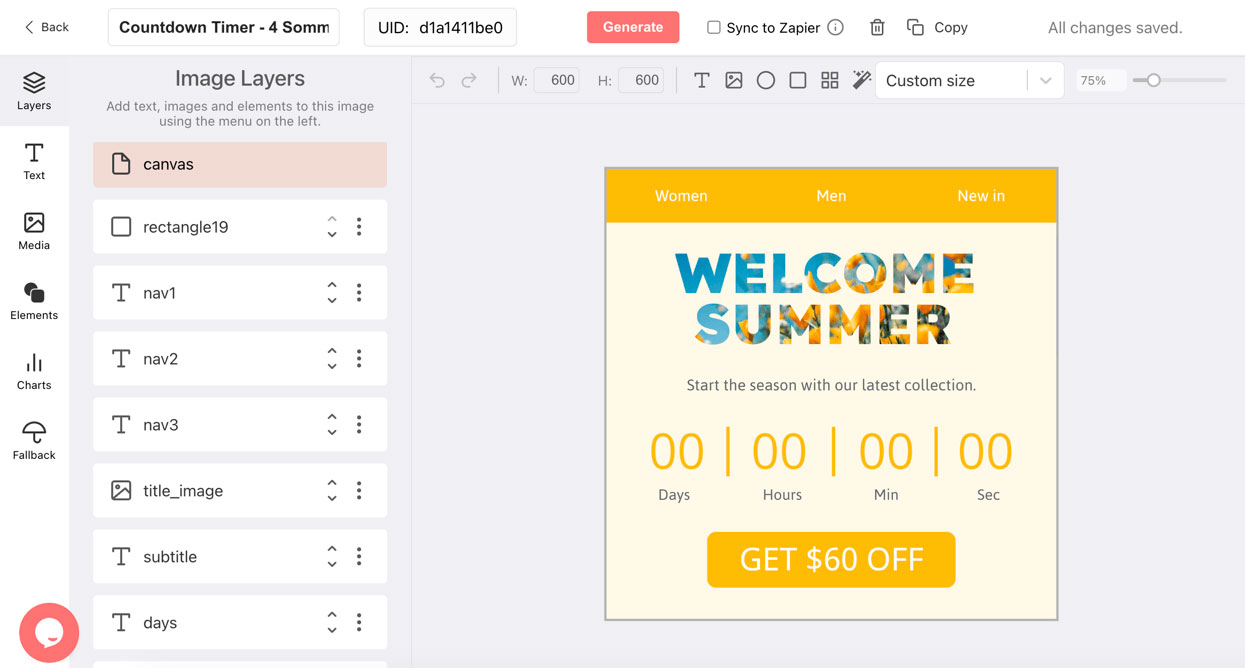
Why Email Marketers Use Countdown Timers
Increase Email Conversions
Countdown timers are the #1 email personalization tactic, ahead of personalized images and progress bars. Source: Litmus.
Recover Abandoned Carts
A countdown showing when a cart discount expires drives shoppers back before the offer disappears.
Boost Webinar Registrations
A live countdown to your event converts more reminder emails into confirmed attendees.
Drive Trial Upgrades
SaaS teams use per-subscriber trial-end countdowns to move users to paid before the deadline hits.
What Makes DynaPictures Different From Every Other Countdown Timer
A Live Email Countdown Timer, Accurate Every Time
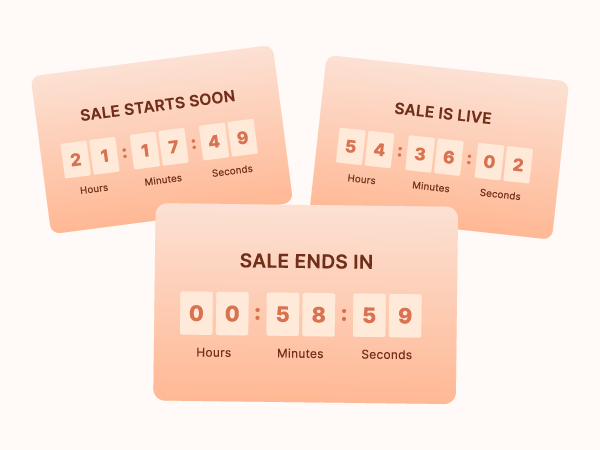
Many countdown timer tools pre-render a GIF that freezes the moment it is created. DynaPictures is different. Your timer is a live image that recalculates the remaining time every time a subscriber opens the email. Open it immediately or three days later. The countdown is always right.
Fully Custom Design, Built to Match Your Brand
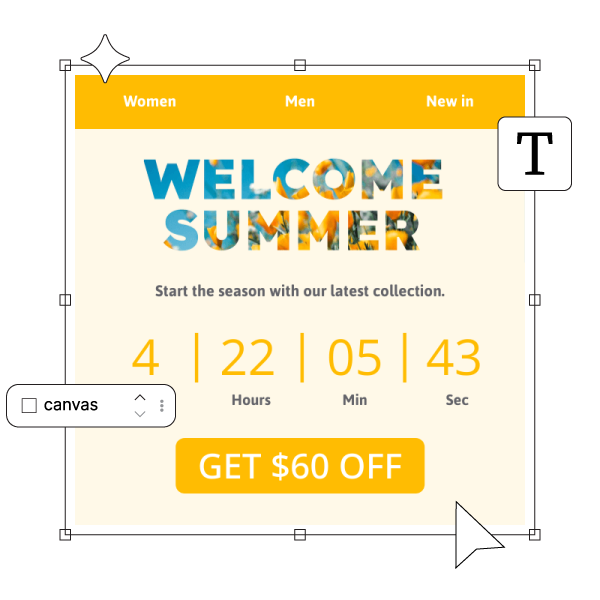
Design your countdown timer in a full visual editor. Choose from 1,000+ Google Fonts or upload your own brand font, set your colors, background, and label text. Start from a template or generate a custom background from a text prompt using the built-in AI Image Generator, without leaving DynaPictures.
One Template, Personalized Deadlines for Every Subscriber

The expire URL parameter lets one published timer serve a different deadline to every subscriber. Pass it through Klaviyo, Mailchimp, or HubSpot merge tags. Use it for abandoned cart expiry windows, VIP early-access countdowns, or A/B tests with different sale end times. No republishing needed.
Everything Included in Every DynaPictures Countdown Timer
Always Accurate on Every Open
Updates at the moment of open, not send. Late openers see the same accurate live countdown as early ones.
Works Across Major Email Clients
Standard img tag. Renders in Gmail, Outlook, Apple Mail, and other major clients. Outlook for Windows shows the first frame as a still image. No JavaScript, no widgets.
Per-Subscriber Deadlines
Set a unique deadline per recipient via the expire parameter and your ESP's merge tags. One timer, unlimited deadlines.
Campaign Analytics Built In
Add any query parameter to track opens by campaign or subscriber. Klaviyo, Mailchimp, and HubSpot merge tags supported.
Runtime up to 30 Days, Custom on Pro
Set a deadline up to 30 days ahead on every plan, which covers most promotions. The Pro plan lifts the limit for long-running campaigns.
Post-Deadline Fallback Banner
Configure a fallback design that activates automatically after your deadline. No broken or zero timers for late openers.
1,000+ Fonts on All Paid Plans
Full Google Fonts library plus custom font upload on all paid plans. Not locked to enterprise tiers.
No Hard View Caps on Paid Plans
Free plan: 100 lifetime opens. Paid plans: a monthly view allowance sized to your list, never throttled, never watermarked.
How DynaPictures Compares to Other Email Countdown Timer Tools
Multi-Stage Designs
Separate designs for the early, urgent, and after-deadline stages, switched automatically by offset. Many tools offer one design and a zeroed timer after the deadline.
Live Updates on Every Open
Timer updates every time the email is opened, not just once at send. Many tools pre-render a static GIF.
Personalized Deadlines Per Subscriber
One timer, a unique deadline for every recipient via URL parameter. Many tools support one fixed deadline per timer only.
Custom Fonts on All Paid Plans
1,000+ Google Fonts plus custom upload on every paid plan. Many tools lock custom fonts to enterprise tiers.
AI-Generated Timer Backgrounds
Generate a background from a text prompt with the built-in AI image generator and use it in your timer design. Few countdown timer tools offer this.
Campaign Analytics and Open Tracking
Track every open by campaign or subscriber via query parameters. Many tools offer basic view counts only or no analytics at all.
How to Add an Email Countdown Timer
Design Your Countdown Timer in DynaPictures
Open DynaPictures and create a countdown timer. Set your deadline, timezone, fonts, and colors in the visual editor. Add a post-deadline fallback banner. Publish to get a stable image URL.
Add It to Your Email Campaign
Copy the image URL from the Share tab. Paste it into your email template in Klaviyo, Mailchimp, HubSpot, or any ESP. Add ?expire= with a merge tag to personalize deadlines per subscriber.
Track Opens and Campaign Performance
Every open updates the timer with accurate remaining time. Add ?campaign= to the URL to track opens by campaign or subscriber in the DynaPictures analytics dashboard.
Who Uses Email Countdown Timers
E-commerce brands
Flash sales, abandoned cart flows, loyalty point expiry, and seasonal campaigns from Black Friday to summer clearance.
SaaS platforms
Free trial end reminders, annual plan upgrade offers, pricing change notices, and live webinar countdowns.
Events and service businesses
Webinar registration deadlines, early-bird pricing cutoffs, enrollment windows, donation match closes, and appointment campaigns.
Countdown Timers for Your Email Platform
How DynaPictures Timers Work
Seasonal and Holiday Countdown Emails
Sales, Offers, and Last-Chance Emails
Launch and Event Countdown Emails
Deadlines, Shipping Cutoffs, and SaaS Offers
Switching From Another Timer Tool
Frequently Asked Questions
An email countdown timer, sometimes called a countdown clock for email or simply an email timer, is an animated GIF image that displays the time remaining until a specific deadline. In DynaPictures, the timer is live. It re-renders every time a subscriber opens the email, calculating the exact remaining time at that moment. You design it once, publish it to get a stable image URL, and paste that URL into your email template as a standard img tag.