
Download a YouTube thumbnail
Paste the video URL and pick the size you want; the download links appear instantly.
Title block and face slot stay where you put them
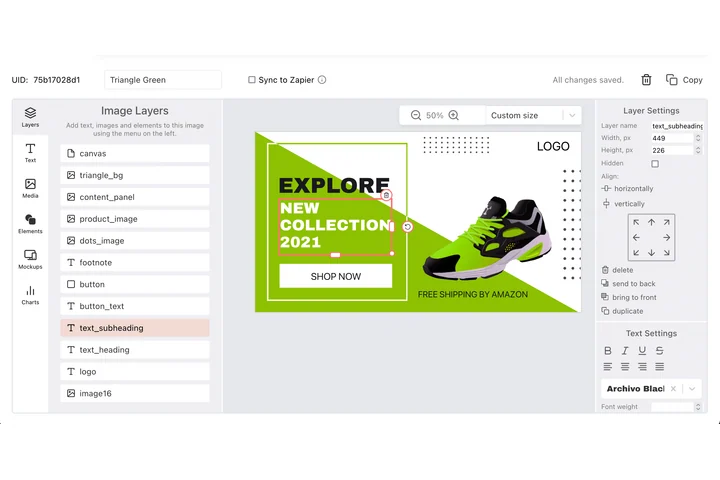
A channel is recognised by its thumbnails before a word is read, which means every episode needs the same block in the same corner. In the DynaPictures editor that block is fixed by X and Y, and face detection keeps the presenter framed inside the slot whatever the source photo.
- Face detection keeps the presenter in frame
- Title block fixed by X and Y
- 1280x720 from the same template every time
How to download a YouTube thumbnail
Copy the video URL
Copy the link from the address bar or the Share button. Regular watch links, Shorts and youtu.be links all work.
Paste it here
The tool extracts the video id and shows the thumbnail in all available sizes, from 320x180 to 1280x720.
Save the size you need
Click the download link next to 1280x720, 640x480, 480x360 or 320x180 and the JPG is saved to your device.
Why use this thumbnail downloader
Full HD when available
Get the 1280x720 maxresdefault image when the channel uploaded a custom thumbnail, plus the smaller fallbacks.
Nothing uploaded
Everything happens in your browser; the video URL never leaves your device.
No limits
Download as many thumbnails as you like, with no daily cap and no signup.
All sizes at once
Four sizes side by side, so you can pick the one that fits a blog post, a slide or a research note.
Works with Shorts and short links
Paste youtube.com/watch, youtube.com/shorts or youtu.be URLs; the id is detected either way.
Where the thumbnail comes from
YouTube stores several JPG versions of every video's thumbnail under predictable URLs based on the video id: maxresdefault at 1280x720, sddefault at 640x480, hqdefault at 480x360 and mqdefault at 320x180. This tool reads the id from the link you paste and shows those images with download links; it does not scrape the page or call any API. maxresdefault only exists when a custom thumbnail was uploaded or the video is HD, so older or low-resolution videos may only offer the smaller sizes. Use thumbnails you have the rights to; reusing someone else's artwork needs their permission. Want to make your own thumbnails instead? DynaPictures lets you build a 1280x720 thumbnail template and render one per video from a spreadsheet, Zapier, Make or the API.
Sizes
1280x720 (maxresdefault), 640x480 (sddefault), 480x360 (hqdefault) and 320x180 (mqdefault), all as JPG.
Make your own
DynaPictures renders 1280x720 thumbnails from your own template for every video title in a spreadsheet or via the API.
Privacy and limits
Runs entirely in the browser: nothing is uploaded, nothing is stored and there is no daily limit.
Frequently asked questions
maxresdefault exists only when the uploader set a custom thumbnail or the video is HD. Older or low-resolution videos offer 640x480 or 480x360 at most.