
Why Add a Countdown to Your Elastic Email Sends
Campaigns and API, One Image
The same timer URL works in a campaign built in the editor and in a transactional email sent with merge fields through the API.
Merge Fields Set the Deadline
A contact field or a merge value passed with the send becomes the expire value in the image URL.
Custom Design per Stage
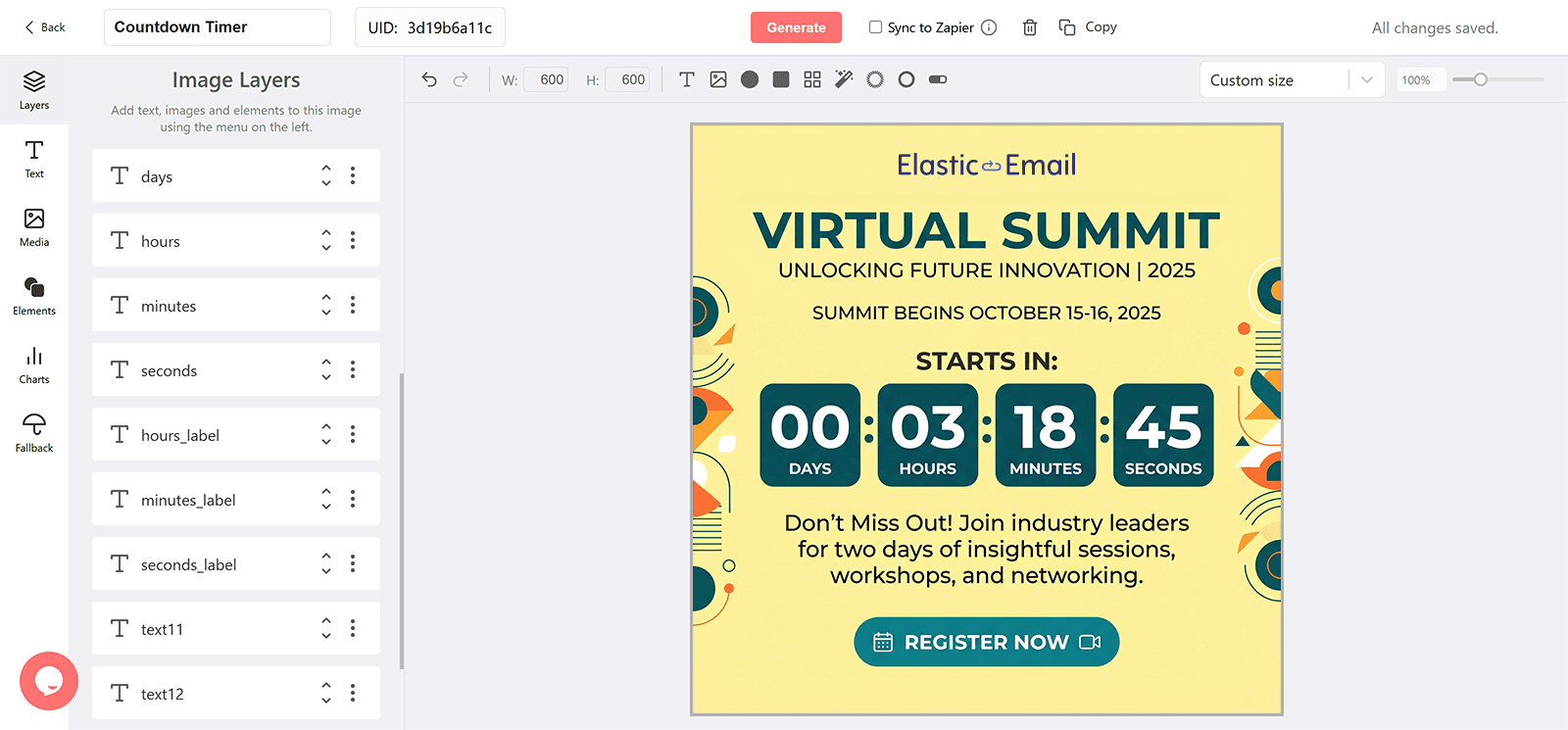
Design the banner with your fonts and imagery, and add separate designs for the final hours and for after the deadline.
Correct on Every Open
The image is rendered when the email is opened, so late openers see the true time left.
What a DynaPictures Timer Adds to Elastic Email
Stages From One Template
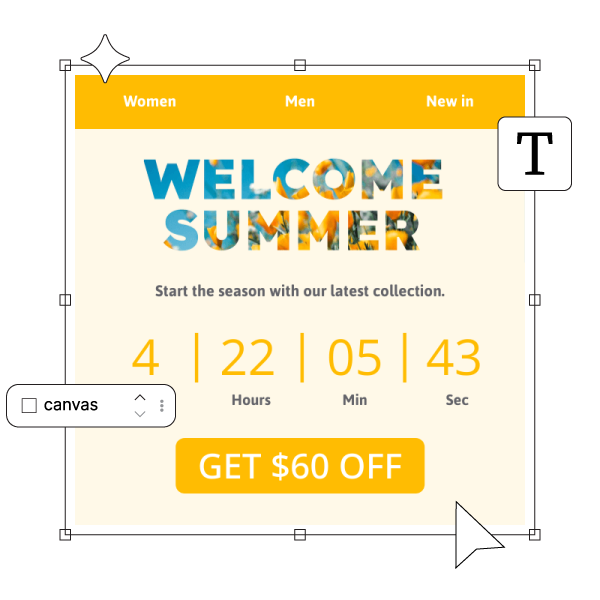
Design the early banner, the urgent banner, and the after-deadline banner as stages of one timer. DynaPictures serves the stage that matches the offset to the deadline, so a single image URL in your Elastic Email template shows the right creative for every recipient.
Rendered at Open, Cached per Minute
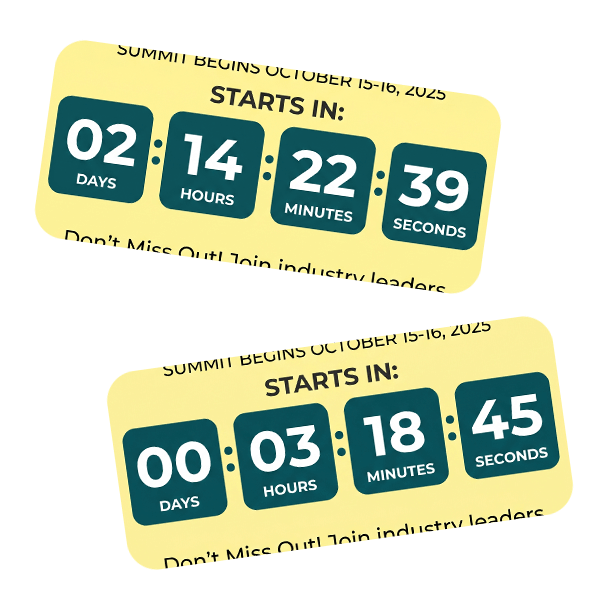
Each open fetches a fresh image with the current time left and animates for 60 seconds. Emails opened long after delivery still show an accurate countdown.
Merge Fields in the URL
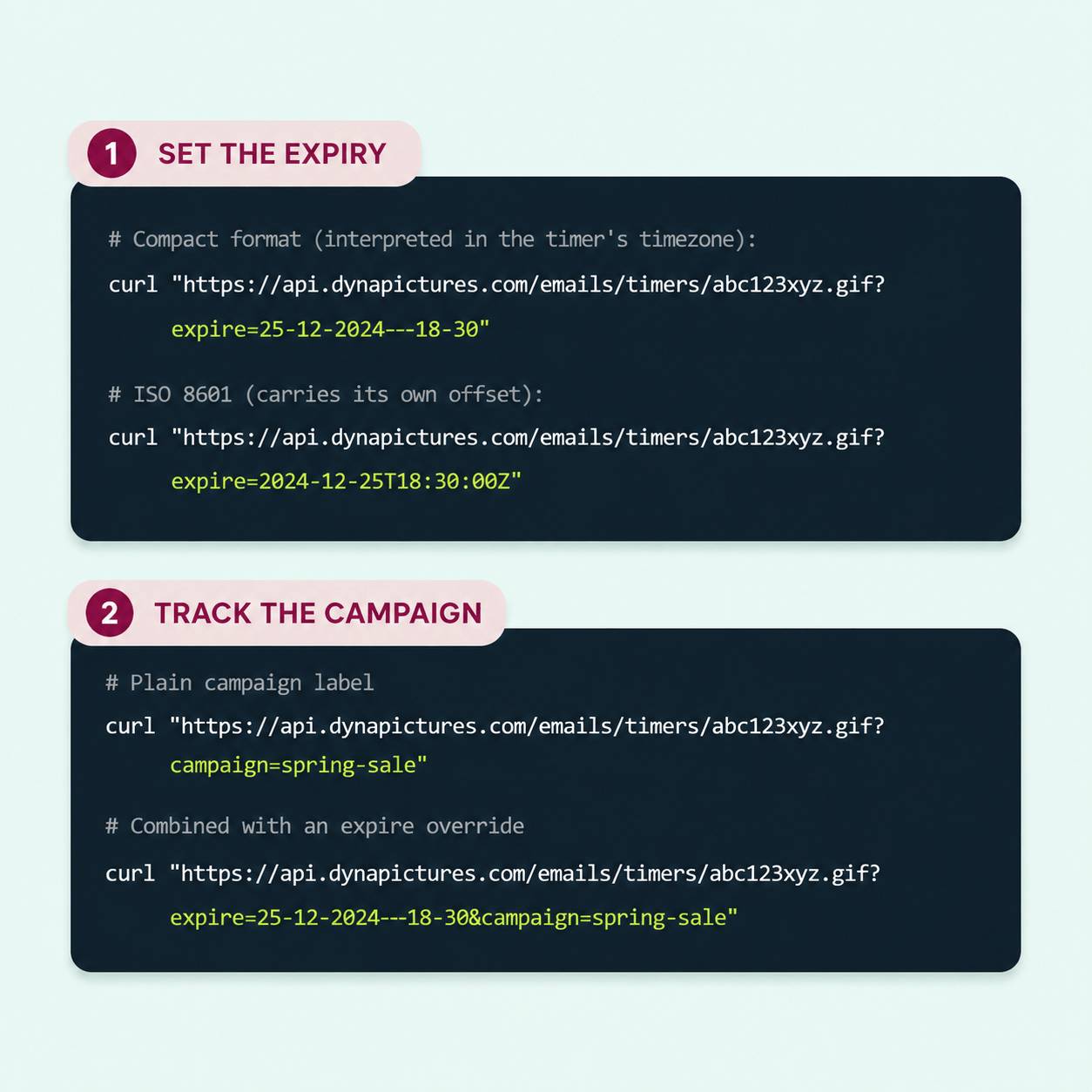
Append a merge field to the timer URL as the expire parameter, for example ?expire={deadline}, and pass DD-MM-YYYY--HH-MM or an ISO 8601 value in the contact field or the API request. Elastic Email fills the value per recipient and DynaPictures counts down to it.
Everything in Every DynaPictures Timer
A Plain img Tag, Any Email Client
The timer is a GIF loaded through a standard img tag, so it shows wherever images do: Gmail, Apple Mail, Outlook, and Elastic Email's own preview. Outlook for Windows displays the first frame as a still image.
Rendered When the Email Is Opened
Each open fetches a fresh image with the time left at that moment, then animates for 60 seconds. A subscriber who opens on day three sees day three, not the countdown from send time.
One Timer, a Deadline per Subscriber
Append a Elastic Email date merge tag to the expire parameter and every recipient counts down to their own date. Format it as DD-MM-YYYY--HH-MM in the timer's timezone, or as an ISO 8601 timestamp with an offset.
Stages That Switch on Their Own
Design separate banners for the teaser, the final hours, and the time after the deadline. DynaPictures picks the right one from the offset to your target date, so the same URL keeps working across the whole campaign.
Opens by Campaign, Client, and Country
Every open is logged with the email client, country, and any custom query parameter you add. A Elastic Email campaign name in the URL shows up as its own row in the analytics dashboard.
Gauges and Progress Bars
The remaining time can drive a radial gauge, a simple gauge, or a line progress bar in the same design. Digits are the default, not the only option.
Runtime up to 30 Days, Custom on Pro
Every plan runs a timer up to 30 days ahead of its deadline, which covers most promotions. The Pro plan lifts that limit for long-running campaigns.
No Hard View Caps on Paid Plans
The free plan serves 100 opens in total, enough to test a real send. Paid plans include a monthly view allowance sized to your list and are never throttled or watermarked.
How to Add a Countdown Timer to Elastic Email
Design the Timer in the Generator
Open the DynaPictures countdown timer generator, set the target date and timezone, design the stages you need, and publish. You get a stable image URL ending in .gif.
Paste the URL Into a Elastic Email Image Block
Add an image to your Elastic Email email and use the timer URL as its source. To personalize, append ?expire= followed by a Elastic Email date merge tag formatted as DD-MM-YYYY--HH-MM.
Tag the Send and Watch the Opens
Add a query parameter such as campaign= with your Elastic Email campaign name. Opens then appear per campaign in the DynaPictures analytics dashboard.
Who Uses Elastic Email Countdown Timers
Developers sending through the API
Passing a per-order or per-user deadline as a merge field.
High-volume newsletters
Adding a sale or launch deadline to a campaign with one branded timer.
Operations teams
Counting down to a payment or reservation deadline in transactional email.
See a Timer Go From Editor to Inbox
Book a short walkthrough: build a timer in the generator, paste it into Elastic Email, and watch it update on open.
Where DynaPictures Differs From Other Email Timer Tools
Live on Every Open
Many timer services pre-render one GIF at send time, so late openers see stale numbers. DynaPictures regenerates the image on each open and caches it for one minute.
Personalized Deadlines Through Elastic Email Merge Tags
One published timer serves a different deadline per recipient through the expire parameter. Many tools support a single fixed date per timer.
Multi-Stage Designs
Separate designs for early, urgent, and after-deadline stages, switched automatically by offset. Many tools offer one design and a blank or zeroed timer after the deadline.
Gauges and Progress Bars Driven by the Countdown
Show the time left as a filling gauge or a shrinking bar as well as digits. Many email timer tools render digits only.
A Full Design Editor, Fonts Included
Any Google Font or an uploaded brand font, free layout, images, and an AI background generator in the same editor. Many timer tools offer a fixed layout with a color picker.
Analytics You Can Segment
Opens broken out by campaign parameter, email client, country, and time of day. Many tools report a single view count or nothing at all.
Related Email Countdown Timers
Frequently Asked Questions
Publish the timer in DynaPictures and copy its image URL. In the Elastic Email editor add an Image block with that URL, or place an img tag in an HTML template. Append the expire parameter with a merge field to personalize.