
Why Exhibitor Promotion Needs Its Own Flow
The Booth Number Is the Message
A Visit us at stand B12 banner gets posted; a generic We are exhibiting banner does not. The stand number comes from your floor plan export and lands on the banner automatically.
Hundreds of Companies, One Import
Trade shows have more exhibitors than speakers. The import handles the whole list at once, and every company gets a share page without anyone at your end opening a design tool.
Exhibitor Manuals Get Ignored, Links Get Clicked
A personal link in the exhibitor newsletter, already filled in with their logo, is the difference between promotion that happens and promotion that was requested.
Which Exhibitors Drive Visitors
Per-exhibitor clicks tell you which companies bring their own audience. That is useful for next year's sales conversation as much as for this year's report.
The Exhibitor Campaign
Booth Banners From the Floor Plan List

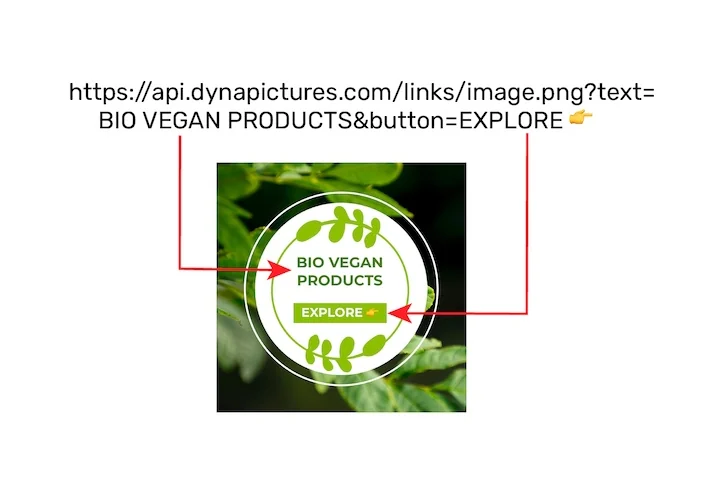
Map Company, Booth number and Logo onto the design. Exhibitors open their page, check the stand number, upload a newer logo if needed and share. Offer a landscape and a square design so they can post to LinkedIn and to the company's Instagram via download.
Import Once, Update When the Plan Changes
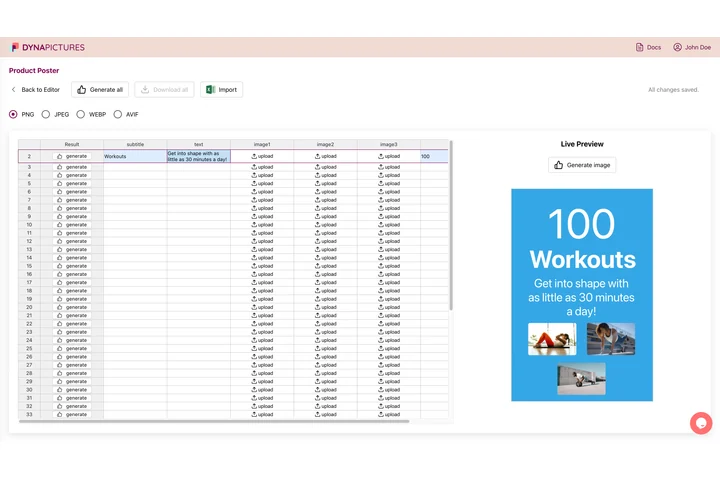
CSV or XLSX from your exhibitor management tool. When stands are reassigned, edit the list and the banner updates for the exhibitor on their next visit; their link stays the same.
Results per Exhibitor
Every share has its own tracked link. Shares, bot-filtered clicks and attributed registrations per company appear in the campaign analytics, alongside speakers and sponsors, with a leaderboard across all of them.
From Floor Plan to Posted Banners
1. Design the Booth Banner
Event branding locked, logo and stand number mapped.
2. Import the Exhibitor List
Company, booth, contact name and email.
3. Send the Links in the Exhibitor Newsletter Cycle
One wizard, editable subject and body, per-recipient log.
4. Report by Company
Clicks and conversions per exhibitor in the analytics.
What You Get on Every Plan
The Attendee Widget, Included
Inline or popup on your confirmation page, mobile-first, prefilled from your registration data. Every plan includes it, the free one too.
Revenue Attribution, Included
The conversion pixel on your own ticket pages attributes purchases and their value to the person who shared, per currency, within thirty days. Included on every plan.
Full Analytics and a Leaderboard
Views, shares, bot-filtered clicks and conversions over time, by channel and country, plus a leaderboard of the people who delivered. No reporting add-on.
Hundreds of Exhibitors in One Import
Up to a thousand people per campaign on Pro, two hundred on Standard: the whole floor plan list in one file, each company with its own share page and results.
See It on Your Own Event
Twenty minutes with a demo campaign, or start free and import your first list today.
Related Event Marketing Pages
Frequently Asked Questions
Only in the layers you mapped. Many organizers map a short message field so an exhibitor can write what they are showing, while the event name, dates and layout stay fixed.