
What Sponsors Actually Want From Social Promotion
Their Logo, Uncropped, on Your Brand
Sponsor logos are mapped to an image layer that is never cropped and keeps PNG transparency. The tier from your contract list lands on the banner as text.
A Number They Can Show Internally
Impressions are estimates; clicks are facts. Per-sponsor clicks and attributed conversions are the line in your report that a sponsor can forward to their own boss.
Promotion at Contract Time, Not at Event Time
Sponsors are confirmed months ahead. Send their share page the week the contract is signed and again when the lineup is announced.
Their Whole Team Can Post
One share page per company works for the marketing manager and the sales team alike; every share from it is counted for that sponsor.
A Sponsor Campaign, Step by Step
Logo-Led Banners With Tier and Message

Design one banner per tier or one design with the tier as a text field. Map the logo layer, add a headshot field if you want a person on it, and lock the rest. Sponsors open their page, upload a newer logo if needed, and share.
Import the Contract List
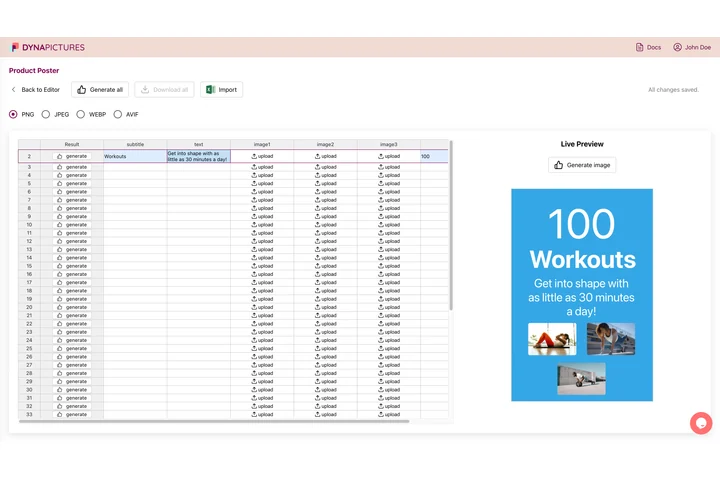
CSV or XLSX with Company, Tier, contact Name and Email. Extra columns such as booth or package are kept and can be mapped. One wizard emails every sponsor contact their share page, from your display name.
Clicks and Conversions per Company
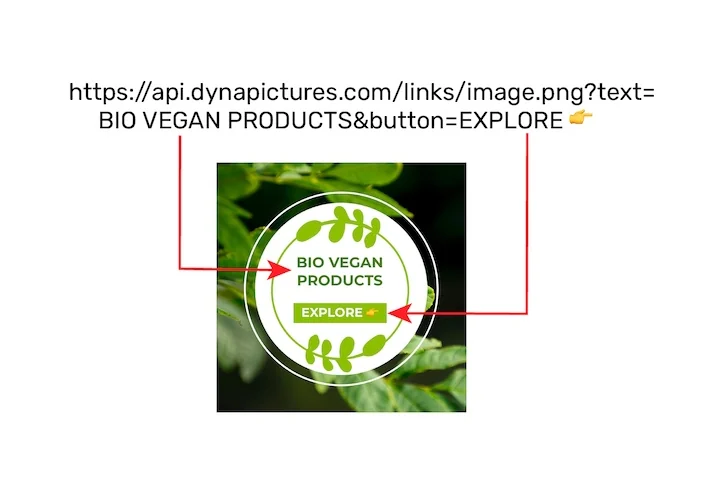
Each share mints a tracked link. The campaign analytics show shares, bot-filtered clicks and attributed conversions and revenue per sponsor, and a leaderboard across all audiences. Forward the sponsor's row, or screenshot the leaderboard for the wrap-up deck.
Set It Up in an Afternoon
1. Design Per Tier
Gold, silver and partner designs, or one design with the tier as text.
2. Import the Sponsor List
Company, tier, contact name and email from your contract tracker.
3. Send at Signing
Each contact gets their page; the caption already contains the sponsor's tracked link.
4. Report at Wrap-Up
Per-sponsor clicks, conversions and revenue, ready for the renewal conversation.
What You Get on Every Plan
The Attendee Widget, Included
Inline or popup on your confirmation page, mobile-first, prefilled from your registration data. Every plan includes it, the free one too.
Revenue Attribution, Included
The conversion pixel on your own ticket pages attributes purchases and their value to the person who shared, per currency, within thirty days. Included on every plan.
Full Analytics and a Leaderboard
Views, shares, bot-filtered clicks and conversions over time, by channel and country, plus a leaderboard of the people who delivered. No reporting add-on.
Per-Company Results to Forward
Clicks, conversions and revenue per sponsor in the shares table and the leaderboard, ready to paste into the wrap-up deck or the renewal email.
See It on Your Own Event
Twenty minutes with a demo campaign, or start free and import your first list today.
Related Event Marketing Pages
Frequently Asked Questions
Only the layers you mapped, usually their logo and a contact's headshot. The event branding, dates and the tier label you assigned stay locked.