

Generate alt text for your images
Drop up to 5 images (PNG, JPG or WebP, 15 MB each), choose language and tone, and click Generate.
Unique images for every page you want found
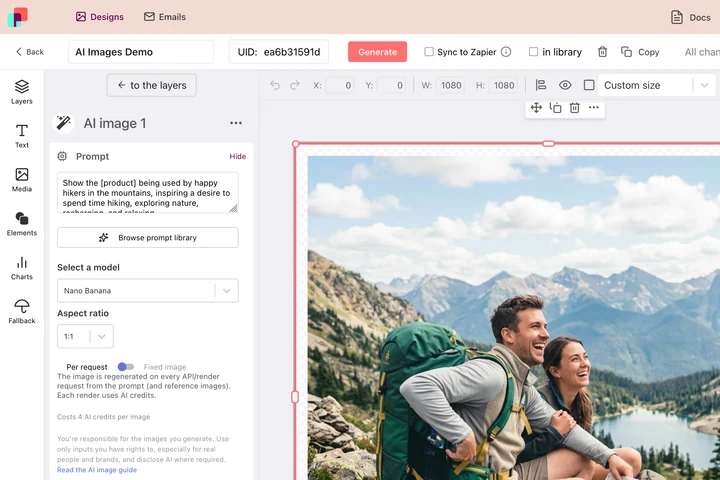
Alt text matters because search engines and Google Images decide what a picture is about, and one stock photo reused across fifty pages tells them nothing worth ranking. DynaPictures renders a distinct, on-brand image for each of those pages from your own rows of data.
- A distinct image per page, never stock
- Rendered from your own product or post data
- Spreadsheet, URL parameters, Zapier or REST API
How to generate alt text with AI
Upload your images
Add up to 5 files at once, PNG, JPG or WebP up to 15 MB each. Product photos, screenshots, charts and illustrations all work.
Choose language and tone
Pick the language of your site and a tone: short for a concise description under about 125 characters, or descriptive when the image carries more meaning, such as a chart or an infographic.
Review, copy or export
Read each suggestion, fix anything the AI got wrong, then copy it with one click or download all descriptions as a CSV with file name and alt text columns.
Why write alt text with this tool
Accessibility done, not skipped
Screen readers read alt text aloud; WCAG requires it for every meaningful image. A first draft in seconds makes it far more likely you fill the field.
Five images per run, 20 per day
Upload a product gallery or a blog post's images together instead of describing them one by one.
Your language, your tone
Get descriptions in the language of your site and choose between a short label and a fuller description for complex images.
CSV export for bulk edits
Download file names and alt texts as CSV and import them into WordPress, Shopify or your DAM without retyping.
Free, no login
20 images per day, no watermark, no account and nothing to install.
How the AI describes images and what to check
Each image is sent to a fast, low-cost vision model that identifies the subject, the setting and any visible text, then writes a description in the chosen language and tone. The result follows common accessibility guidance: it says what matters, avoids starting with the words image of, and stays short unless you asked for a descriptive version. Fast models do make mistakes: they can misread small text, confuse similar products, miss the point of a chart or describe a decorative image that should have an empty alt attribute. Always read the suggestion before you publish it; regenerating after a tweak to the tone is quick and counts toward the 20 images per day.
Free limits
Up to 5 images per upload and 20 images per day per visitor. PNG, JPG or WebP up to 15 MB each. Uploads and the CSV are deleted after 24 hours.
Whole catalogs and automation
The daily limit is metered per visitor and is the same for everyone, 20 images a day. If catalog images are a regular job, DynaPictures the platform renders them from your templates through the API, Zapier, Make or a spreadsheet.
Privacy
Images are used only to write the description and are not kept beyond the 24-hour window.
Frequently asked questions
Yes. Every visitor can describe up to 20 images per day, 5 per upload, without login or watermark. The limit resets at midnight UTC.