

Generate your featured image
Enter the post title, describe the art you want behind it, choose a text style and click Generate for a 1200x630 PNG.
A featured image for every post, made with the post
The featured image is also your Open Graph card and the thumbnail a search result shows, so it has to exist for every article you publish, not only the ones you had time for. DynaPictures renders it from the post's own title and category, called through URL parameters, the REST API or a step in your publishing flow.
- 1200x630 from the post title and category
- URL parameters, REST API or a Zapier step
- Programmatic SEO pages each get their own
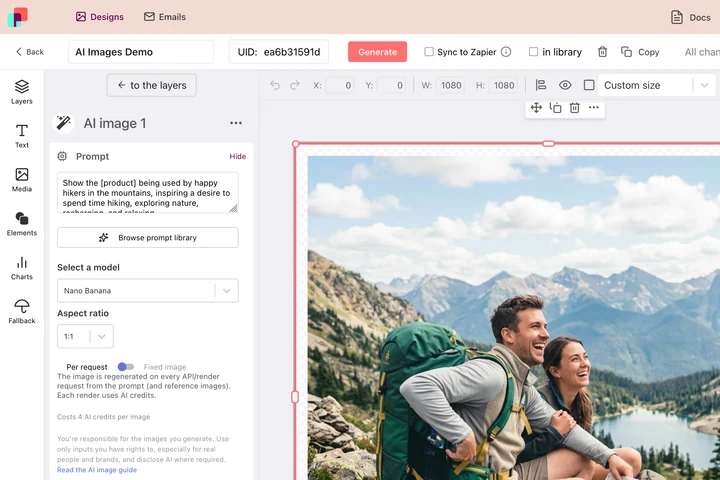
How to create a blog featured image with AI
Type the post title
Paste the headline of your article. It becomes the text on the image, so shorten a long title to its key phrase.
Describe the artwork
One sentence about the picture you want: a flat illustration of a laptop on a desk, an abstract gradient with soft shapes, a photo-style city skyline at dusk. Add a color if it should match your site.
Pick a style and generate
Choose a text style, click Generate and download the 1200x630 PNG. Upload it as the featured image and set it as og:image; the file stays available for 24 hours.
Why generate featured images this way
One image, two jobs
1200x630 is the size Facebook, LinkedIn and X use for link previews and it fits most blog themes as a featured image, so you upload one file instead of two.
Title already on the image
The post title is rendered in a readable text style, so the shared link preview says what the article is about even before the caption loads.
Art that fits the topic
Describe the illustration you want and the AI produces it. No stock photo that a hundred other blogs already use.
Fast enough for a publishing schedule
Fast, low-cost models return the image in seconds, so making a visual takes less time than writing the excerpt.
Free, no login
3 free generations per day, shared across the AI tools, no watermark and no account needed.
How the AI OG image generator works and its limits
Your art description is sent to a fast, low-cost image model that generates a 1200x630 background. The tool then places the post title in the selected text style with enough contrast to stay readable when social networks shrink the preview. Because speed is prioritized, the AI sometimes misreads a description, draws garbled text or symbols into the artwork, or picks colors that clash with the title. Simplify the description, mention the colors you want, and generate again; each attempt uses one of the 3 daily generations. Check the finished image with the Open Graph checker before you publish.
Free limits
3 AI generations per day per visitor, shared with the other AI tools. Output is a 1200x630 PNG kept for 24 hours.
Every post, automatically
The daily limit and 24 hour retention apply to every visitor equally. Your logo and fonts, and an image per post from your CMS, a spreadsheet, the API, Zapier or Make, come from templates in DynaPictures the platform.
Privacy
Title and description are used only to render the image and are deleted with it after 24 hours.
Frequently asked questions
Yes. Every visitor gets 3 free AI generations per day, shared across all DynaPictures AI tools, with no login and no watermark on the 1200x630 PNG.