
Generate your thumbnail
Describe the scene, enter a title of up to 40 characters, choose a text style and click Generate to get a 1280x720 PNG.
The same channel look, a new scene every video
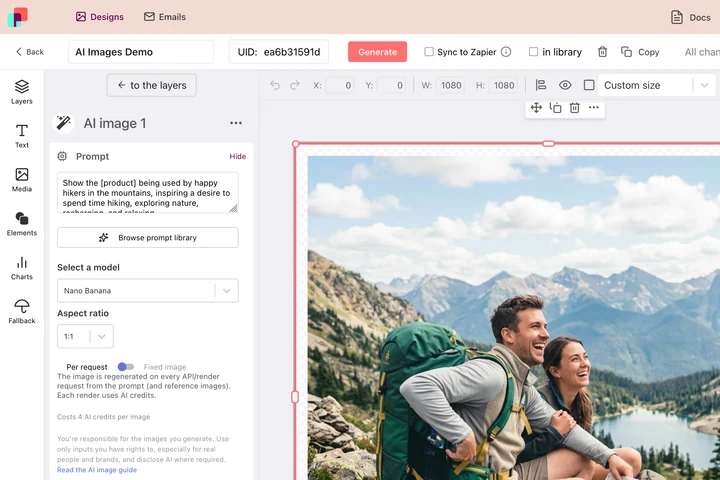
A thumbnail earns the click through consistency: the same title block, the same face, the same colour bar, so a viewer recognises the channel before reading a word. In DynaPictures that layout is a template with the title as a parameter, and the AI fills only the background slot, on the model you chose.
- 1280x720 with the title as a parameter
- Face detection keeps the subject in frame
- AI fills the background slot, nothing else
How to make a YouTube thumbnail with AI
Describe the scene
Say what should appear behind the text: a person at a desk with two monitors, a dramatic mountain sunrise, a close-up of a smartphone. Concrete nouns and lighting work better than moods.
Type the title and pick a style
Enter up to 40 characters of title text, the length that stays readable at small sizes, and choose a text style such as bold outline, boxed or gradient.
Generate and download
The AI renders the background, the text is placed on top and you download a 1280x720 PNG. The file stays available for 24 hours.
Why design thumbnails with this tool
Exact YouTube size
Every thumbnail is 1280x720 pixels at 16:9, the size YouTube recommends, so nothing is cropped or upscaled on upload.
Text built for small screens
The 40-character limit and the heavy text styles keep the title legible in the sidebar, in search results and on a phone.
A background for any topic
No stock library to search. Describe the scene and the AI generates a background that matches your video, from tech reviews to travel vlogs.
Fast turnaround
Fast, low-cost models return a background in seconds, so you can test a second idea before you publish.
Free, no login
3 free generations per day, shared across the AI tools, no watermark and no account needed.
How the thumbnail designer works and what to expect
Your scene description goes to a fast, low-cost image model that generates a 16:9 background. The tool then places your title in the chosen text style with contrast and outline tuned for small previews and exports a 1280x720 PNG. Because speed is prioritized over precision, the AI can misread a description, render odd hands or objects, or produce a composition where the text covers the interesting part. Change the wording, move the subject to one side in the description, or try again; each attempt uses one of the 3 daily generations.
Free limits
3 AI generations per day per visitor, shared with the other AI tools. Titles up to 40 characters, output 1280x720 PNG, kept for 24 hours.
Your face, logo or more variants
The daily limit and the 24 hour storage are identical for every visitor. Your photo, logo and fonts, and thumbnails for a whole channel from a spreadsheet or the API, come from templates in DynaPictures the platform.
Privacy
The description and the rendered thumbnail are deleted after 24 hours and are not used for anything else.
Frequently asked questions
Yes. Every visitor gets 3 free AI generations per day, shared across all DynaPictures AI tools, with no login and no watermark on the 1280x720 PNG.