
Compress your GIF
Drop a GIF up to 30 MB, pick a compression level and download the smaller file.
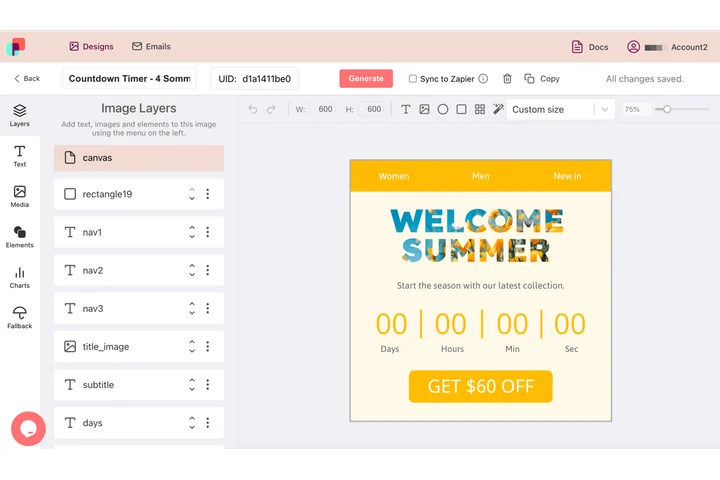
Your email hero, built as an animated GIF
An email hero has a weight budget before it has a headline: every kilobyte travels to the whole list. In DynaPictures that hero is a design, so you set the canvas in pixels, pin the logo and the offer by X and Y, and the template comes out as one animated GIF.
- Your whole design on every frame
- Canvas size and layer positions in pixels
- The same build as the countdown timers
How to compress a GIF online
Upload the GIF
Drag an animated GIF up to 30 MB into the box or click to pick one from your computer.
Choose how much to compress
Move the lossy slider (0-200), reduce colors to between 32 and 256, keep only every 2nd or 3rd frame or set a max width.
Download the smaller GIF
Click Compress, compare the old and new file size and save the result. The download link stays live for 24 hours.
Why compress GIFs here
Lossy level you control
The lossy scale runs from 0 to 200. A value around 80 cuts most GIFs by half with barely visible changes.
Fewer colors, smaller file
Dropping the palette from 256 to 64 or 32 colors removes a large share of the data in flat-color GIFs such as screen recordings.
Frame skipping
Keep every 2nd or 3rd frame to halve or third the frame count; frame delays are adjusted so the loop lasts as long as before.
Built for email
Combine a max width of 600 px with lossy compression to get GIFs under 1 MB that load fast in Gmail and Apple Mail.
How the compressor reduces GIF size
A GIF stores every frame as an indexed image with up to 256 colors, so the file grows with frame count, resolution and color variety. The tool works on all of them: lossy encoding lets similar pixels share a palette entry, color reduction shrinks the palette, frame skipping removes frames and the max width scales the animation down. The result is a standard GIF that plays wherever animated GIFs are supported.
Free limits
30 compressions per day per visitor, GIFs up to 30 MB, downloads available for 24 hours.
Automate compression
Compression is metered per visitor, 30 GIFs a day for everyone alike. If you need campaign images regularly, DynaPictures renders them from your templates through the API, Zapier or Make.
Privacy
Your GIF is processed on our servers and deleted together with the download link after 24 hours.
Frequently asked questions
It depends on the source. A lossy level of 80 with 128 colors typically cuts a photographic GIF by 40 to 70 percent; flat-color screen recordings shrink even more.