

Design your personalized image
Pick a style, enter sample values, choose your ESP merge-tag format and copy the dynamic image URL.
One published URL, a different image for every recipient
A personalized image is fetched at the moment someone opens the message, so it has to be assembled from that person's own values: the first name, the plan, the city. DynaPictures publishes your template at a single address that takes up to 20 named values, and holds each result in cache so repeat opens cost nothing.
- Your merge fields become the URL values
- First name, plan or city per recipient
- One template covers the entire list
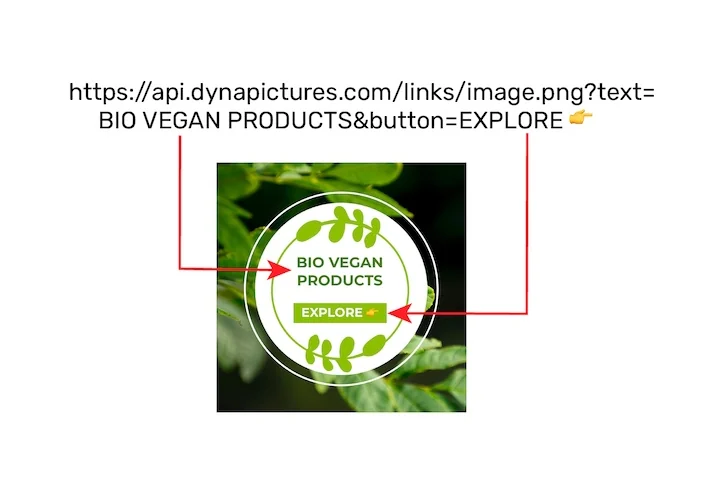
How to create personalized email images
Pick a style and sample values
Choose a layout, set the colors and type example text for first name, headline and offer so you can see the result immediately.
Select your ESP merge-tag syntax
Choose Mailchimp, Klaviyo, HubSpot, ActiveCampaign, Brevo or a generic {{ first_name }} format; the URL is rewritten with the matching placeholders.
Copy the URL into your template
Download the preview PNG or paste the dynamic URL into an img tag. Your ESP fills in the merge tags when it sends, and each reader gets their own image.
Why personalize images with a dynamic URL
One URL, one image per subscriber
The image is rendered at open time from the query parameters, so one template replaces a separate file for every recipient.
Merge tags for the major ESPs
Presets write the right syntax for Mailchimp *|FNAME|*, Klaviyo and HubSpot double braces and ActiveCampaign percent tags, so nothing has to be edited by hand.
Text and colors are yours
Headline, first name, offer line and the color scheme are all editable in the free version; a PNG preview shows exactly what a subscriber will see.
Nothing to host
The image is served from our servers over HTTPS. You only paste an img tag; there is no file to upload to your ESP.
How dynamic email images work
A personalized image is a normal PNG whose content depends on the URL. Instead of first_name=Anna the URL you paste contains your ESP's merge tag, for example first_name={{ first_name }}. When the campaign is sent the ESP replaces the tag per recipient, the email client requests the resulting URL and our renderer returns a picture with that name in it. The free version lets you change text and colors; custom images and fonts belong to the DynaPictures template editor.
Free limits
20 previews per day per visitor. Each dynamic URL serves 100 opens a day, 1,000 opens in total and 30 days, whichever comes first.
Full campaigns and automation
The caps on opens and the daily preview limit are the same for every visitor. DynaPictures itself is a template editor: your own images and fonts, saved designs, and images generated through the API, Zapier, Make or a spreadsheet.
Privacy
Names arrive only as URL parameters when the image is requested and are not stored after rendering.
<img src="https://api.dynapictures.com/tools/d/YOUR-ID.png?first_name={{ first_name }}" alt="Hello">Frequently asked questions
Text fields such as first name, headline and offer, plus the color scheme of the chosen style. Custom background images and fonts are part of the DynaPictures template editor.