
Extract or change the first frame
Drop a GIF up to 30 MB, download frame 1 as PNG or type the frame number that should play first.
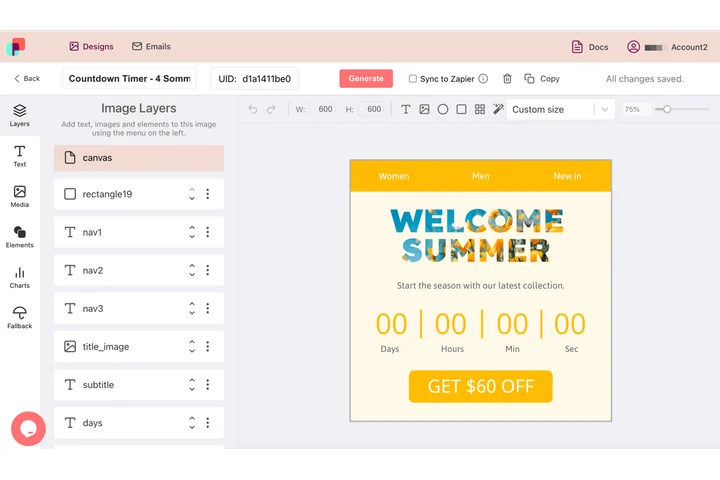
The still and the loop come from one design
A GIF in email is really two pictures: the animation for clients that play it, and frame one for every reader who only ever sees a still. In DynaPictures both sit in the same document, with headline, logo and offer fixed at the same X and Y on every frame.
- Headline and logo fixed on every frame
- Frame one is part of the design
- The same layers export as flat PNG
How to get the first frame of a GIF
Upload the animated GIF
Drag a GIF up to 30 MB into the box. The tool reads every frame and shows how many the animation contains.
Choose what you need
Download frame 1 as a PNG, or step through the frames and enter the number of the one that should become the new first frame.
Download and use it
Save the PNG as your Outlook fallback or download the reordered GIF. The link stays active for 24 hours.
Why email marketers use this tool
Built for the Outlook problem
Outlook 2016, 2019 and the classic Outlook for Microsoft 365 on Windows show only the first frame of a GIF. Make that frame count instead of showing a blank intro.
Clean PNG fallback
Frame 1 is exported as a lossless PNG at the GIF's exact pixel size, ready for a conditional Outlook block or a static version of your campaign.
Pick any frame as frame 1
Enter a frame number and the animation is rebuilt starting there, with the loop and frame delays intact.
50 uses a day, no signup
Enough for a full campaign of GIFs. Nothing is installed and no watermark is added.
Why the first frame of a GIF matters in email
Animated GIFs play in Gmail, Apple Mail, Yahoo and most mobile apps, but Outlook desktop on Windows and some corporate clients render only the first frame. If your GIF opens with a blank or teaser frame, those readers never see the product or offer. The safe pattern is to design the first frame as a complete static message and, where you can, ship a PNG fallback for clients that block animation altogether. This tool handles both parts without a graphics editor.
Free limits
50 uses per day per visitor, GIFs up to 30 MB, downloaded PNGs and GIFs kept for 24 hours.
Automate the fallback
Extraction runs per visitor and the daily limit is the same for everyone. To produce the static fallback from the same design as the rest of the campaign, DynaPictures renders images through the API, Zapier or Make.
Privacy
Your GIF is processed on our servers and deleted with the download link after 24 hours.
Frequently asked questions
Outlook 2016, 2019 and the classic Outlook for Microsoft 365 on Windows, plus some older corporate webmail. Outlook on Mac, the new Outlook for Windows, Gmail and Apple Mail play the animation.