
Resize your GIF
Drop a GIF up to 30 MB, type the new width or height and download the resized animation.
One animation, rendered at every width it needs
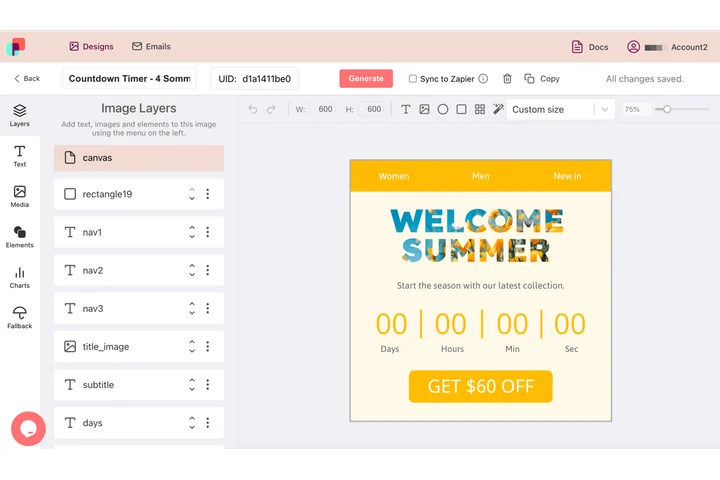
The same loop has to sit in an email column, in a chat message and in a page module, and each of those asks for a different pixel width. In DynaPictures every layer carries its own X, Y, width and height, so a second size is drawn from the design instead of sampled down from a finished file.
- X, Y, width and height per layer
- Each width drawn from the design itself
- Animated GIF, PNG, WEBP or AVIF output
How to resize a GIF
Add the animated GIF
Drag a GIF up to 30 MB into the upload box or click to browse. The current dimensions are shown right away.
Type the target size
Enter only a width (for example 600) to keep the aspect ratio, or both width and height for an exact size.
Save the resized GIF
Click Resize and download the file. Downloads stay available for 24 hours and you get 30 resizes per day.
What makes this GIF resizer useful
Frames and timing kept
Each frame is scaled individually and reassembled with the original delays, so the animation plays at the same speed.
Aspect ratio handled for you
Give one dimension and the other is calculated; give both and the GIF is resized to exactly that box.
Transparency survives
Stickers and logos with transparent backgrounds stay transparent, with no black or white box around them.
Smaller files as a bonus
Scaling a 1200 px GIF down to 600 px usually cuts the file to a quarter, which helps emails load faster.
No software, no signup
Everything runs in the browser and on our servers. Upload, resize, download, done.
Resizing GIFs for email, Slack and websites
Most email templates are 600 px wide and Slack, Teams and Discord render inline GIFs at a limited width, so a 1080 px screen recording is wasted pixels that only add weight. The resizer decodes every frame, scales it with a high-quality filter, rebuilds the palette and writes a standard GIF89a file. Upscaling works too, though a GIF cannot gain detail it never had.
Free limits
30 resizes per day per visitor, GIFs up to 30 MB, download links valid for 24 hours.
Keep and automate
Results stay available for 24 hours and the daily limit is per visitor, the same for everyone. For sizes you need again and again, DynaPictures renders each one from a single template via API, Zapier or Make.
Privacy
Uploaded GIFs are processed on our servers and removed with the download link after 24 hours.
Frequently asked questions
Yes. All frames and their delays are preserved; only the pixel dimensions change, so the loop looks the same at the new size.