
Why Speakers Do Not Share
Three reasons, in order of frequency: the asset needs work, the timing was wrong, and nobody asked twice.
The asset needs work
A generic conference banner is an ad for you. A banner with the speaker's face, name and session title is news about them. Speakers post news about themselves; they rarely post ads for you.
The timing was wrong
A speaker kit sent with the acceptance email, months before the programme is public, arrives before the speaker cares. Send the asset the day the lineup is announced, when their session is real and public.
Nobody asked twice
One email gets a third of speakers to post. A second email two weeks before the event, with the same link and a new caption, roughly doubles that. The link must still work, so do not use anything that expires.
What to Send
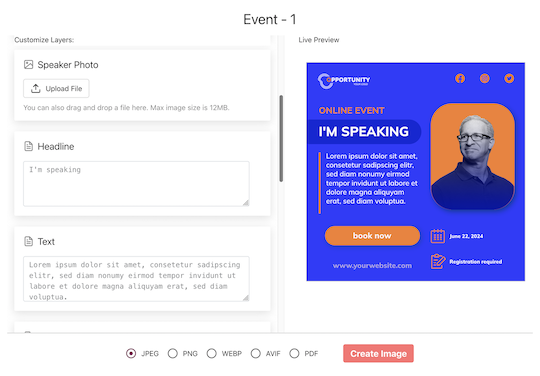
- A personal link, not an attachment A page that already shows the speaker's banner with their name and photo, a prepared caption with their tracked link, and a share button. Nothing to download, nothing to log into.
- Two designs A portrait or square for the feed and a story format. Let them pick; do not send five.
- A caption they will edit Two sentences and the link. Speakers rewrite the sentences and keep the link. Merge in the event name and their session so the caption is already specific.
- A reason it is about them Session title, track and time on the banner. The post then announces their talk, which is the post they wanted to write anyway.
The Timing
Two asks, four weeks apart, produce most of the posts you will get. A third ask on the day of the event catches the rest.
Announcement day
The programme goes public; every speaker gets their link the same morning. Ask for the post today so the feed shows a wave. A wave gets noticed by people who follow several speakers.
Two weeks out
Same link, new caption: the countdown angle, seats still available, or a question the talk will answer. This is where the second post comes from.
Day of
A see you at 14:00 in room B post with the same banner. Short ask, high response, because the speaker is already thinking about the session.
How to See Which Speaker Sold Tickets
Attribution is what turns speaker promotion from a favour into a channel you can fund.
Per-share links
Every time a speaker taps Share, a fresh tracked link is minted for that post. Two speakers sharing the same banner are measured separately; one speaker sharing twice is measured twice.
Bot-filtered clicks
LinkedIn's link preview, corporate email scanners and security proxies hit every posted link within seconds. Filter them or the click count is meaningless. Report the filtered number.
Revenue with a pixel
A small script on your ticket confirmation page attributes each purchase and its value to the speaker whose link brought the buyer, within thirty days. Report revenue per speaker in the currency sold; that number decides next year's speaker budget.
Say what you cannot see
You cannot see whether the post was completed, only that the share sheet opened. Report shares as activity and clicks as results, and your numbers will survive questions.
Set It Up
Frequently Asked Questions
Yes, as an expectation, not a penalty. The agreement gets a nod; the personal link and the well-timed ask get the post.