
Generate your display ad set
Describe the offer, add a logo or product photo and click Generate; 300x250, 728x90 and 160x600 are preselected.
The full display set on every price change
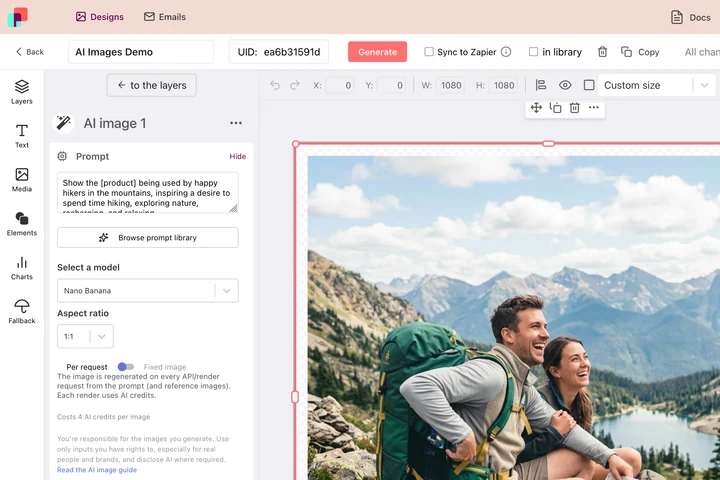
Three sizes today; on Monday the price changes and every size needs the new number again. In DynaPictures each IAB size is a template with the headline, price and button as fields, so the set re-renders from one row.
- Every IAB size as its own template
- Price and headline as fields, logo fixed
- Re-rendered from a sheet, the API or Zapier
How to create Google display ads with AI
Describe the offer
What you promote, the brand and the audience, or your own headline and button text. Short copy works best in the small sizes.
Add logo and colors
Upload your logo and, for product campaigns, a product photo; set the brand colors so all three sizes share one palette.
Generate and download the set
The medium rectangle is AI-designed and proofread, the leaderboard and skyscraper are laid out from the same copy. Download each PNG within 24 hours.
What this display ad generator gets right
The three classic IAB sizes
300x250 medium rectangle, 728x90 leaderboard and 160x600 wide skyscraper, the placements most Google Display Network inventory still runs.
One message, three shapes
The same headline, button, colors and logo across the set, so the campaign reads as one wherever the ad appears.
Room for the button
The leaderboard and skyscraper layouts size the button from its label with real padding instead of squeezing the text into a fixed box.
Weight-friendly PNGs
Static PNG files in the exact pixel sizes; keep them under the network's file-size limit and upload as they are.
Free, no login
3 free generations per day, shared with the other AI tools, no watermark.
Display ad sizes and how each one is made
Google Ads still serves most image inventory in 300x250, 728x90 and 160x600, with 970x250 as the billboard option; the tool offers all four plus the social sizes. The medium rectangle is designed by an image model with the text rendered inside the image and checked for misspellings. The leaderboard, billboard and skyscraper are too wide or too tall for image models to compose reliably, so they are laid out by a template from the same copy, colors, logo and product photo, which keeps every letter crisp at 90 pixels of height. Each generation counts as one of your 3 daily generations; add 970x250 or drop a size by ticking the tiles.
Free limits
3 AI generations per day per visitor, shared with the other AI tools, up to 3 formats each. Downloads are kept for 24 hours.
Full responsive ad sets
The daily limit is the same for everyone. For every IAB size of every offer, DynaPictures the platform renders the set from templates through a spreadsheet or the API.
Privacy
Offer text, logo and product photo are used only to build the ads and are deleted with the files after 24 hours.
Frequently asked questions
300x250 medium rectangle, 728x90 leaderboard and 160x600 wide skyscraper are preselected; 970x250 billboard, 1080x1080, 1080x1920 and 1200x628 can be swapped in. Up to 3 per generation.