
Make your quote card
Enter the quote and author, pick square, portrait or landscape and download the PNG. Or paste up to 10 lines in the form quote | author for a ZIP.
Your quote layouts and your backgrounds in one place
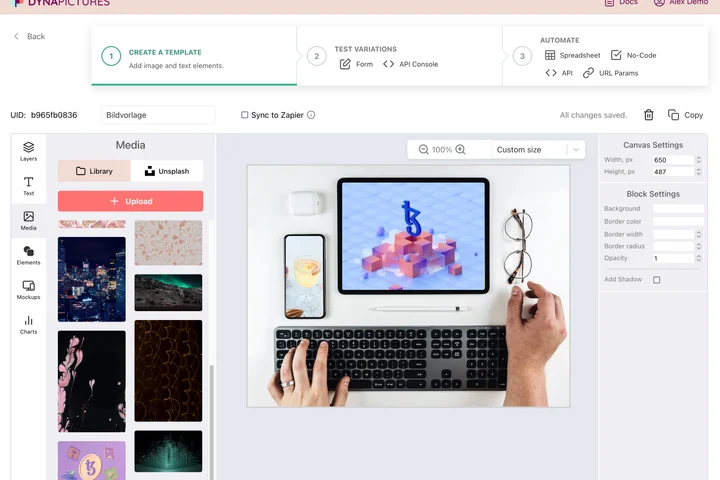
A quote post is a recurring format: the same frame, the same type scale, a different line every time it goes out. DynaPictures keeps each layout among your saved templates and every background, logo and Unsplash pick in one media library, so the next card starts from what you already approved.
- Reusable layouts in your template gallery
- Unsplash backgrounds without leaving the editor
- An animated GIF from the same design
How to make a quote image
Type quote and author
Paste the quote text and the name of the person you are quoting. Long quotes are wrapped and scaled so they fit the card.
Choose style, size and colors
Pick a style, then a size: square 1080x1080 for Instagram, portrait 1080x1350 for feed posts and Pinterest, or landscape 1200x630 for blogs, X and LinkedIn. Set background and text colors.
Download the PNG or a ZIP
Click Render and save the PNG. For bulk, paste up to 10 lines as quote | author and download a ZIP with one card per line.
Why make quote cards here
Three social-ready sizes
Square 1080x1080, portrait 1080x1350 and landscape 1200x630 cover Instagram, Facebook, LinkedIn, Pinterest, X and blog headers without cropping.
Ten quotes in one go
Paste up to 10 lines of quote | author and get a ZIP of finished cards, enough for a week or two of daily posts.
Typography handled for you
Quotation marks, line breaks, font size and the author line are laid out by the style, so long and short quotes both look balanced.
Your colors
Choose the background and text colors to match your brand or the mood of the quote; every style adapts to them.
Free, 20 renders a day
No login and no watermark. Each visitor can render 20 quote images per day, the same allowance for everyone, reset at midnight UTC.
What you get and how to use quote cards
The generator renders your quote and author into a PNG using one of several ready-made styles, with your own background and text colors. You choose the canvas: 1080x1080 for Instagram and Facebook posts, 1080x1350 when you want the tallest feed image Instagram allows, 1200x630 for blog featured images, X, LinkedIn and Open Graph previews. Quote cards are among the most shared post types for coaches, authors, podcasts and newsletters because they can be read at a glance. Keep quotes under about 200 characters, always credit the author and stick to one style so your feed looks like one brand.
Free limits
20 renders per day per visitor, up to 10 quotes per bulk ZIP, PNG output in three sizes. Downloads are kept for 24 hours.
Automate your quote posts
The DynaPictures platform renders quote images from a spreadsheet, via API or with Zapier and Make, one card per row, out of a template you designed.
Tip for readability
Keep the quote under about 200 characters and pick a text color with strong contrast against the background so the card stays readable in a small feed preview.
Frequently asked questions
Use 1080x1080 for a square post or 1080x1350 for a portrait post, which takes up more of the feed. For Stories, resize the portrait card with the social media image resizer.