
Create your testimonial card
Enter the review, the customer's name and role, choose the star rating and a style, then download the PNG. Bulk mode takes up to 10 rows.
Every review in the sheet becomes a finished card
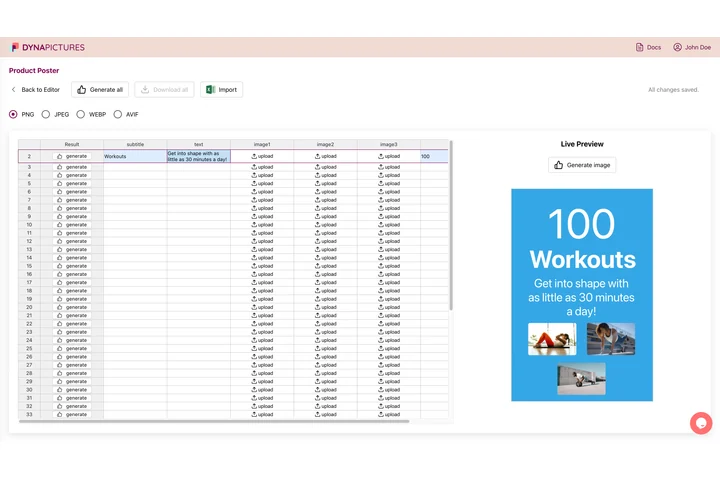
Social proof works when it is current, so the newest review has to reach a post, a landing page and a sales deck quickly. In DynaPictures the review text, the customer name, the role and the star count are fields on a row, and the card renders from that row.
- Star count and role as template fields
- One row per review, one card
- The whole sheet at once, or a single row
How to make a testimonial image
Enter the review
Paste the review text and type the customer's name and their role or company. Set the star rating from 1 to 5.
Pick a style and size
Choose a G2-like, Trustpilot-like or Google-review-like card, or the clean style for your own branding. Select square, portrait or landscape.
Download the PNG or a ZIP
Render the card and save the PNG. For a batch, paste up to 10 rows and download a ZIP with one card per review.
Why make review images with this tool
Looks like the real platform
Layouts modelled on G2, Trustpilot and Google reviews give the card instant credibility, complete with a star rating from 1 to 5.
Ten reviews at once
Paste up to 10 rows and get a ZIP of finished cards, so a whole wall of testimonials is done in one render.
Three sizes for every channel
Square for Instagram and LinkedIn, portrait for feed posts and Stories, landscape for websites, ads and slides.
Clean style for your brand
Prefer not to mimic a platform? The clean style uses your colors with the same name, role and rating fields.
Free, 20 renders a day
No login and no watermark. Each visitor gets 20 renders per day, the same allowance for everyone, reset at midnight UTC.
Where testimonial images work best
Social proof converts better when it looks like real customers said it. This generator lays out the review text, the customer's name, their role or company and a star rating in a card that resembles a G2, Trustpilot or Google review, or in a clean layout with your own colors. Use square cards in a LinkedIn or Instagram post, portrait cards in Stories and Reels covers, and landscape cards on landing pages, in email campaigns and in sales decks. Only publish reviews you have permission to share, keep the wording exactly as the customer wrote it and add the role or company so readers can judge how relevant it is.
Free limits
20 renders per day per visitor, up to 10 reviews per bulk ZIP, PNG output in square, portrait or landscape. Downloads are kept for 24 hours.
Automate from your review feed
The DynaPictures platform renders a testimonial image for every new review via API, Zapier, Make or a spreadsheet, out of a card you designed once.
Good practice
Ask for consent before sharing a review with a name, quote it word for word and never display a rating the customer did not give.
Frequently asked questions
Yes. Choose the G2-like, Trustpilot-like or Google-review-like style. The card carries the review text, name, role or company and a 1 to 5 star rating in a familiar layout.