

Build your carousel
Add up to 10 slides with a title and text each, pick a style and colors, then download the PDF and the PNG previews.
Draw the slide once, let the text be a parameter
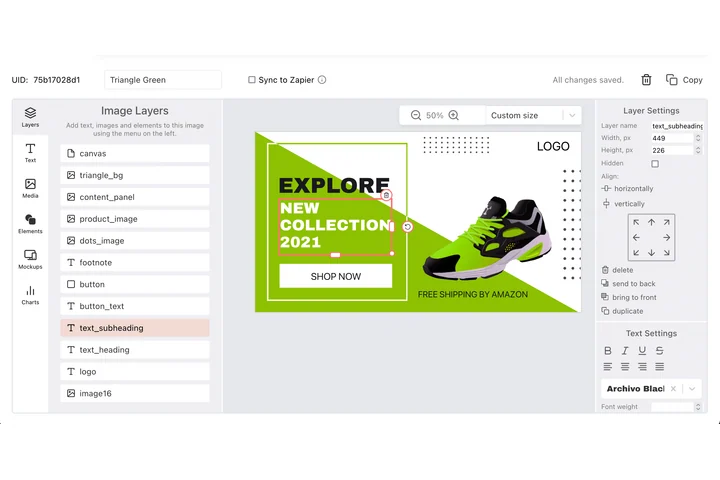
A carousel is one argument split across ten pages, so the type, the margins and the brand colours have to hold from the first slide to the last. In DynaPictures you lay that page out in the editor, pass the headline and body per slide, and the deck renders as a PDF.
- One template rendering straight to PDF
- Headline and body passed per slide
- PPTX and PNG from the same design
How to make a LinkedIn carousel
Write your slides
Add up to 10 slides, each with a short title and a few lines of text. Slide 1 is the hook, the last slide is the call to action.
Pick style and colors
Choose a layout style, set background and accent colors and add an optional author line with your name so every page carries your byline.
Download PDF and PNGs
Get a PDF with 1080x1080 pages that LinkedIn accepts as a document post, plus a PNG preview of each slide. Files stay available for 24 hours.
Why use this carousel maker
PDF in the format LinkedIn wants
LinkedIn carousels are document posts, so the output is a PDF with square 1080x1080 pages that render sharp on desktop and mobile.
Consistent pages without layout work
Every slide follows the same style, margins and colors, so a 10-slide carousel looks like one design and not ten separate images.
PNG previews included
Each page also comes as a PNG, handy for a teaser image, an Instagram post or a newsletter.
Made for text-first content
Tips, listicles, frameworks and case study summaries work best as carousels. Type the words, the tool handles the typography.
Free, 5 carousels a day
No login and no watermark. Each visitor can create 5 carousels per day, the same limit for everyone, and it resets at midnight UTC.
How LinkedIn carousels work and what this tool produces
LinkedIn has no native carousel format for organic posts anymore. Instead you upload a PDF as a document post and LinkedIn shows the pages as a swipeable carousel. This generator writes that PDF for you: square 1080x1080 pages, one per slide, with your title and text laid out in a consistent style, your colors and an optional author line at the bottom of each page. Square pages take up the most feed space on mobile, which is why 1080x1080 is the common choice. Keep each slide to one idea and around 20 to 30 words, use the first page as a hook and end with a clear call to action such as follow, comment or download.
Free limits
Up to 10 slides per carousel and 5 carousels per day per visitor. Text, styles and colors are included; downloads are kept for 24 hours.
More slides, fonts and logos
More than 10 slides, custom fonts and your logo are DynaPictures platform features: there you design the deck as a template and generate it from a spreadsheet or via API, Zapier and Make.
Posting tip
Upload the PDF with the document option in the LinkedIn post composer and give it a title; the first page is what people see before they swipe.
Frequently asked questions
Create a new post, choose the document option, upload the PDF you downloaded here and add a title. LinkedIn turns the pages into a swipeable carousel.