Auto Generate Twitter cards via Make

Create cards automatically from a Make scenario: an HTTP module calls the DynaPictures REST API, no native app needed
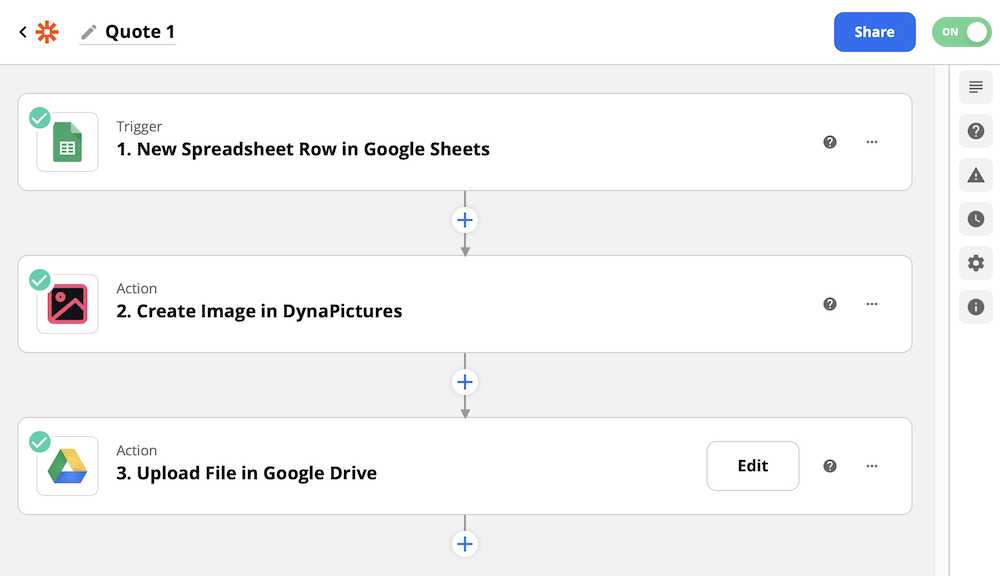
DynaPictures has no native Make app. Call the DynaPictures REST API from Make's HTTP module: one HTTP request renders the image, the response carries the image URL.


Why Make Twitter cards With Make?

Automate and Scale cards Generation For Twitter

Using the powerful DynaPictrures integration with Make you can streamline the process of creating cards.

Improve productivity as you automate repetitive tasks of making cards for Twitter. With the DynaPictures image generation tool, simply use Make to speed up your workflows by generating Twitter cards in bulk. Focus on your business goals - not tedious tasks.

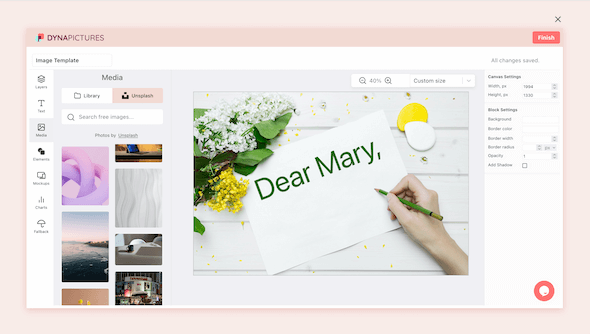
Edit and Save Twitter cards - Use Powerful Templates to Customize Each Layer

Dynamic image generation using URL params

Create your own Twitter cards template to reuse in the future, or edit the existing presets to match your brand’s visual identity. The DynaPictures image generator is easy to use - no tricky tools are involved.

You can easily add your company’s logo and color scheme. Change texts and localize content as the image generator supports different languages. Auto-resize text and images to ensure they are displayed appropriately. Your custom Twitter cards template will be ready in no time.

How to Create Twitter cards Using Make

Design a template for Twitter cards in DynaPictures, then add an HTTP module to your Make scenario that posts your data to the DynaPictures REST API. Each run renders one image and returns its URL, which the next module can post, save or email. There is no native Make app to install.

Twitter cards Generated via Make

Many Ways to Auto Generate Twitter cards

A variety of other tools can be integrated with DynaPictures to generate visual content in bulk. Not using Make? Not a problem. Choose another tool and your data source for Twitter cards generation in bulk.

FAQ about Twitter cards Creation from Make

How do I generate Twitter cards automatically?
Use the DynaPictures image generator online. First, choose and edit the template for your Twitter cards. Then add an HTTP module to your Make scenario that calls the DynaPictures REST API with your data. Each scenario run returns a new image URL in seconds.
How do I create an image via Make?
To create images via Make, use the online image generator by DynaPictures. This tool allows automated image generation, and creating Twitter cards or any visual content can be done in minutes. Go to DynaPictures, choose a template, test an image, and connect your Make with your data.
Can I make Twitter cards with Make?
Yes, you can make Twitter cards with Make. Using DynaPictures tool can help you save time and effort. All you need is to go to DynaPictures online image generator, choose a template, customize it, and connect data.
Is the Twitter cards generation with Make free?
Yes. Every new account starts with a 14-day free trial with up to 100 images and no credit card, so you can try Twitter cards generation via Make before you pick a plan. Whenever you are ready for more, take a look at our paid plans.
Can I use the image generation via Make to create multiple Twitter cards?
You can create Twitter cards in bulk via Make. DynaPictures image generation can help you optimize the process of multiple Twitter cards creation fast with significantly less effort.
How can I automate the process of creating multiple Twitter cards via Make?
DynaPictures can help you automate creation of Twitter cards via Make. You need to setup your template for Twitter cards first, then connect your datasource via No-Code or API to generate many Twitter cards automatically.

Try DynaPictures to Auto Generate Other Content with Make

Successful marketers and developers use our image creator to generate many other types of banners with Make.