
APITemplate.io and DynaPictures at a Glance
Choose DynaPictures If
Your templates are marketing visuals and branded documents designed in an editor, you need PowerPoint, AVIF or GIF output, AI image layers from 12 models, face-aware cropping, an MCP server for AI assistants, a React SDK and widgets for your own product, or email countdown timers and event campaigns.
Choose APITemplate.io If
Your documents start as HTML and CSS, Markdown or a URL, you need headers, footers and page numbers with Jinja2 logic, a free tier of 50 images and PDFs a month, a SOC 2 Type II audit, regional endpoints in the US, EU, Singapore or Australia, QR layers, or ready-made apps for Make, n8n, Airtable and Bubble.
What Both Do
A visual template editor, a REST API with webhooks, single and multi-page PDFs, images from templates, a Zapier app, documents filled from JSON data, and a start without a credit card.
Prices, Stated Plainly
APITemplate.io: a free tier of 50 images and PDFs a month; image and PDF plans from $29 a month billed annually ($35 monthly) for 1,500, $69 ($89) for 9,000 and $139 ($179) for 20,000; PDF-only plans from $19 ($24) for 3,000 PDFs. DynaPictures: 29 EUR a month for 250 images, 49 EUR for 1,000, 79 EUR for 2,000, 119 EUR for 5,000 and up to 699 EUR for 200,000, prices without VAT.
APITemplate.io vs DynaPictures, Feature by Feature
The questions that decide the purchase, one row each. APITemplate.io facts come from its own website; ours from the product as shipped.
| Checked 12 Nov 2026 | DynaPictures | APITemplate.io |
|---|---|---|
| Paid plans start at | 29 EUR a month, 250 images | $29 a month billed annually, 1,500 images and PDFs |
| PDF-only plans | no separate PDF plan | from $19 a month billed annually, 3,000 PDFs |
| Free option | 14-day trial, up to 100 images, no card | free tier: 50 images and PDFs a month, no card |
| Template types | visual editor | visual editor, or HTML and CSS with Jinja2 |
| PDF from HTML, Markdown or a URL | No | Yes |
| Output formats | PNG, JPEG, WebP, AVIF, PDF, GIF, PPTX | PDF and images |
| PowerPoint (PPTX) output | Yes | not listed |
| AI image models | 12 models from 4 providers | not listed |
| MCP server for AI assistants | yes: 17 tools and 3 prompts | not listed |
| QR layers | No | Yes |
| No-code apps | Zapier, Pabbly, Integrately; Make through its HTTP module | Zapier, Make, n8n, Airtable, Bubble, UiPath |
| Editor you can embed in your app | React SDK with 6 components, 5 widgets | not listed |
| Face-aware smart crop | Yes | not listed |
| Security audit | no SOC 2 report | SOC 2 Type II |
| Where files are rendered | Germany (EU) | endpoints in the US, EU, Singapore and Australia |
| Email countdown timers | yes, free tier: 5 timers, 100 opens | not listed |
APITemplate.io facts from apitemplate.io (home page, pricing page, docs on headers and footers, and its enterprise features page) as read on 12 November 2026. Prices in USD as listed, annual first; ours in EUR without VAT. Not listed means we did not find it on APITemplate.io's website. Check with APITemplate.io before you decide.
What Changes When You Move From APITemplate.io
Design Documents Without Writing HTML
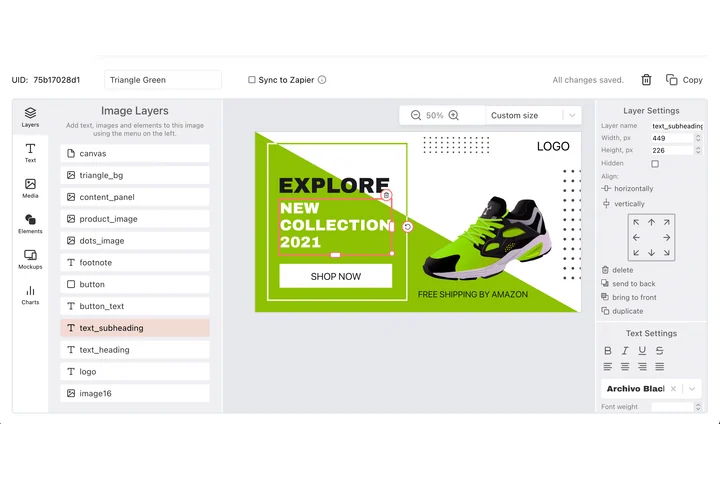
APITemplate.io's strongest path is HTML and CSS with Jinja2. DynaPictures is built around a visual editor: place text, images, shapes, charts and gauges, upload your fonts, add pages, and the API fills the named layers. Marketing teams change a certificate or a ticket without a developer.
PowerPoint and Web Formats From the Same Template
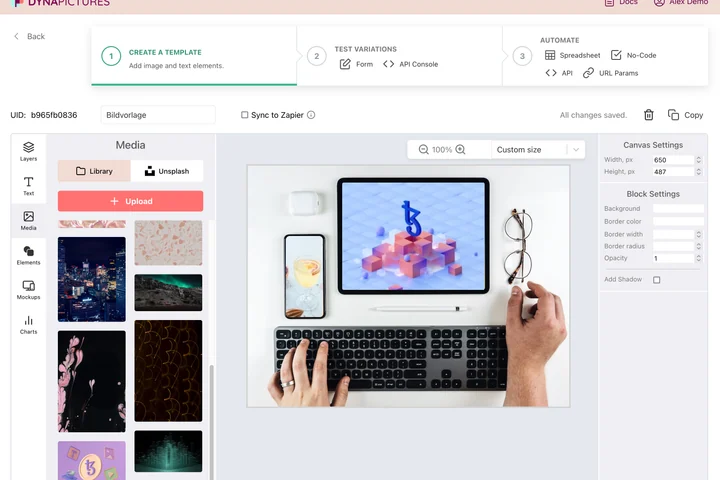
The PDF, the PNG for social, an AVIF for the website and an editable PowerPoint slide come from one design, so a certificate, a ticket and its share image never drift apart.
AI Images and Smart Crops for Visual Documents

AI image layers are filled by one of 12 models, and photo layers can crop around faces, so speaker cards, badges and product sheets look right without hand-editing each photo.
How to Switch From APITemplate.io to DynaPictures
1. Rebuild the Layout in the Editor
HTML templates do not import. Recreate the document in the visual editor, page by page, with your fonts and images.
2. Map Your Fields to Layers
Name each layer after the JSON field that fills it and send the values to the REST API; webhooks report finished files.
3. Reconnect Your Automations
Zaps move to the DynaPictures Zapier app; Make and n8n call the API through their HTTP modules; spreadsheets come in as CSV, XLS or XLSX.
Who Considers Moving From APITemplate.io
Marketing Teams Without a Developer
Certificates, tickets, badges and flyers edited in a visual editor instead of in HTML.
Teams That Need Decks Too
PowerPoint output next to PDF and images, from the same data.
Teams Adding AI Imagery
AI backgrounds and illustrations generated per document, inside a fixed layout.
Email and Event Marketers
Countdown timers and event campaigns with attribution in the same account.
See Your Document Rebuilt in DynaPictures
Twenty minutes on a call with your own template, or start the trial and rebuild it yourself today.
Other Comparisons and Related Pages
Frequently Asked Questions
No. DynaPictures generates PDFs from templates designed in its visual editor. For HTML, Markdown or URL-to-PDF conversion, APITemplate.io is the better fit.