
Why Speaker Promotion Usually Stalls
The Kit Gets Buried in an Inbox
A zip of banners and a doc with suggested captions is work for the speaker. A page that is already filled in with their name and photo is a tap.
Speakers Fix Typos in the Wrong Place
When a session title changes, a speaker with a PNG asks you for a new one. A speaker with a share page sees the new banner on the next visit.
Nobody Knows Who Actually Posted
A share you cannot measure is a favour you cannot thank. Per-speaker tracked links turn the speaker programme into a channel with numbers.
The Second Post Never Happens
Announcement day gets the post; the week before does not. A link that never expires and a reminder email make the second post cheap.
What Each Speaker Gets
A Share Page That Needs No Login
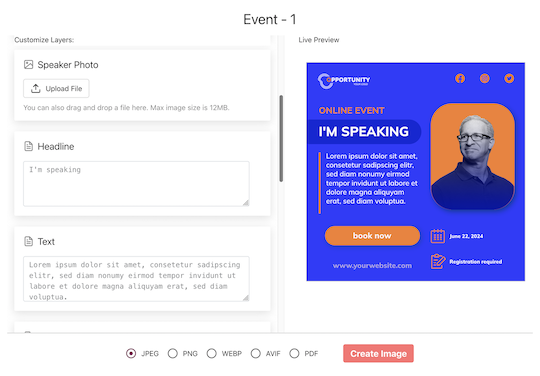
The speaker opens a personal link from your invitation email. The page shows their banner with name, title, company and headshot already in place. They can change the fields you allowed, upload a better photo, pick between the designs you offered, and tap Share. The device share sheet opens with the finished image attached.
Banners You Designed, Fields They May Edit
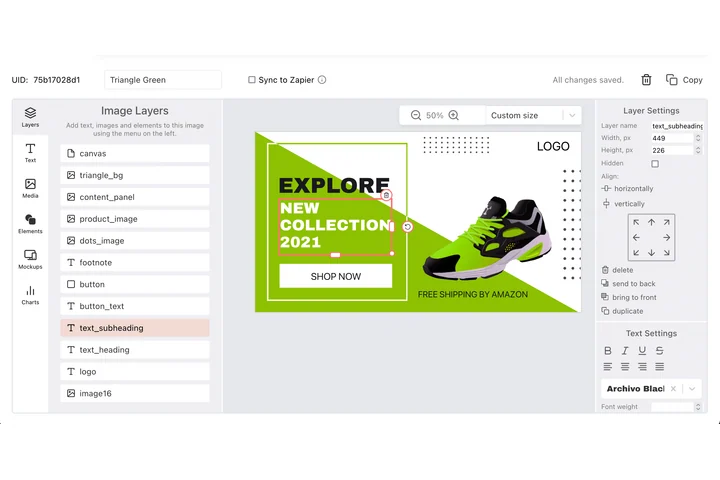
You design in the editor and map which layers a speaker can change. Name, headshot and session title are typical; the event name, dates, sponsor strip and background are locked. Offer several designs per speaker: a landscape LinkedIn banner, a square post, a story.
The Lineup as a List, Not as Files
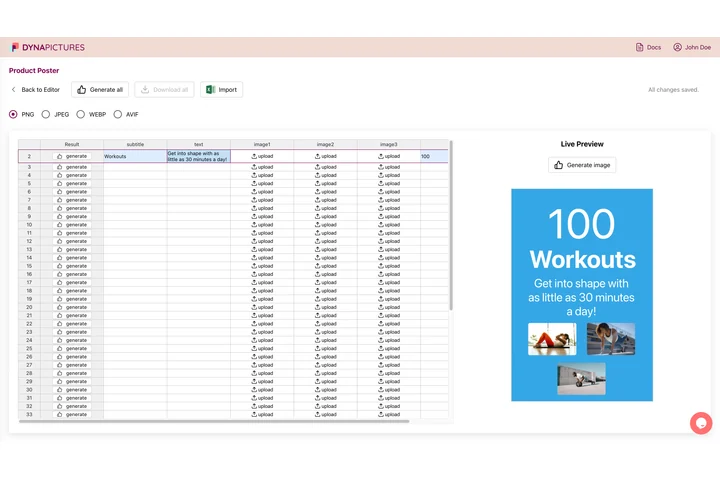
Import from CSV or XLSX; headers like Name, Job title, Company, Email and Session are matched automatically and extra columns are kept. One invitation wizard emails every speaker their link from your display name with replies to your inbox. You see per speaker who was emailed, who opened their page and who generated a banner.
Run a Speaker Campaign
1. Design the Speaker Banners
One or more designs, mapped for name, photo and session.
2. Import the Lineup
From the CFP tool or the programme spreadsheet.
3. Send the Personal Links
Subject, body and caption are editable; merge tags fill in the name and event.
4. Report per Speaker
Shares, bot-filtered clicks and, with the pixel on your ticket page, registrations and revenue per speaker.
What You Get on Every Plan
The Attendee Widget, Included
Inline or popup on your confirmation page, mobile-first, prefilled from your registration data. Every plan includes it, the free one too.
Revenue Attribution, Included
The conversion pixel on your own ticket pages attributes purchases and their value to the person who shared, per currency, within thirty days. Included on every plan.
Full Analytics and a Leaderboard
Views, shares, bot-filtered clicks and conversions over time, by channel and country, plus a leaderboard of the people who delivered. No reporting add-on.
Send Log and Re-Send per Speaker
Who was emailed, whose page was opened, who generated a banner: visible per speaker, with a one-click re-send to the ones who have not opened yet.
See It on Your Own Event
Twenty minutes with a demo campaign, or start free and import your first list today.
Related Event Marketing Pages
Frequently Asked Questions
No. Each speaker gets a link to a page that already knows their name, title and photo. They generate and share from there; nothing to install or log into.