
Beautify your screenshot
Drop a PNG or JPG screenshot, pick a frame and background and download the mockup as PNG at 1x or 2x.
The frame is a property of the template, not a fresh choice
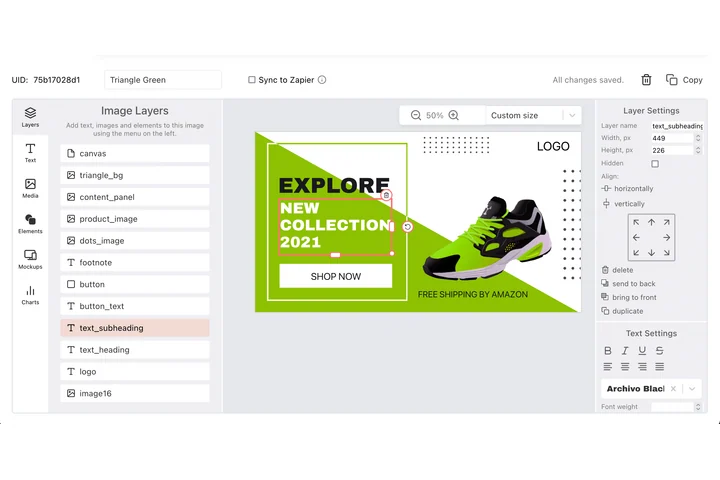
Product images live in sets: a docs page, a release post and a pricing section all want the same shot dressed the same way. In DynaPictures the frame, the padding, the corner radius and the shadow belong to the template, and the capture drops into the slot you drew for it.
- Capture dropped into the slot you drew
- Padding, radius and shadow fixed on the layer
- PNG, WEBP or PDF from one design
How to make a screenshot mockup
Drop your screenshot
Drag a PNG or JPG into the box. App screens, web pages, dashboards and chat windows all work; the image stays on your device.
Choose frame and background
Wrap it in a browser window, a phone frame or no frame at all. Pick a gradient background, then set padding, corner radius and shadow strength.
Download at 1x or 2x
Export a PNG at the original size or at 2x resolution for Retina displays, app store listings and sharp slides.
Why beautify screenshots with this tool
Browser and phone frames
A browser window frame makes web app screenshots look like product shots; the phone frame does the same for mobile screens.
Gradient backgrounds and shadows
Padding, rounded corners, a soft shadow and a gradient turn a flat capture into a card that stands out in a feed or a blog post.
Up to 2x resolution
Export at 2x so the mockup stays sharp on Retina and 4K screens, in a Product Hunt gallery or on a landing page.
Nothing is uploaded
The generator runs entirely in your browser. Screenshots of unreleased features or customer data never leave your machine.
No daily limit
No login, no watermark and no per-day counter. Beautify every screenshot in your changelog if you like.
What the screenshot beautifier does
Raw screenshots have hard edges, no context and often a lot of empty interface. This tool places your capture inside a device frame, adds space around it, rounds the corners, drops a shadow behind it and paints a gradient background, the look you see in product launch posts, documentation and App Store listings. Because the processing happens on a canvas inside your browser, the image never leaves your device. Use the browser frame for web apps and SaaS dashboards, the phone frame for mobile apps and no frame for slides, diagrams or terminal output. Export at 2x whenever the image will be shown on a high-density screen.
Free limits
No daily limit and no login. The tool runs in your browser, the screenshot is not uploaded and the PNG is saved directly to your device.
Automate product images
In DynaPictures you build a mockup template once and render new screenshots into it via API, Zapier, Make or a spreadsheet, for example for every release note.
Tip
Crop the screenshot to the interesting area before dropping it; smaller captures with more padding read better in social feeds than full-screen grabs.
Frequently asked questions
No. The mockup is rendered on a canvas in your browser. Nothing is sent to a server, which is also why the tool has no daily limit.