
Create your receipt
Fill in the payment, the payer and the items; the preview updates as you type. Download a PDF or a 300 DPI PNG.
One receipt per payment, from your payment export
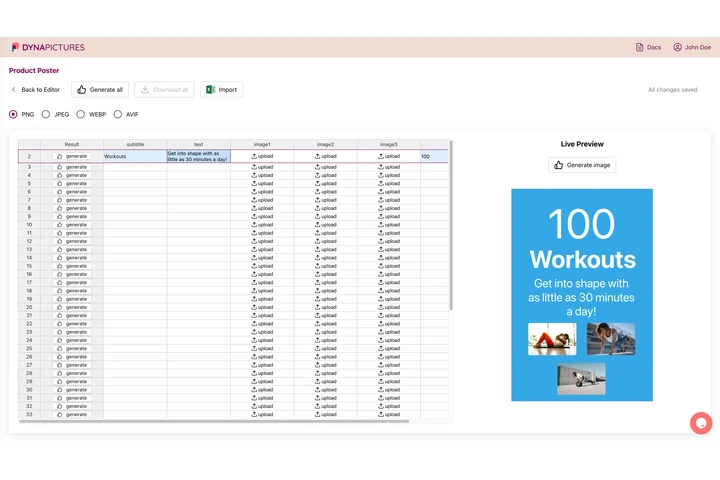
Receipts follow payments: every card charge, transfer or booking needs its own proof with the amount, the date and the method. In DynaPictures your receipt layout becomes a template, and a CSV or Excel export of the payments renders one PDF per row, each file named after a column you choose.
- Amount, date and method as template fields
- One PDF per row of a payments export
- File names taken from a column you pick
Receipt generator at a glance
- Price: free, no login, no watermark
- Daily limit: 20 downloads per visitor, reset at midnight UTC; the live preview has its own allowance
- Output: a PDF or a 300 DPI PNG in A4 or US Letter; the PDF page is an image, so its text is not selectable
- On the receipt: number, date paid, payment method, who paid, up to 20 items and the amount paid
- Totals: calculated for you: items rounded to the cent, one tax rate after an optional discount
- Languages: receipt text in English, German, Spanish, French, Portuguese or Polish, in 20 currencies
- Storage: your logo and the file are deleted after 24 hours; there is no public share page
- Receipt rules: a layout tool, not a cash register; your country's rules for receipts are up to you
How to make a receipt
Record the payment
Type the receipt number, the date it was paid and the payment method, such as cash, card or bank transfer, then the name of the person or company that paid you.
Add what it was for
List up to 20 items with a quantity and a unit price, and set a tax rate or a discount if they apply. The amount paid is calculated and shown in large type at the top.
Download and hand it over
Pick A4 or US Letter and one of four styles, download a PDF or a 300 DPI PNG, then print it or send it to your customer. The file stays available for 24 hours.
Why make your receipts here
The amount paid, impossible to miss
Every receipt opens with the amount paid in large type and a Paid mark, followed by the date, the method and the items, so your customer sees the essentials at a glance.
Totals calculated for you
Quantity times unit price for each item, rounded to the cent, then an optional discount and one tax rate: the amount paid is worked out for you, not typed by hand.
In six languages and 20 currencies
The receipt prints its own words in English, German, Spanish, French, Portuguese or Polish and writes amounts the way that language does, from $1,234.50 to 1.234,50 €.
Your logo, your style
Upload your logo and choose Classic, Modern, Minimal or Elegant with your own accent color. Nothing else is added: no watermark and no credit line.
Free, 20 receipts a day
No login and no account. Every visitor can download 20 receipts a day, reset at midnight UTC, and trying styles in the live preview does not use them up.
What a payment receipt should show
A receipt confirms that money changed hands. The person who paid keeps it as proof, often for their own accounts or an expense claim, so it should say who received the payment, who paid, when, how much, how and for what. A unique number makes it easy to find again, and the tax line matters when the amount includes VAT or sales tax. A receipt is not an invoice, which asks for a payment before it is made, and in some countries a sale must also go through a cash register or an electronic system. This generator lays out and calculates the receipt; the rules that apply to you stay with you.
Free limits
20 downloads per day per visitor, reset at midnight UTC. One receipt per render, up to 20 items on one page, and each file stays available for 24 hours.
Privacy
Your logo and the finished file are kept for 24 hours so you can download them, then deleted. Receipts have no public share page.
What it does not do
It does not take payments, number receipts for you or keep a record of them, and it is not a cash register. The PDF page is an image, so its text cannot be selected or searched.
Frequently asked questions
Yes. It is free with no login: every visitor can download 20 receipts a day, reset at midnight UTC, each with up to 20 items, as a PDF or a 300 DPI PNG in A4 or US Letter. The live preview has its own allowance.