
Create your shipping label
Enter sender, recipient, order number and weight, choose 4x6 inch or A6, then download the label as PNG or PDF.
A label per order, rendered from the order itself
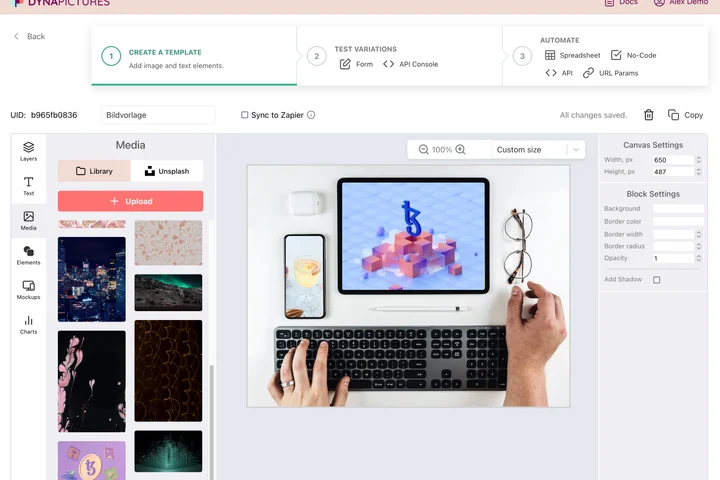
A label belongs to an order: the address, the order number and the weight are already sitting in your shop or your warehouse system. DynaPictures turns that record into a print-ready PDF from a label template you designed, one request per parcel, at the exact size the label paper expects.
- Order fields in, a print-ready PDF back
- A 4x6 or A6 canvas fixed in the template
- Address blocks placed by X and Y
How to make a printable shipping label
Enter both addresses
Type the sender and recipient address, the order number, the parcel weight and optional notes such as fragile or leave at door.
Choose the layout
Pick 4x6 inch at 300 DPI, the size of standard thermal label rolls, or A6 for label sheets and plain paper.
Download and print
Save the label as PNG or PDF and print it at 100 percent scale. Stick it on the parcel next to the carrier's postage label.
Why print address labels with this tool
Standard label sizes
4x6 inch at 300 DPI matches thermal label printers; A6 fits sheet labels and folded plain paper.
PDF or PNG
PDF prints at exact size from any printer dialog; PNG drops into a document or a packing slip.
Readable, not handwritten
Large, clear addresses reduce misdeliveries and returns, especially for hand-packed shop orders.
Order number on the label
Match the parcel to the order at a glance when packing several shipments at once.
No label software
Nothing to install and no account: fill the form, download, print.
What this label is, and what it is not
The generator produces an address label: sender, recipient, order number, weight and notes in a clear layout at 4x6 inches (1200x1800 pixels at 300 DPI) or A6. It does not contain a carrier barcode, tracking number or postage, so it does not replace the label you buy from UPS, USPS, DHL, FedEx, Royal Mail or another carrier; use it for the address side of a parcel, for returns, for internal transfers or as a packing slip header. The free tool renders text only. In DynaPictures you can fill a label template for every order from a spreadsheet, a shop export or the API via Zapier or Make.
Free limits
20 renders per day per visitor. Downloads stay available for 24 hours.
Labels for every order
DynaPictures fills a label template per order from a spreadsheet, shop export or the API and adds a logo or QR code.
No postage included
The label has no carrier barcode or tracking number. Buy postage from your carrier and attach both labels.
Frequently asked questions
No. It is a printable address label with sender, recipient, order number and weight. It has no carrier barcode or postage, so you still buy shipping from UPS, USPS, DHL, FedEx or your carrier.