
Create your post image
Enter the post text, name and handle, pick a theme and background, then download the PNG.
The post card in your own brand, saved and reused
Quoting a post is a content format of its own: it turns up in newsletters, decks and threads, and readers should see your brand around it. DynaPictures holds that card in your template gallery, with the avatar slot drawn where you want it and your house background in the media library.
- Avatar slot drawn once, filled per post
- Your house background in the media library
- Light and dark saved as two templates
How to turn a tweet into an image
Enter the post
Paste the text (up to 280 characters), the display name and the @handle. Add the date and like or repost counts if you want them shown.
Pick theme and background
Choose the light or dark post theme and a solid color or gradient behind the card.
Download the PNG
Click Render and save the post image. It is ready for Instagram, LinkedIn, a newsletter or a blog post.
Why make post images here
Cleaner than a screenshot
No cropped edges, notification badges or blurry text; the card is rendered at full resolution.
Light or dark
Match the theme of the post you are quoting or the feed you are posting to.
Your background
A brand color or gradient behind the card makes the image stand out in a feed.
Drafts and quotes
Because you type the text, you can render a post before publishing it or share a quote with proper attribution.
No account, no watermark
Download the PNG straight away with nothing added to it.
How the post image is rendered
The tool draws a post card with display name, handle, text and the optional date and stats in the familiar layout, in light or dark theme, on the background you choose, and exports it as a PNG. Nothing is fetched from X: you type the content, so there is no login, no API key and no rate limit from the platform. Use it for your own posts, for quotes you have permission to share, for testimonials and for social proof on landing pages. To generate post images in bulk from a spreadsheet or the API, on a card whose layout and logo are yours, build it as a DynaPictures template.
Free limits
20 renders per day per visitor, text up to 280 characters. Downloads stay available for 24 hours.
Bulk and branding
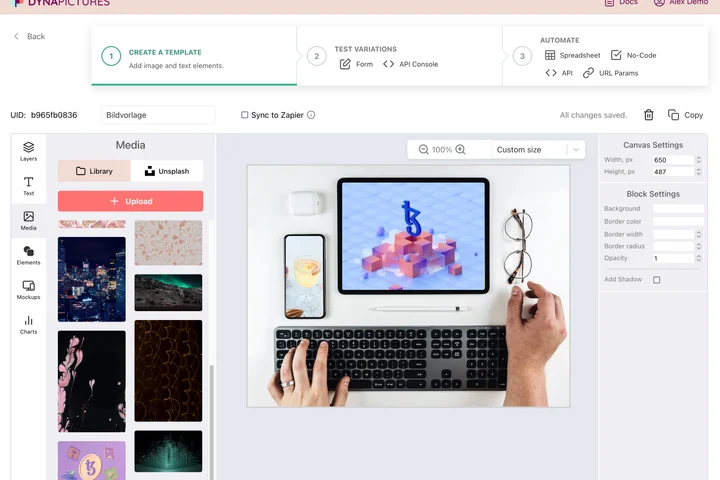
In the DynaPictures editor you place the photo, logo and text yourself, then render post images for every row of a spreadsheet or via the API.
Fields
Post text, display name, handle, optional date and stats such as likes and reposts; leave the stats empty to hide them.
Frequently asked questions
No. The tool does not connect to X, so paste the text, name and handle yourself. That also means it works for drafts you have not published yet.