

Discord Event Image Sizes
Discord publishes no size page for event covers. The minimum comes from the event form, the 2.5:1 band from what the event card displays, as reported by Discord users; checked on 21 October 2026.
| Placement | Recommended size | Aspect ratio | Notes |
|---|---|---|---|
| Event cover image | 1000 x 400 px | 2.5:1 | Fills the event card and meets the form's minimum |
| Minimum in the event form | 800 x 400 px | 2:1 | Accepted, but the card trims it to 2.5:1 |
| Visible band of a minimum upload | 800 x 320 px | 2.5:1 | What stays visible of an 800 x 400 image |
| Speaker or member post | 1080 x 1080 px | 1:1 | Not a Discord size: the banners people share in other networks |
Keep the event name and the date in the middle of the image; anything near the top or bottom edge of a taller picture is cut off on the card.
Crop a Picture to the Discord Event Cover
Drop an image up to 15 MB; the crop box is locked to 2.5:1 and the download is a 1000 x 400 PNG.
Beyond the Discord Event Cover
Speaker Banners for Community Events
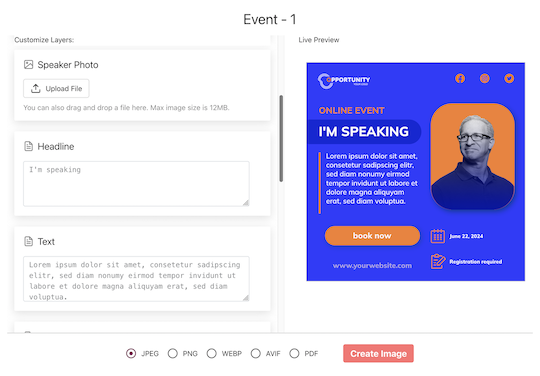
Import your speakers and hosts, map name, photo and talk title, and each person gets a personal share page. Their post links to the Discord event or your RSVP page through a tracked short link, so you see which speaker brought the most people in.
Members Share an I'm Going Banner
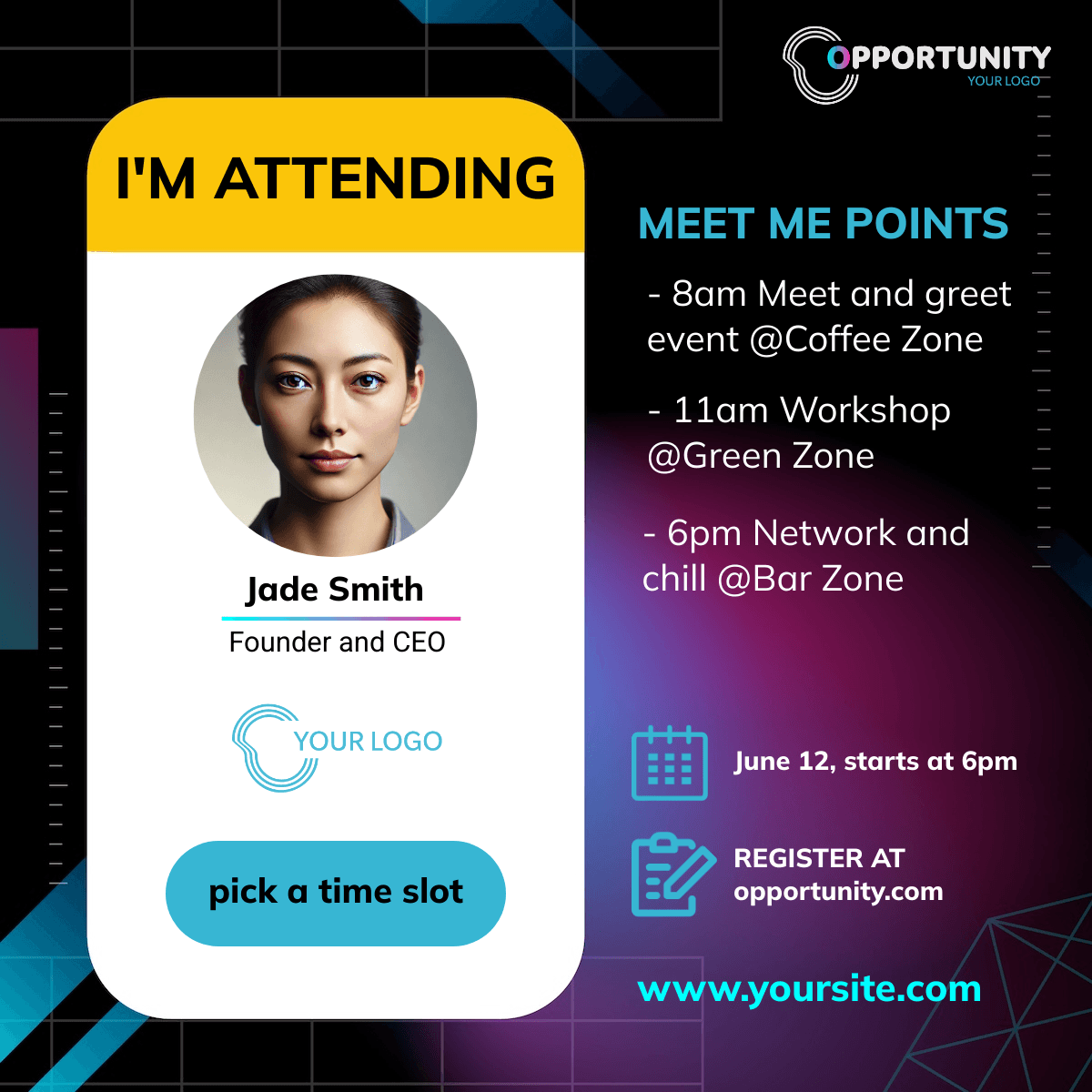
Post a link to a page with the attendee widget in your announcement channel. Members type a name, generate the banner and share it, on Discord or anywhere else they post.
Make the Discord Cover and the Share Banners
1. Design at 1000 x 400
Keep the title and the date in the middle band. Export PNG or JPG and upload it in the event form.
2. Add Square Versions for People
Map name and photo onto a 1080 x 1080 design for speakers and members.
3. Set the Landing URL
The Discord event link or your RSVP page; every share links there through its own tracked link.
What Works With Discord Communities
Clicks per Speaker and Member
Every share has its own short link and every click is recorded and bot-filtered, including link preview bots. You see whose post brought people to the event.
Shared Wherever Members Post
On a phone the share sheet opens with the banner attached, so it goes to Discord, WhatsApp or any app installed; on desktop people download the image and copy the prepared caption with its link.
Related Event Banner Sizes and Makers
Frequently Asked Questions
Upload at least 800 x 400 pixels, the minimum the event form asks for. The event card shows a 2.5:1 band, so a 1000 x 400 image fills it without losing its top or bottom.