

How DynaPictures Fits Next to Zoom Webinars
Panelists Are Your Channel
Two or three panelists typed in by hand, each with a personal share page and a banner that carries their face and the topic.
Zoom Registration as the Landing URL
Every tracked link points at the Zoom registration page; clicks per panelist show whose audience responded.
Your Own Confirmation Page for the Widget
Zoom's registration pages do not take custom scripts. Set a custom confirmation redirect or a follow-up email to a page you host with the widget.
Series From One Campaign
Keep the campaign for a recurring webinar; update topic and date per episode.
The Workflow With Zoom Webinars
Import the List You Export From Zoom
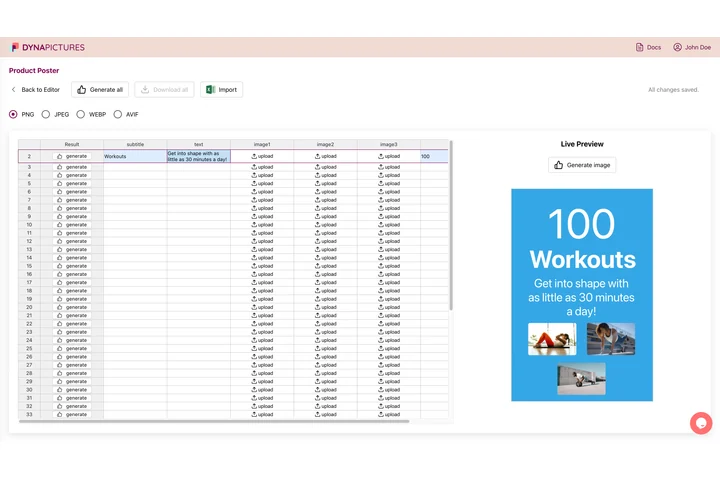
Export registrants from the Zoom webinar report if you want to invite past attendees as advocates, or type the panelists in by hand. DynaPictures matches the columns by their headers (Name, Job title, Company, Email and any extra field you want on the banner) and keeps the rest. Speakers, sponsors and exhibitors each get a personal share page; attendees are not imported and come through the widget instead.
Set the Zoom Registration Page as the Landing URL
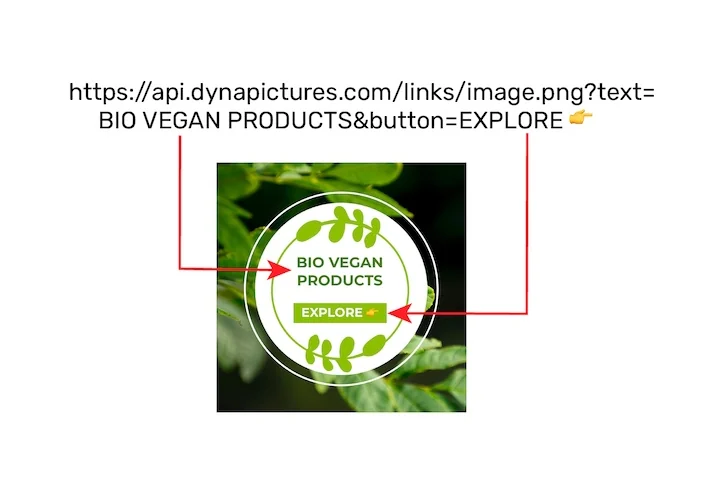
Paste the Zoom webinar registration URL as the landing URL. Every share from a speaker page or the widget links there through its own tracked short link, so you see bot-filtered clicks per person and per channel even though the page itself is not yours.
Put the Attendee Widget Where the Registration Ends

Zoom pages take no custom scripts. Host a thank-you page with the widget and send registrants there from the confirmation email or a custom redirect. The widget generates an I'm attending banner with the registrant's name, opens the share sheet and never asks for an email.
Set It Up
1. Add the Panelists
By hand, with photo and title.
2. Set the Zoom Registration Page as Landing URL
Registration stays on Zoom.
3. Host a Page With the Widget
Link it from the registration confirmation email.
4. Send the Panelist Links
Two weeks out and the day before.
What Works Out of the Box With Zoom Webinars
Panelist Banners With a Tracked Link Each
Two or three panelists typed in by hand, each with a personal share page, a portrait and a square design, and their own tracked link to the Zoom registration page.
Registrations per Panelist on Your Own Form
Put your registration form on a page you host in front of Zoom with the pixel installed and registrations are attributed to the panelist whose post brought them.
The Widget From the Confirmation Email
Send registrants from the confirmation email or a custom redirect to a page you host with the widget; they share an I'm attending banner with no email asked.
Series Reuse
Keep the campaign for a recurring webinar; update topic and date per episode and every panelist keeps the same link.
See It on Your Own Event
Twenty minutes with a demo campaign, or start free and import your first list today.
Related Event Marketing Pages
Frequently Asked Questions
No. Panelists are added by hand or from a CSV, the Zoom registration page is the landing URL, and registrants reach the widget through a page you host.