
LinkedIn Event Image Sizes
Sizes as published in LinkedIn image size guides for 2026. Check LinkedIn's help centre before an important launch; LinkedIn changes crop behaviour without notice.
| Placement | Recommended size | Aspect ratio | Where it shows |
|---|---|---|---|
| Event cover image | 1600 x 900 px | 16:9 | Top of the LinkedIn Event page, cropped to the centre on mobile |
| Feed post image, landscape | 1200 x 627 px | 1.91:1 | Speaker and sponsor announcements in the feed |
| Feed post image, square | 1080 x 1080 px | 1:1 | Takes more of the mobile screen than landscape |
| Feed post image, portrait | 1080 x 1350 px | 4:5 | Tallest format in the feed; good for I'm speaking banners |
| Personal profile banner | 1584 x 396 px | 4:1 | Speakers who put the event in their profile header |
| Company page cover | 1128 x 191 px | about 6:1 | Your company page during the campaign |
| Link preview (OG image) | 1200 x 627 px | 1.91:1 | The image shown when the ticket page link is pasted |
Keep names and faces inside the central 80 percent; the feed crops edges on narrow screens. Text under 20 percent of the image reads better on mobile.
From One LinkedIn Template to Every Speaker's Post
Speaker Banners in the Sizes That Perform
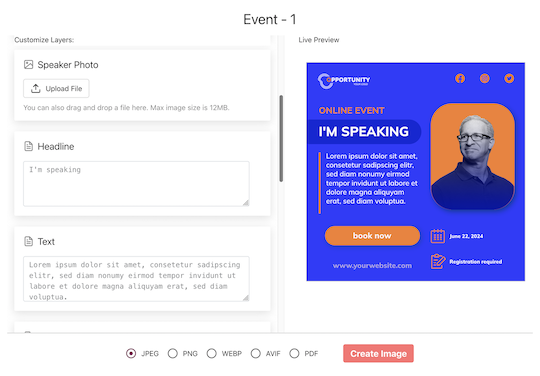
Design the portrait or square version in the editor, map name, headshot and session title, and every speaker gets their banner on a personal share page. They tap Share, pick LinkedIn in the device share sheet and the image is attached to the post. The suggested caption contains their tracked link to your registration page.
I'm Attending Banners From the Registration Page
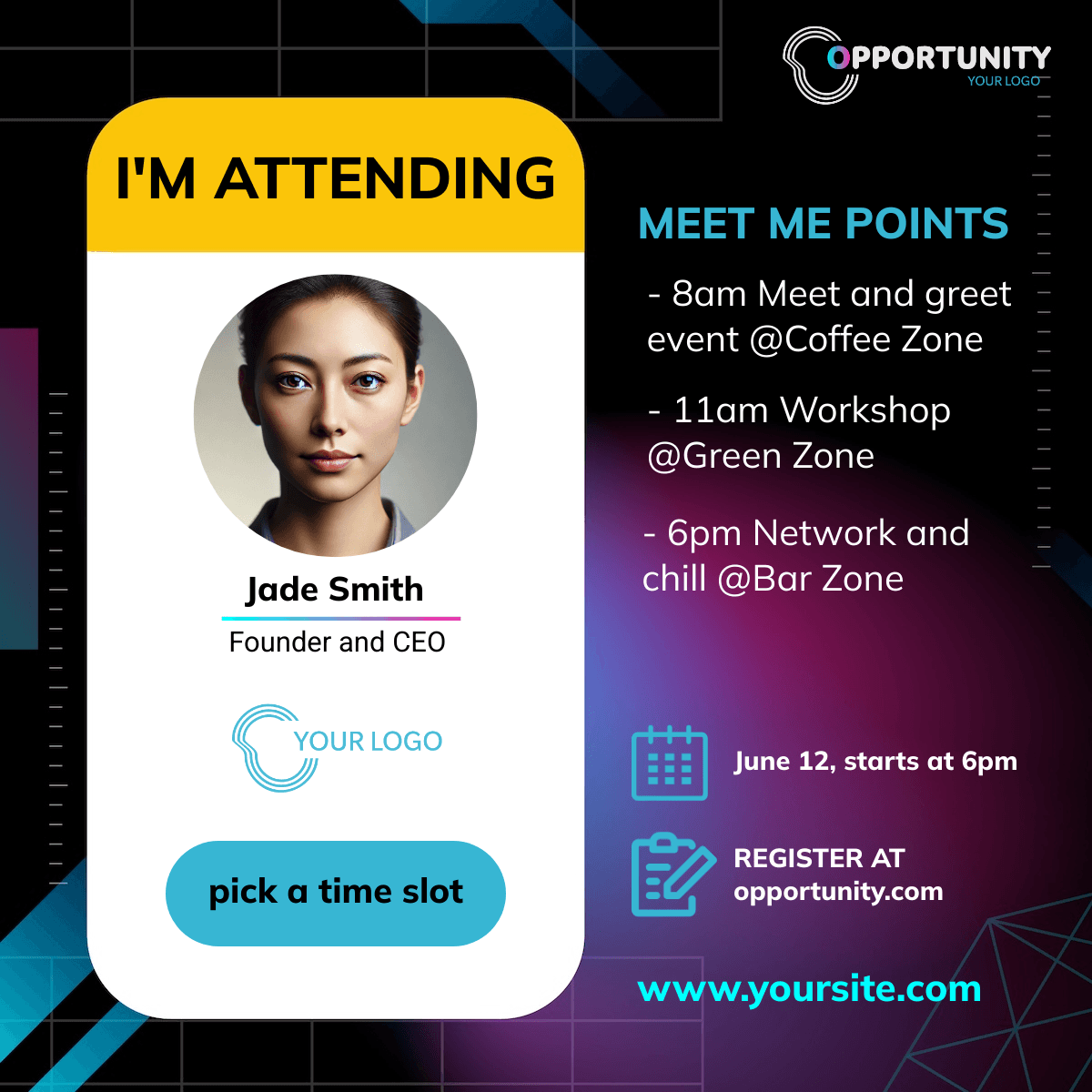
The widget on your confirmation page generates the attendee version with the registrant's name. Posted to LinkedIn by attendees, it reaches the colleagues who are most likely to join them.
Make the Banners
1. Design at 1080 x 1350 or 1080 x 1080
Portrait and square outperform landscape on mobile. Design one, duplicate for the other.
2. Import Speakers and Sponsors
CSV or XLSX; the LinkedIn profile is not needed, only name, title, company and a photo.
3. Send the Share Links
Speakers post from their page; you see who opened and who generated.
Made for LinkedIn Sharing
Posts From Their Own Account, No OAuth
The speaker posts through the device share sheet with the image attached, from their own LinkedIn account. No login handed over, no permission prompt, and the post reads as theirs because it is.
Tracked Clicks per Speaker
Set the LinkedIn Event page or your own registration page as the landing URL; every speaker's post carries its own link and the clicks are bot-filtered, including LinkedIn's preview crawler.
Related Event Banner Makers
Frequently Asked Questions
1600 x 900 pixels (16:9) for the event cover image, as published in current LinkedIn size guides. The feed post sizes are different: 1200 x 627 landscape, 1080 x 1080 square or 1080 x 1350 portrait.