

Calculate an aspect ratio
Enter two values and lock the ratio, or pick a preset like 16:9 video or 4:5 Instagram to get the exact pixel size.
Every shape you publish in gets its own template
A ratio settles the frame, not the arrangement: the headline that works across a 16:9 header has to sit somewhere else once the same message goes out as a 4:5 post. DynaPictures gives each shape its own template, with layers pinned in pixels and text boxes that shrink a long line to fit.
- One template per shape, pinned in pixels
- Text boxes that shrink long headlines
- 9 fit modes for off-shape photos
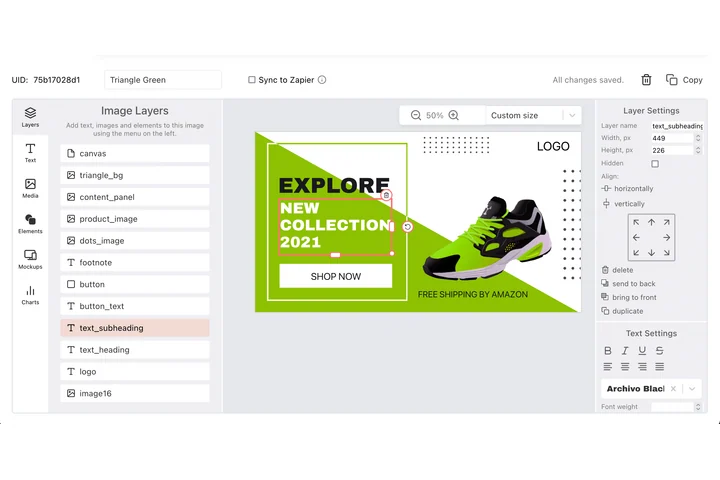
How to use the aspect ratio calculator
Enter what you know
Type the original width and height in pixels, or choose a ratio such as 16:9, 4:3, 1:1, 4:5 or 9:16 from the list.
Set the new width or height
Enter one target value. The other is calculated instantly so the proportions stay exactly the same, with rounding to whole pixels.
Copy the result
Read the new dimensions and the simplified ratio, or pick a preset such as YouTube 1920x1080 or Instagram portrait 1080x1350 and copy it into your editor.
Why use this ratio calculator
16:9 without the math
Need a 16:9 image 1280 px wide? The height is 720. Want it 2560 wide? 1440. Type one number and the other appears.
Simplifies any ratio
Enter 1920x1200 and the tool tells you it is 16:10; enter 1080x1350 and you get 4:5. Handy for checking an existing file.
Social and video presets
Instagram post 1:1 and 4:5, story and Reels 9:16, YouTube 16:9, LinkedIn 1.91:1, Pinterest 2:3, plus 720p, 1080p and 4K video.
No upload, no limit
Everything is calculated on your device. Nothing is sent to a server and there is no daily cap.
How aspect ratios work
An aspect ratio is width divided by height, written as two numbers such as 16:9. To keep an image's proportions when you resize it, the new height equals the new width multiplied by the original height and divided by the original width. The calculator does exactly that and rounds to whole pixels, which is why 16:9 at 1366 px wide gives 768 and not 768.375. Ratios matter because platforms crop what does not fit: a 16:9 photo posted as a 1:1 Instagram image loses almost half of its width, split evenly between the two sides. Match the ratio first, then resize.
Free limits
None: the calculator runs entirely in your browser, has no daily cap and needs no signup.
From ratio to finished images
DynaPictures renders images at the exact size you calculated from a template, in bulk if needed, via API, Zapier, Make or a spreadsheet.
Privacy
Nothing is uploaded. The numbers you enter stay on your device.
Frequently asked questions
Multiply the width by 9 and divide by 16 to get the height. For 1920 px wide that is 1080 px. Choose the 16:9 preset, enter one dimension and the calculator gives you the other.