
Convert your SVG to PNG
Drop an SVG up to 5 MB, set the width up to 4000 px and an optional background, then download the PNG. Up to 30 conversions per day.
Partners take the logo asset in the size they came for
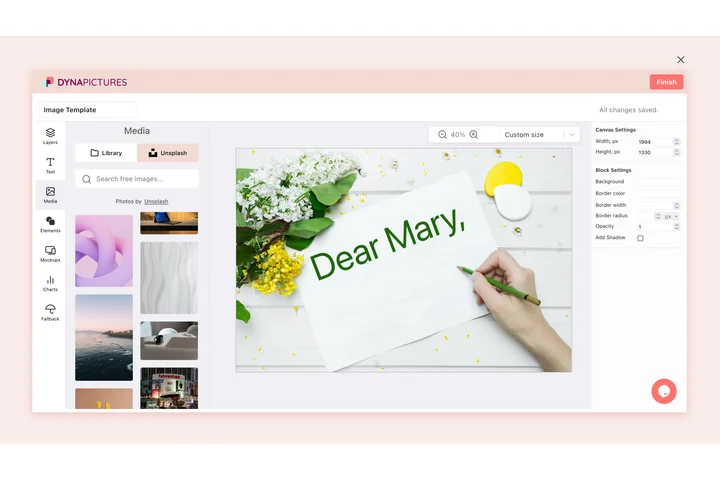
A logo is kept as SVG so it can become anything, and the people who ask for it need pixels: a sponsor page, a conference deck, a partner's own storefront. DynaPictures embeds as a widget, and the editor SDK puts the whole editor inside your product, so each of them opens your template and exports what they need.
- An embeddable widget for your press kit
- Editor SDK inside your own product
- Exports as PNG, WEBP, PDF or PPTX
How to convert SVG to PNG online
Upload the SVG
Drag a .svg file into the box or click to pick one. Files up to 5 MB are accepted, including SVGs exported from Figma, Illustrator or Inkscape.
Choose width and background
Enter the output width in pixels (up to 4000); the height follows the SVG's proportions. Leave the background empty for transparency or pick a color.
Download the PNG
Save the .png file and use it anywhere. The download link stays active for 24 hours.
Why convert SVG to PNG
Any size, still sharp
Because SVG is vector, the same file renders pixel-perfect at 64 px for a favicon or 4000 px for a print-ready banner. You pick the width.
Transparent or filled
Leave the background empty and the PNG keeps its transparency; set a color and you get a flattened image for platforms that dislike alpha.
Accepted where SVG is not
Instagram, LinkedIn, Amazon, Etsy, most email clients and PowerPoint either reject SVG or render it unpredictably. PNG just works.
Same look on every screen
A PNG is rendered once, so gradients, filters and fonts appear identical everywhere instead of depending on the viewer's SVG support.
No software, no account
Runs on our servers in any browser. Free, no login, and the PNG carries no watermark.
SVG vs PNG: vector meets pixels
SVG describes shapes, paths and text as geometry, so it scales without loss and stays tiny, which is why designers export logos and icons in it and websites use it inline. The catch is that SVG is code: it needs a renderer, it can carry scripts, and many upload forms block it for that reason. PNG is a fixed grid of pixels with an alpha channel. Converting SVG to PNG rasterizes the drawing at one specific width, which is why you choose the width here (up to 4000 px) instead of a quality level. Pick a width at least as large as the biggest size you will display, since enlarging a PNG later gets blurry. If your SVG relies on a font that is not embedded, convert the text to outlines in your design tool first for identical lettering.
Free limits
Up to 30 conversions per day per visitor, SVG files up to 5 MB, output width up to 4000 px, downloads kept for 24 hours.
Icon sets and automation
Rendering here is capped at 30 a day for every visitor equally. When icon sets need rendering on a schedule, DynaPictures does it from your templates through the API, Zapier or Make.
Privacy
Files are processed on our servers and deleted together with the download link after 24 hours.
SVG to PNG questions
Use the largest size you will need: 1080 px for Instagram, 1200 px for Open Graph images, 2000 px or more for print. The maximum is 4000 px and the height is calculated from the SVG's aspect ratio.