
Convert your WebP to JPG
Drop a WebP up to 15 MB, set quality and background color, download the JPG. 30 conversions per day.
One sheet in, a JPG per row, named the way the portal wants
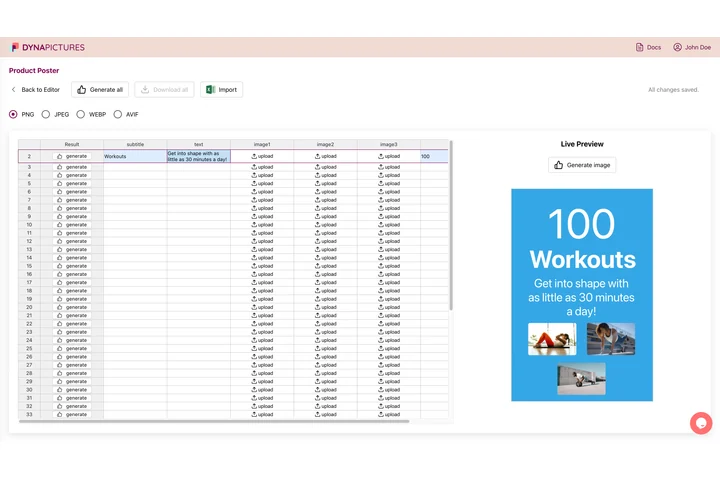
Supplier portals and print services each accept one format and one naming scheme, and a batch is only usable when every file in it matches. In DynaPictures you import a CSV or an Excel file, map the columns onto your template and generate the whole sheet into a ZIP where each export takes its name from a column.
- Import CSV or Excel, generate every row
- Each exported file named from a column
- Nine fit modes, including face detection
How to convert WebP to JPEG online
Upload the WebP
Drag a .webp file up to 15 MB into the box. Photos, screenshots and graphics all work.
Set quality and background
Choose a JPG quality between 60 and 100 (80 to 85 is a good default) and, if the WebP has transparency, the color that replaces it, white by default.
Download the JPG
Click Convert and save the .jpg. The download link is valid for 24 hours.
Why convert WebP to JPG
Accepted by every upload form
Amazon, Etsy, eBay, print-on-demand shops, job boards and email builders that reject .webp all take JPG.
Quality under your control
The 60 to 100 slider lets you trade file size against detail; at 90 and above the difference to the WebP is invisible for photos.
Transparency handled cleanly
JPG has no alpha channel, so the tool fills transparent pixels with the background color you pick instead of leaving black boxes.
Nothing to install
Works in any browser on Windows, Mac, Linux and phones. Free, no login, no watermark.
WebP vs JPG: what you gain and lose
WebP and JPG are both lossy photo formats; WebP simply compresses about 25 to 34 percent better, which is why websites serve it. Converting to JPG gives up that saving and the ability to store transparency and animation, but gains compatibility with roughly every device and program made in the last 25 years. Because both formats are lossy, the conversion re-encodes the pixels once; keep the quality at 85 or higher when the JPG will be edited again later.
Free limits
Up to 30 conversions per day per visitor, WebP files up to 15 MB, downloads kept for 24 hours.
More files, no manual work
The 30 conversions a day are metered per visitor and are the same for everyone. For repeat work, DynaPictures generates JPGs from your templates through the API, Zapier, Make or a spreadsheet.
Privacy
Uploads are processed on our servers and deleted with the download link after 24 hours.
WebP to JPG questions
JPG cannot store transparency, so the tool fills those pixels with the background color you choose before saving. White is the default; pick your page color to make the edge invisible.