
Convert your PNG to WebP
Drop a PNG up to 15 MB, choose quality or lossless and download the WebP. Up to 30 conversions per day.
One image URL, built on the first open and cached after
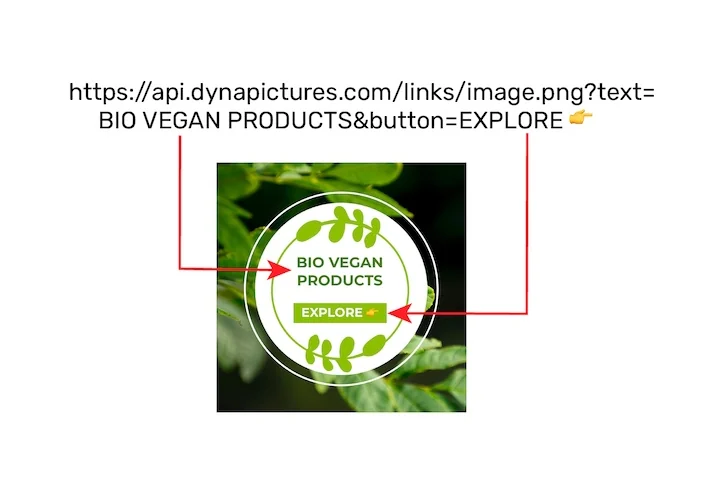
A WebP earns its place on page speed, which only counts if the picture is ready at the moment the page is put together. A DynaPictures image URL carries up to 20 named values, renders the first time the link is opened, and serves every open after that from cache.
- Up to 20 named values per URL
- First open renders, later opens come from cache
- Same link, a different picture per visitor
How to convert PNG to WebP online
Upload the PNG
Drag a .png file into the box or click to pick one. Files up to 15 MB are accepted.
Choose quality or lossless
Set a quality level for the smallest file, or tick lossless when every pixel of a logo or screenshot has to stay identical.
Download the WebP
Save the .webp file and upload it to your site or CMS. The download link stays active for 24 hours.
Why convert PNG to WebP
25-35% smaller files
A WebP made from a PNG is usually 25 to 35 percent smaller at the same visual quality, which trims page weight and speeds up loading.
Transparency kept
WebP has an alpha channel, so transparent logos, icons and cut-outs stay transparent in both lossy and lossless mode.
Better Core Web Vitals
Lighter images improve Largest Contentful Paint and clear the Lighthouse warning about serving images in next-gen formats.
Works in current browsers
Chrome, Firefox, Edge, Opera and Safari 14 or newer all display WebP, so most sites can serve it without a fallback.
No software, no account
Runs on our servers in any browser. Free, no login, and the WebP carries no watermark.
PNG vs WebP: what changes
PNG is a lossless format that stores every pixel exactly, which makes it ideal for logos, screenshots and interface graphics but also makes the files large. WebP, developed by Google, offers a lossy mode that works like a far more efficient JPG and a lossless mode that is still smaller than PNG, and both modes keep transparency. The trade-off is compatibility: older image editors, some email clients and legacy software do not open WebP, so keep the original PNG for editing and use the WebP on the web.
Free limits
Up to 30 conversions per day per visitor, PNG files up to 15 MB, downloads kept for 24 hours.
Bulk and automation
Every visitor gets the same 30 conversions a day. If WebP output belongs in your publishing pipeline, DynaPictures renders it from your templates through the API, Zapier or Make.
Privacy
Files are processed on our servers and deleted together with the download link after 24 hours.
PNG to WebP questions
For websites, usually yes: a WebP is typically 25 to 35 percent smaller than the PNG at the same quality and keeps transparency. For editing and print, PNG remains the safer choice because more programs open it.