
Convert your AVIF to JPG
Drop an .avif file up to 15 MB, set the quality and download the JPG.
A price moves in the feed and the creative is rebuilt
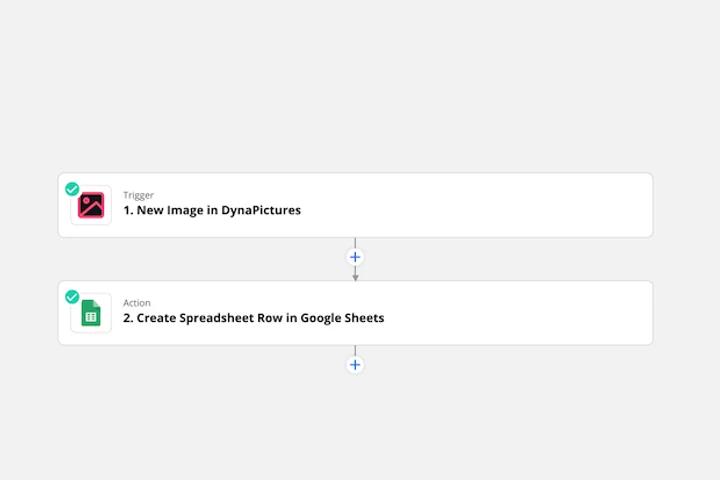
Ad creative follows the catalog: a price drop, a new bestseller or a line that sold out changes what the banner should say that day. Pabbly, Integrately or Make can watch that feed and call DynaPictures over the REST API, and the creative comes back as the JPG the ad platform's upload form takes.
- Pabbly, Integrately and Make over the REST API
- Price, product and badge straight from the feed
- One template, one creative per row
How to convert AVIF to JPG online
Upload the AVIF
Drag the .avif file into the box or click to choose it. Files up to 15 MB are accepted, including images saved from Chrome, Firefox or Safari.
Pick the JPEG quality
Move the quality slider: a higher value keeps more detail and gives a larger file, a lower value gives a smaller JPG. Around 80 to 85 suits most web and email uses.
Download the JPG
Click Convert and save the .jpg. The pixel dimensions are unchanged and the download link stays active for 24 hours.
Why convert AVIF to JPG
Accepted everywhere
Amazon, Etsy, eBay, WordPress, Mailchimp, Klaviyo, Canva and every phone gallery take JPG; many of them still reject .avif uploads.
Quality you control
The quality setting lets you trade file size for detail, so a JPG for a listing can stay under a marketplace's size limit.
Small files, unlike PNG
JPG is lossy like AVIF, so the result stays compact. Choose AVIF to PNG instead only when you need transparency or a lossless master.
Nothing to install
No codec, no desktop app. Works in any browser on Windows, Mac, Linux and phones. Free, no login, no watermark.
AVIF vs JPG: what you gain and lose
AVIF is built on the AV1 video codec and typically stores a photo at half the size of a JPG of the same visual quality, which is why CDNs and image optimizers serve it to modern browsers. JPG is 30 years older, compresses less efficiently and has no transparency, HDR or animation, but it is understood by every camera, phone, editor, office suite, email client and upload form ever made. Converting gives up the size advantage and any transparent areas (they are flattened onto a solid background), while it gains compatibility. Because both formats are lossy, the image is re-encoded once; keep the quality at 85 or more if the JPG will be edited again.
Free limits
Up to 30 conversions per day per visitor, AVIF files up to 15 MB, downloads kept for 24 hours.
Many files or automation
The 30 a day here counts per visitor, not per account. If JPGs need to come out of a template on demand, that is what DynaPictures does through the API, Zapier, Make or a spreadsheet.
Privacy
Uploads are processed on our servers and deleted with the download link after 24 hours.
AVIF to JPG questions
75 to 85 keeps a photo sharp for the web with a small file; 90 or more is right for print or further editing. Lower values shrink the file but show blockiness in gradients and skin tones.