
Convert your AVIF to PNG
Drop an .avif file up to 15 MB and download the PNG.
Your build asks for the assets and hears when they land
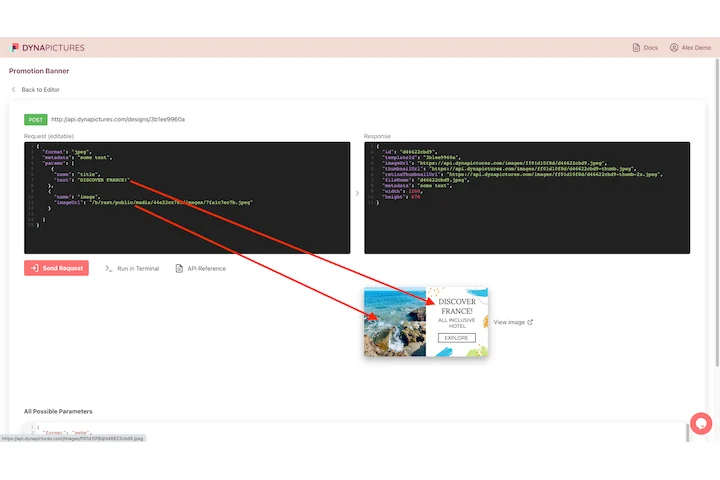
In a modern pipeline the images belong to the build: a deploy cannot finish until a set of files exists, and it has to be told that they do. DynaPictures answers a REST call with a rendered image and fires a webhook the moment a longer batch completes, so the pipeline waits for a callback instead of polling.
- A webhook when the batch is done
- One endpoint, one image per request
- Modern and older formats from one template
How to convert AVIF to PNG online
Upload the AVIF
Drag the .avif file into the box or click to pick it. Files up to 15 MB are accepted, whether saved from a browser, exported from a design tool or generated by a CDN.
Convert
Click Convert. The AVIF is decoded and written as a PNG at the original width and height; there are no quality settings because PNG is lossless.
Download the PNG
Save the .png and open it in any editor, CMS or office program. The download link stays active for 24 hours.
Why convert AVIF to PNG
Transparency survives
PNG stores an alpha channel, so logos and cut-outs saved as AVIF keep their transparent background instead of getting a white box.
No further quality loss
PNG is lossless: the pixels decoded from the AVIF are stored exactly as they are, so you can edit and re-save without stacking compression artifacts.
Opens in old software
Photoshop before 2023, GIMP 2.8, Windows Photo Viewer, PowerPoint, Word and most email editors reject AVIF but open PNG without any plugin.
Nothing to install
No codec, no desktop app. Works in any browser on Windows, Mac, Linux and phones. Free, no login, no watermark.
AVIF vs PNG: what you gain and lose
AVIF is a royalty-free format based on the AV1 video codec. It compresses photos roughly 50 percent smaller than JPG and far smaller than PNG, supports transparency, HDR and animation, and is served by many websites and CDNs. Its weakness is age: decoding needs software from the last few years, and many desktop apps, email tools and marketplaces still refuse it. Converting to PNG gives up the small file size (expect the PNG to be several times larger) and any animation or HDR data, but you gain a lossless file that every image program since the 1990s can open.
Free limits
Up to 30 conversions per day per visitor, AVIF files up to 15 MB, downloads kept for 24 hours.
Many files or automation
Everybody converts 30 files a day here, and downloads stay available for 24 hours. Producing PNGs from the API, Zapier, Make or a spreadsheet is what the DynaPictures platform does.
Privacy
Uploads are processed on our servers and deleted with the download link after 24 hours.
AVIF to PNG questions
AVIF uses video-codec compression while PNG stores every pixel losslessly, so a 200 KB AVIF can become a 2 MB PNG. If you only need a smaller file, the AVIF to JPG converter or the image compressor is the better choice.