
Resize multiple images
Drop up to 10 images (15 MB each), choose a preset or a custom size and download the ZIP.
A catalogue where the crop happens inside the render
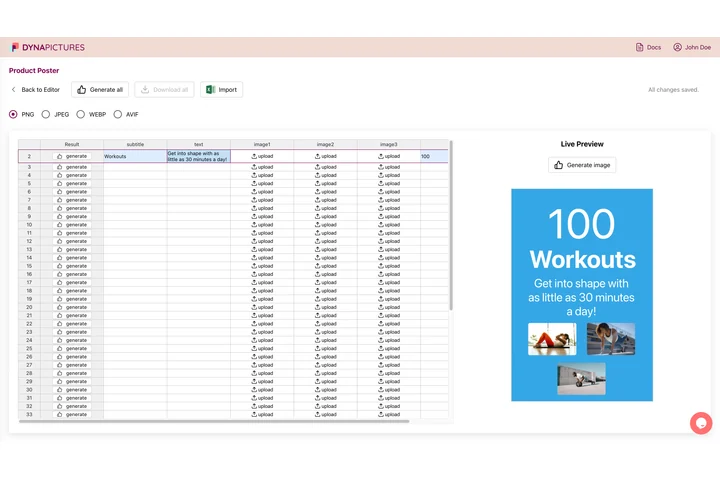
Marketplace listings ask for one square per product, and supplier photos arrive in every shape and framing there is. Hand DynaPictures the product sheet as CSV or Excel and it builds each row at 2000x2000, using face detection or one of the other 9 fit modes to keep the subject in frame.
- 9 fit modes, face detection among them
- One row per product, one finished file
- Every export named from a column
How to batch resize images online
Upload up to 10 images
Drag the files into the box or select them together. Each image can be up to 15 MB; JPG, PNG and WebP photos from a camera, phone or design tool all work.
Pick a preset or a custom size
Choose Amazon 2000x2000, Shopify 2048x2048, Etsy 2000x2000, eBay 1600x1600 or web 1200 wide, or enter your own width and height and the fit: keep ratio, stretch or cover crop.
Download the ZIP
Click Resize. Every image is processed with the same settings and packed into one ZIP with the original file names. The download stays active for 24 hours.
Why resize images in bulk here
Marketplace presets built in
The Amazon, Shopify, Etsy and eBay sizes are ready to click, so a whole product listing meets the image requirements without looking up the numbers.
Same settings for every file
All 10 images get the same size and fit, which keeps a product grid or gallery consistent instead of mixing portrait and landscape crops.
Cover crop for square listings
Choose cover to fill a 2000x2000 square without stretching: the photo is scaled to fill and the edges are trimmed evenly.
One ZIP, original names
Files keep their names inside the ZIP, so image-01.jpg stays image-01.jpg and matches your SKU spreadsheet.
Nothing to install
Works in any browser on Windows, Mac, Linux and phones. Free, no login, no watermark.
Marketplace image sizes at a glance
Amazon asks for product images of at least 1000 px on the longest side so the zoom function works and recommends 1600 px or more; 2000x2000 is the safe square that also satisfies the main-image white-background rule when you supply a clean photo. Shopify recommends 2048x2048 for square product images so they stay sharp on retina screens. Etsy suggests 2000 px on the shortest side, and eBay wants at least 500 px on the longest side with 1600 px recommended. The web 1200 preset suits blog posts and category banners. Every preset resizes with a high-quality filter and writes each file back in its own format.
Free limits
5 batches per day per visitor, up to 10 images per batch, 15 MB per image, ZIP downloads kept for 24 hours.
Whole catalogs
Downloads stay available for 24 hours and the batch limit is per visitor, the same for everyone. For a whole catalog, the DynaPictures platform resizes hundreds of images through the API, Zapier, Make or a spreadsheet.
Privacy
Uploads are processed on our servers and deleted with the download link after 24 hours.
Bulk image resizing questions
Amazon requires at least 1000 px on the longest side for zoom and recommends 1600 px or more. The 2000x2000 preset gives a square that passes both rules and looks sharp on any device; choose cover so photos fill the square without distortion.