
Invert your image colors
Drop an image up to 15 MB, click Invert and download the negative.
Light and dark out of a single design
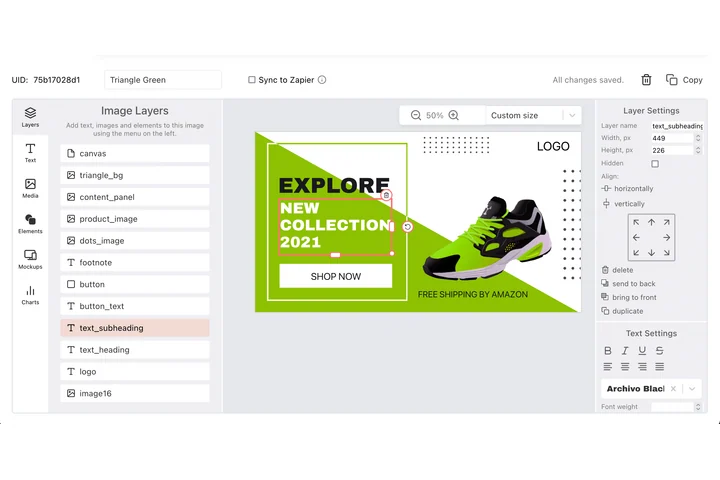
A negative is usually a step towards a second version of something: a dark mode header, an inverted logo lockup, a print variant of the same card. In DynaPictures the colours are named parameters on the layers, so you send background and text values with the request and one template answers with either theme.
- Colour is a named value, not a filter
- Layer fill, text and outline colours
- One template, two finished themes
How to invert image colors online
Upload the image
Drag a JPG, PNG, WebP or GIF into the box or click to choose one. Files up to 15 MB are accepted.
Click Invert
Every pixel is flipped to its complementary color. There are no settings to get wrong, the inversion is exact and reversible.
Download the negative
Save the inverted image in the same format you uploaded. The download link stays active for 24 hours.
Why invert colors with this tool
True negative, not a filter
Each RGB channel is inverted mathematically (255 minus the value), so inverting twice gives back the exact original.
Transparency kept
Alpha channels in PNG and WebP files are left untouched; only the visible colors change, cutouts stay clean.
Quick dark-mode drafts
Invert a black-on-white diagram or icon set to preview it on a dark background before redrawing anything.
Nothing to install
Works in any browser on desktop or phone with 30 free inversions per day and no signup.
What the color inverter does
The inverter reads every pixel and replaces each red, green and blue value with 255 minus that value. White turns black, dark blue becomes light yellow, skin tones turn cyan. Scanned film negatives become positives the same way, which is the most common reason people search for this tool. The output keeps the original resolution and format, so nothing is resized or recompressed beyond what the format needs.
Free limits
30 inversions per day per visitor, images up to 15 MB, downloads available for 24 hours.
Batch inversion and automation
Results stay available for 24 hours and the daily limit is per visitor, the same for everyone. To apply one look across many images, the DynaPictures platform renders them from a template through the API, Zapier or Make.
Privacy
Uploads are processed in memory and deleted together with the download link after 24 hours.
Frequently asked questions
It replaces every color with its opposite on the RGB scale: white becomes black, red becomes cyan, yellow becomes blue. The result is a negative image of the original.