
Extract colors from your image
Drop a photo, logo or screenshot up to 15 MB and get the 6 main colors with HEX, RGB and HSL codes.
Six colours, then a template set that uses them
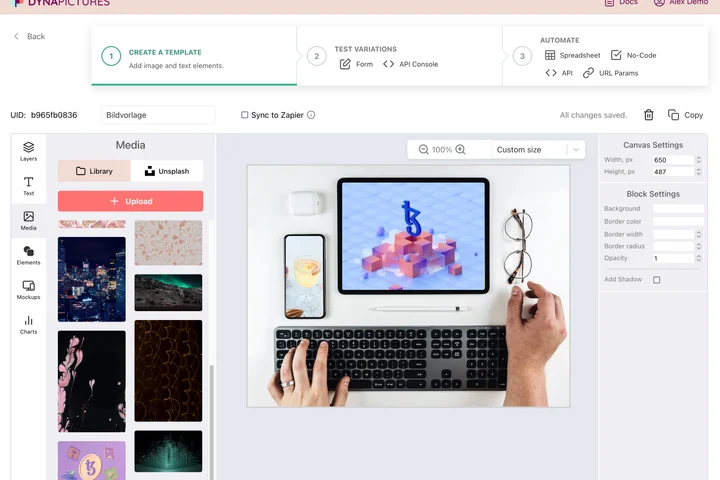
A palette taken from a logo or a photo is meant to end up somewhere: a launch banner, a run of social cards, a deck that has to look like the rest of the brand. Put those HEX values into a design once and it sits in your DynaPictures gallery beside your fonts and media, ready for whatever comes next.
- HEX values saved on the template itself
- Your fonts and Unsplash stock in one gallery
- Charts, gauges and progress bars in brand colours
How to get a color palette from an image
Upload the image
Drag a photo, logo or screenshot into the box or click to choose it. Files up to 15 MB are accepted.
Read the 6 colors
The tool analyses the pixels and lists the 6 dominant colors, ordered by how much of the image they cover, each with its HEX, RGB and HSL value.
Copy or download
Click the copy button next to any code to paste it into CSS, Figma or Canva, or download the whole palette as a PNG.
Why extract colors with this tool
Three code formats
Every swatch comes as HEX for CSS and design tools, RGB for image editors and HSL for adjusting lightness, so you never convert by hand.
Dominant, not random
Colors are ranked by area, so the first swatch is the one that shapes the image, not a stray highlight pixel.
Palette PNG for mood boards
Download the 6 swatches as one PNG strip to drop into a brand deck, a Pinterest board or a client brief.
Nothing to install
Runs in any browser on desktop or phone, 30 free extractions per day, no signup.
How the palette is built
The tool groups similar pixels of the uploaded image into clusters and returns the centre of the 6 largest ones as the palette. Very small accents such as a thin red line can therefore be missing, while backgrounds and skin tones show up first. For a brand palette, upload the logo on its own rather than a full photo; for a photo palette, crop to the region you care about first with the free crop tool. The output is the six values shown on screen and a PNG of the swatches, available for 24 hours.
Free limits
30 extractions per day per visitor, images up to 15 MB, the palette PNG is available for 24 hours.
Palettes for hundreds of images
Palettes stay downloadable for 24 hours and the daily limit is the same for every visitor. Once you have the colours, the DynaPictures platform builds the designs that use them from the API, Zapier, Make or a spreadsheet.
Privacy
Uploads are processed in memory and deleted together with the palette after 24 hours; the colors are not stored anywhere else.
Frequently asked questions
Six. They are the dominant colors of the image, ranked by how much area each one covers, and each is shown as HEX, RGB and HSL.