
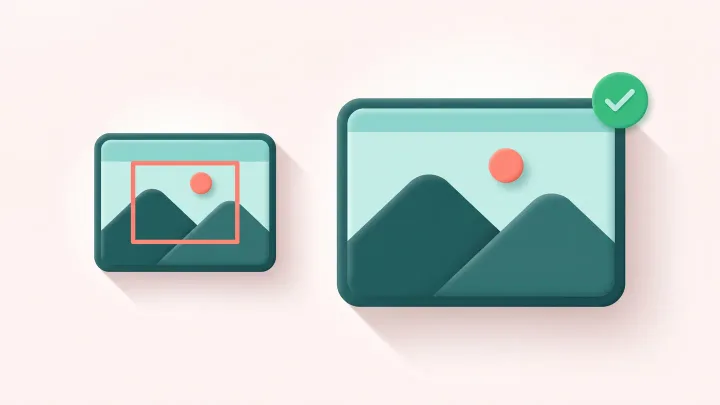
Crop your image
Drop a JPG, PNG, WebP, GIF or AVIF up to 15 MB, adjust the box and click Crop.
Crop it once as a frame, then keep every photo in it
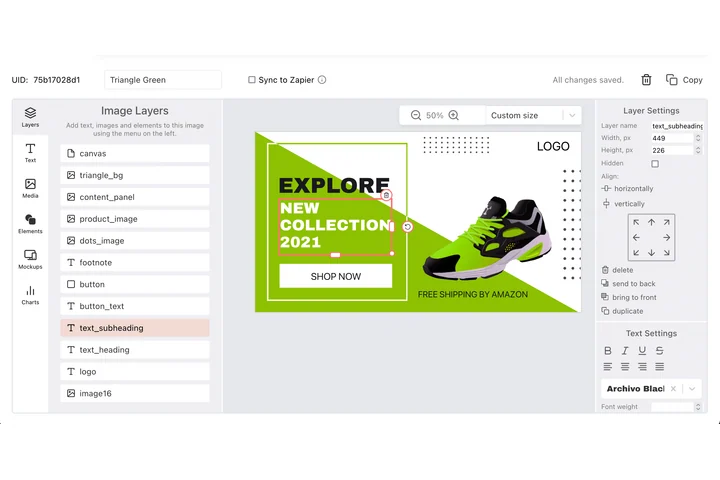
Cropping is rarely the end in itself: the picture has to sit in a fixed place in a banner, a card or a thumbnail, beside a headline that must not move. In DynaPictures that place is a layer with an X, a Y, a width and a height, and each photo you send lands inside it.
- X, Y, width and height in pixels
- Layer order, rotation, align to canvas
- One design out to PNG, PDF or PPTX
How to crop a photo online
Upload the image
Drag a file into the box or click to pick one. Images up to 15 MB are accepted and shown at full size in the cropper.
Set the crop box
Drag the corners to a free selection, or choose a preset ratio: 1:1, 4:5, 16:9, 9:16 or 3:2. The box keeps the ratio while you move it.
Crop and download
Click Crop and save the file. It keeps the original format, so a PNG stays a PNG and a JPG stays a JPG.
Why crop with this image cropper
Ratios that match real platforms
1:1 for Instagram feeds, 4:5 for portrait posts, 9:16 for stories, 16:9 for YouTube and 3:2 for classic photo prints.
Pixel-exact selection
The crop box shows its width and height in pixels, so you know the exact output size before you click.
Format stays the same
No silent conversion: transparency in PNGs and animation in GIFs are kept in the cropped file.
Nothing to install
Works in any browser on desktop or phone, with 30 free crops per day and no signup.
What the cropper does with your file
The crop is applied on our servers at the original resolution, so nothing is scaled or recompressed beyond what the format requires. Only the pixels inside the box are written to the new file, which is why cropped images are usually much smaller than the upload.
Free limits
30 crops per day per visitor, images up to 15 MB, downloads available for 24 hours.
Batch cropping and automation
Results stay available for 24 hours and the daily limit is per visitor, the same for everyone. When cropping is part of a bigger job, the DynaPictures platform renders images through the API, Zapier or Make.
Privacy
Uploads are processed in memory and deleted together with the download link after 24 hours.
Frequently asked questions
The presets are 1:1, 4:5, 16:9, 9:16 and 3:2, plus a free mode where you drag any rectangle you like.