
Make your webinar signature banner
Live webinar and Register free are filled in: add the topic, date and time, then download the PNG for your signature.
The next session's date changes once, in the design
A webinar series lives on repeat invitations, and every panelist's signature should name the coming session, not the last one. DynaPictures turns your own signature design into an image URL with topic and date as named parameters, so a new date is set once and every panelist's strip shows the next session.
- Topic and date as named URL parameters
- Your brand fonts and colours in one template
- Up to 20 named values in one image URL
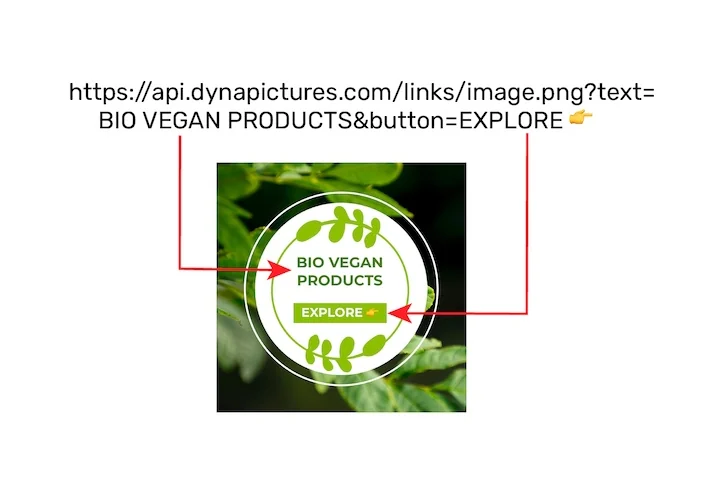
How to make a webinar banner for your email signature
Type the topic and time
Keep Live webinar as the label, type the topic, then the date with the time and time zone, for example 12 March · 16:00 CET.
Add a face, a logo or both
A host's headshot sits in the circle on the left and makes the invitation personal; a company logo goes on the right above the button. PNG, JPG or WebP up to 5 MB.
Insert and link it
Download the PNG, add the image in your email app's signature settings and link it to the registration page.
Why invite to your webinar from your signature
Register free, already written
The button starts as Register free; change it to Save my seat or Join live, up to 30 characters.
Date, time and time zone in one line
The date line holds up to 60 characters, room for 12 March · 16:00 CET / 10:00 ET.
Who is talking, at a glance
The host's headshot in the circle on the left shows who will speak, and your logo on the right shows who runs the session.
A slim strip for long threads
600x150 keeps a long reply chain tidy; 600x200 gives a long topic more room.
Free, without a watermark
20 renders a day per visitor, no login, and the strip comes back exactly as you designed it.
Webinar banners in email signatures
Give the banner the three things a reader needs to decide: the topic, the date and the start time with its time zone, because recipients may sit in other countries. Link the whole image to the registration page in your email app's signature settings, since Register free is part of the picture. For a series, render a fresh strip with the next topic and date and swap the image in your signature settings; it takes a minute per session. Remove the banner when the webinar starts, or change the label to Watch the recording if you link to the replay.
Free limits
20 renders and 60 live previews a day per visitor; a downloaded PNG stays on its link for 24 hours, so save it to your computer.
Preset fields
Live webinar label, Register free button, topic, date and time; change any of them before you download.
Images
A headshot, a logo or both, PNG, JPG or WebP up to 5 MB: the headshot on the left, the logo above the button; uploads are kept for 24 hours.
Webinar signature banner questions
The topic, the date, the start time with its time zone and a short action such as Register free. A headshot of the host shows people who is inviting them.