
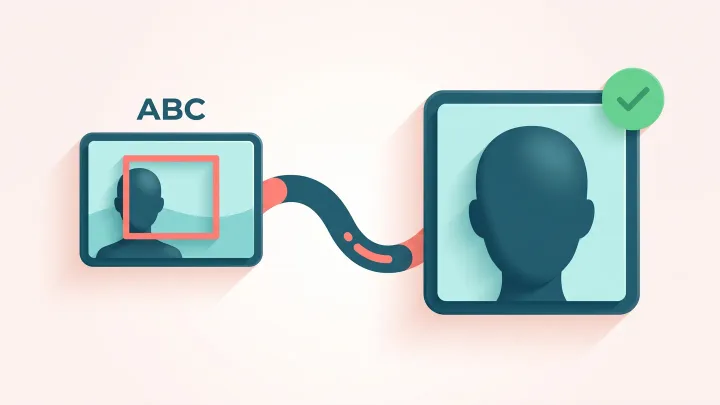
Crop your photo to the face
Drop a photo up to 15 MB, choose the headshot size and download the cropped result.
The face is centred while the card is being built
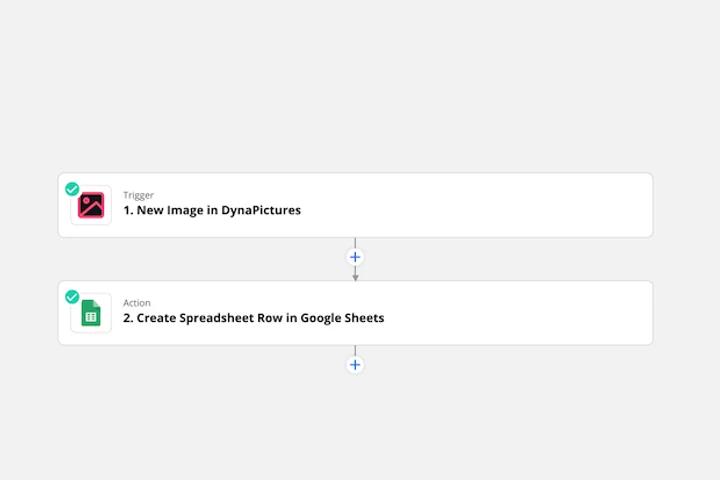
A staff directory, a conference badge or a speaker card needs every portrait framed the same way, and the photos arrive as people happened to send them. Connect DynaPictures to your HR tool with Zapier, Make or Pabbly, and a new record starts a render where face detection sets the photo in the frame you drew.
- A Zapier step that starts the render
- Face detection is one of 9 fit modes
- A webhook when the card is ready
How to crop a photo to the face
Upload the photo
Drag a portrait or phone photo into the box or click to choose it. Files up to 15 MB are accepted and the face is detected in a moment.
Choose the output size
Square 500x500 for avatars, 400x400 for LinkedIn, 2x2 inch at 300 DPI (600x600 px) for passport-style photos, or a custom width and height.
Download the headshot
The crop is centred on the detected face. Save it as PNG or JPG; the download link stays active for 24 hours.
Why crop faces with this tool
Automatic detection
No dragging a crop box: the face is located and the frame is centred on it, which is faster and more consistent than cropping by eye.
Sizes that match the use
Presets for a 500x500 avatar, a 400x400 LinkedIn photo and a 2x2 inch passport crop at 300 DPI, plus custom dimensions for any form or CMS.
Print-ready passport crop
The passport preset outputs 600x600 pixels at 300 DPI, the resolution print shops and most online photo services expect for a 2x2 inch photo.
PNG or JPG
Choose PNG for a lossless avatar or JPG for a smaller file that uploads quickly to a profile form.
Nothing to install
Works in any browser on desktop or phone, 20 free crops per day, no signup.
How the face crop works
The tool runs face detection on the uploaded photo, places the crop frame around the face at the aspect ratio of the chosen size and scales the result to the exact pixel dimensions. It works best with a front-facing photo where the face is clearly visible and reasonably large. The tool is built for one person per photo: for a group shot, crop the picture down to the person you need first with the free crop tool. Official passport photos also have rules about background, expression and head size that a crop alone does not guarantee, so check the requirements of your country before submitting.
Free limits
20 crops per day per visitor, photos up to 15 MB, downloads available for 24 hours.
Headshots for a whole team
Results stay available for 24 hours and the daily limit is the same for every visitor. For a whole employee directory, the DynaPictures platform crops faces in bulk through the API, Zapier, Make or a spreadsheet.
Privacy
Photos are processed in memory and deleted together with the download link after 24 hours; no face data is stored.
Frequently asked questions
Square 500x500, LinkedIn 400x400, passport 2x2 inch at 300 DPI (600x600 px) or any custom width and height in pixels.