
Change the speed of your GIF
Drop a GIF up to 30 MB, pick a speed or a frame delay and download the faster or slower GIF.
Pacing and wording decided in the same place
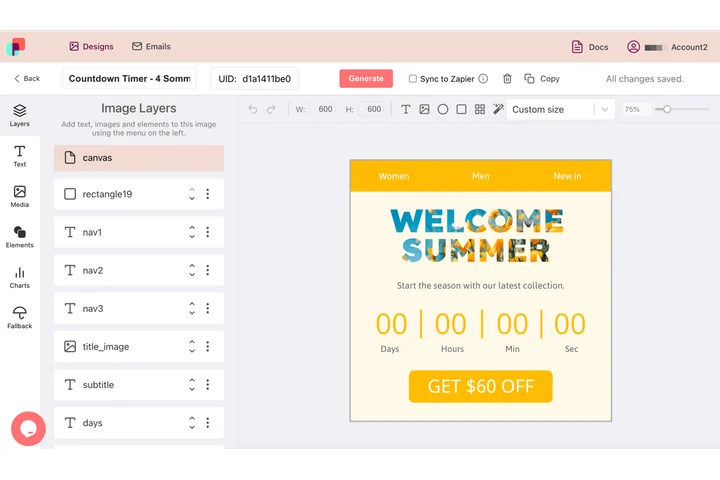
Timing carries meaning: a counter that ticks down, an offer that holds long enough to read, a last frame that rests on the call to action. In DynaPictures the animation and the type on it live in one document, and the countdown timers people send by email are built exactly that way.
- Animation and layout in one document
- Exported as an animated GIF per template
- Brand fonts and colors already applied
How to speed up or slow down a GIF
Upload the GIF
Drag an animated GIF of up to 30 MB into the box or click to select it.
Choose a speed
Pick a percentage: 200% plays twice as fast, 50% twice as slow. Or set one frame delay in milliseconds to give every frame the same timing.
Download
Click Apply and save the new GIF. The download link stays active for 24 hours.
Why change GIF speed with this tool
No quality loss
Only the per-frame delay values change. Pixels and palette are copied as they are, so the GIF looks identical frame by frame.
Same file size
Because no frame is re-encoded, the file is the same size as before, give or take a few bytes of header data.
25% to 400%
Slow a GIF to a quarter speed to show a detail, or quadruple it to turn a long screen recording into a quick loop.
Exact frame delay
Set a fixed delay such as 100 ms to fix a GIF whose frames run at uneven or broken timing.
Free, no signup
20 uses per day per visitor, GIFs up to 30 MB, no watermark.
What happens to your GIF
Every frame in a GIF carries its own delay, stored in hundredths of a second. The speed changer reads those delays and multiplies them: 200% halves each delay, 50% doubles it. With the frame delay option, every frame gets the same value you type. The frame images themselves are not decoded or re-encoded, so colors, transparency and the loop count are untouched and the output is the same size as the input. One limit comes from browsers, not the tool: most of them do not display delays below 20 ms and fall back to 100 ms, so a GIF that already runs at 20 ms per frame cannot be made faster without removing frames.
Free limits
20 uses per day per visitor, GIFs up to 30 MB, downloads kept for 24 hours.
Batch retiming or automation
Retiming is metered per visitor, 20 GIFs a day for everyone alike. If retiming is a recurring task, DynaPictures builds the animation from your own templates through the API, Zapier or Make.
Privacy
Uploaded GIFs are processed on our servers and deleted together with the download link after 24 hours.
Frequently asked questions
From 25% (four times slower) to 400% (four times faster). Frame delays are multiplied accordingly; 400% on a 100 ms GIF gives 25 ms per frame.