
Convert your HEIC to PNG
Drop a .heic or .heif photo up to 15 MB and download the PNG.
One design, layered, filled in by your data
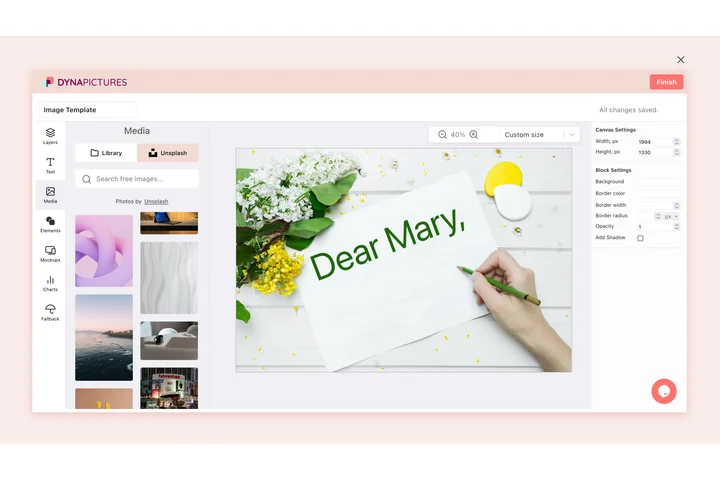
A converted photo is rarely the finished thing. In DynaPictures it becomes a layer in a template you design once, with headlines, prices, logos and translations sitting above it. Change the design and every image made from it follows.
How to convert HEIC to PNG online
Add the photo
Drag a .heic or .heif file into the box, or click to browse for it. Anything up to 15 MB works, including photos AirDropped straight off a phone.
Run the conversion
Press Convert. Every tile of the original is reassembled, the orientation your camera recorded is applied, and the result is written as a PNG.
Save the result
Grab the .png and drop it into whatever needs it. The link stays alive for 24 hours.
Why convert HEIC to PNG
Not compressed a second time
PNG stores pixels exactly as they arrived. Nothing is smoothed, no blocking creeps into flat areas, and repeated saving in an editor costs you nothing.
Opens in every editor
Photoshop, Figma, GIMP, Canva, Paint and every browser read PNG without an add-on. HEIC still needs extra codecs on Windows and stalls a lot of upload forms.
Full resolution, nothing cropped
A 48 megapixel photo lives inside the file as a grid of tiles. Weaker converters return a single corner of it; here the grid is rebuilt in full and measured before you get it.
Upright, not sideways
Phones record which way up the picture goes instead of turning the pixels. That instruction is carried into the PNG, so it never lands rotated in your editor.
HEIC vs PNG: the trade you are making
HEIC has been the iPhone camera default since iOS 11 and leans on the same compression family as HEVC video, which is how it fits a photo into roughly half the space a JPG needs. PNG takes the opposite approach and stores every pixel losslessly, so quality survives untouched through as many edits and saves as you like. The bill arrives as file size: expect a PNG somewhere between five and ten times the HEIC it came from. That is the right trade when the photo is going into a design, a print job or an archive, and the wrong one when it simply has to travel by email.
Free limits
Thirty conversions a day per visitor, one file at a time, 15 MB per photo, and downloads available for 24 hours.
Converting a whole album?
The daily count is the same for everyone and files go through singly. When volume is the point, DynaPictures renders images from your own templates over the API, Zapier or Make.
Privacy
Conversion happens on our servers, and the photo disappears along with its download link once the 24 hours are up.
HEIC to PNG questions
Because it keeps everything. HEIC throws away detail your eye is unlikely to miss, while PNG records each pixel exactly, so a 3 MB photo can land somewhere near 20 MB. If the size is a problem, JPG is the better target.