

Compress your image
Drop a JPG, PNG or WebP up to 15 MB, choose the quality and download the smaller file.
Images that leave the API already small
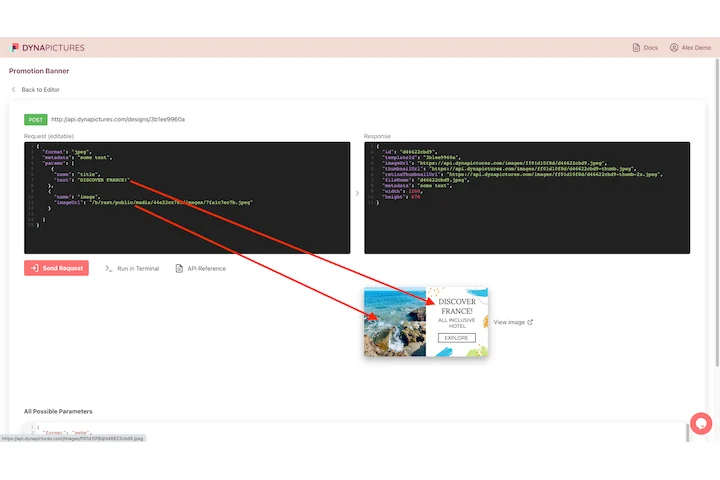
Pictures on a product page, in an email or in a feed have a weight budget to meet before they are ever published. DynaPictures renders each one from your template at the size you ask for, in WEBP or AVIF, and the REST API hands the finished file back in about 300 ms.
- One POST request, the finished image back
- WEBP or AVIF chosen per render
- Output width and height set in the request
How to compress an image online
Upload the image
Drag a JPG, PNG or WebP into the box or click to choose it. Files up to 15 MB are accepted; the output keeps the same format, so a PNG stays a PNG.
Choose quality and max width
Set the quality level: 75 is a good default for web and email, 85 to 90 for portfolio photos. Add a max width, for example 1600 px, to also drop pixels a screen would never show.
Download and check the saving
Click Compress. The tool shows the old and new file size and the percentage saved. Save the result; the link stays active for 24 hours.
Why reduce image size with this tool
Same format in, same format out
JPG, PNG and WebP are compressed with their own encoders, so transparency in PNG and WebP survives and you do not end up with a surprise format change.
The saving is shown
You see the size before and after, for example 3.8 MB to 640 KB, before you download. Try another quality value if the result is still too large.
Quality plus resizing in one step
Most oversized files are also oversized in pixels. The optional max width shrinks a 6000 px camera photo to 1600 px, which cuts the file far more than quality alone.
Fits upload limits
Get under the 1 MB email image guideline, WordPress upload caps, marketplace limits or the 5 MB Open Graph image limit without opening an editor.
Nothing to install
Works in any browser on Windows, Mac, Linux and phones. Free, no login, no watermark.
How the image compressor works
For JPG and WebP the quality level controls lossy compression: lower values discard fine detail the eye rarely notices and shrink the file quickly. For PNG, which is lossless by design, the tool reduces the color palette and re-optimizes the encoding, which works best on graphics, screenshots and logos. When you set a max width, the image is scaled down first, then compressed; a photo straight from a phone is often 4000 px wide, far more than any screen shows. The result is always a smaller file in the same format with the pixel size you asked for.
Free limits
Up to 30 compressions per day per visitor, files up to 15 MB, downloads kept for 24 hours.
Hundreds of images?
Downloads stay available for 24 hours and the daily limit is per visitor, the same for everyone. When the same images are needed again and again, DynaPictures renders them at the target size through the API, Zapier, Make or a spreadsheet.
Privacy
Uploads are processed on our servers and deleted with the download link after 24 hours.
Image compression questions
75 is the sweet spot for websites and newsletters: the file shrinks by roughly half or more and photos still look sharp. Use 85 to 90 when the image is the product, such as a portfolio or a print preview.