
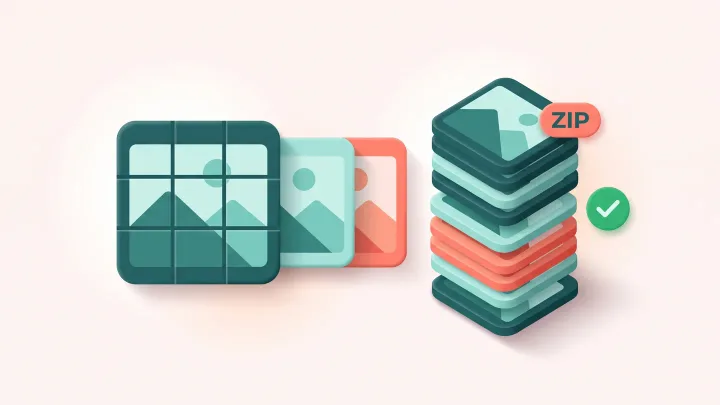
Split your image for Instagram
Drop an image up to 15 MB, choose the grid and download the numbered tiles as a ZIP.
A nine tile grid is one design and nine rows
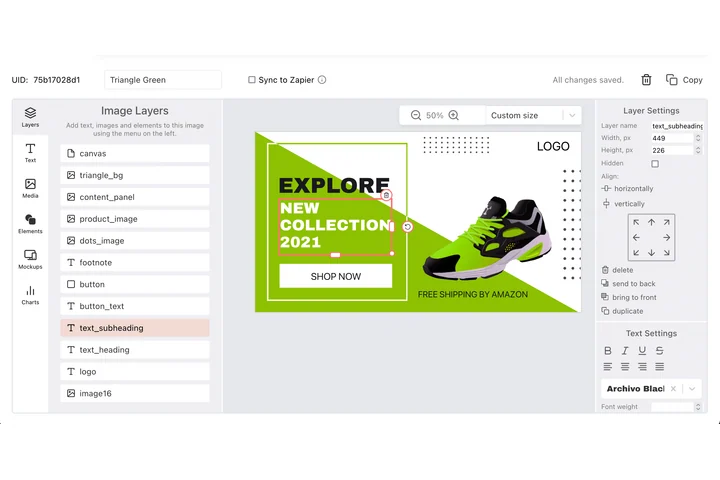
A profile grid is a series: nine squares that have to read as one picture and still stand on their own in the order you post them. Draw the tile once in the DynaPictures editor at 1080x1080, send nine rows of copy, and nine finished files come back with every layer where you placed it.
- Every tile rendered at 1080x1080
- Nine rows of copy, nine finished tiles
- One ZIP with the tiles in order
How to split an image for the Instagram grid
Upload the image
Drag a photo or graphic up to 15 MB into the box. A wide image suits 3x1, a square image 3x3 and a tall image 3x4.
Pick the grid
Choose 3x1 for a banner row, 3x2 or 3x3 for a large square mosaic and 3x4 for a tall cover. Each tile becomes one 1080x1080 post.
Download and post in order
Save the ZIP and post the tiles following their numbers, without other posts in between. The download link stays active for 24 hours.
Why split with this tool
Exact 1080x1080 tiles
Every tile is the size Instagram uses for square posts, so nothing is scaled or cropped again on upload and the seams line up.
Four grid layouts
3x1 for a single row, 3x2 for a wide banner, 3x3 for the classic nine-tile mosaic and 3x4 for a tall cover across four rows.
Numbered for posting
The tiles come in one ZIP, numbered in the order to post, so the picture assembles correctly without a sketch on paper.
Nothing to install
Runs in any browser on desktop or phone, 20 free splits per day, no signup.
What makes a grid look right
Instagram shows your profile as rows of three square thumbnails, newest first, so a split image only aligns if the tiles are posted in the right sequence and nothing else is posted in between. Choose an image where the important content does not fall exactly on a cut line, since the app draws a small gap between thumbnails. Text is hard to read across tiles; big shapes, faces and gradients work best. The tool cuts the image into equal 1080x1080 squares for the chosen grid. Remember that each tile is also a normal post in the feed, so give it a caption that makes sense on its own.
Free limits
20 splits per day per visitor, images up to 15 MB, the ZIP is available for 24 hours.
Grids for many accounts
Downloads stay available for 24 hours and the daily limit is per visitor, the same for everyone. For social images on a schedule, the DynaPictures platform generates them through the API, Zapier or Make.
Privacy
Uploads are processed in memory and deleted together with the download link after 24 hours.
Frequently asked questions
Follow the numbers in the ZIP: post tile 1 first and continue upward. Instagram places the newest post top left, and the numbering already accounts for that.