
Convert your MP4 to WebM
Drop an MP4 or MOV up to 60 MB and 60 seconds, choose the quality and download the WebM.
A landing page hero that follows the current offer
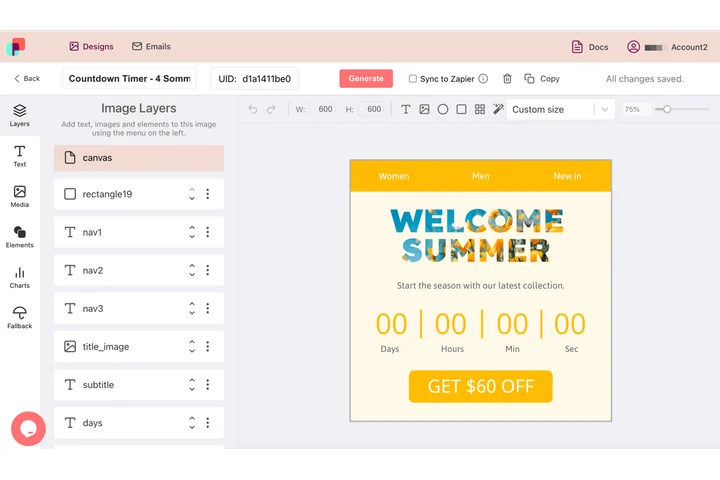
A looping hero on a landing page is only right while the price, the date and the claim on it are the current ones. In DynaPictures that hero is requested through an image address carrying up to 20 named values, so the page receives the animated GIF for today's offer and later opens come from cache.
- Up to 20 named values per address
- One template, one animated GIF
- Cache answers every repeat open
How to convert MP4 to WebM
Upload the video
Drag an MP4 or MOV of up to 60 MB and up to 60 seconds into the box. Longer clips need trimming first.
Choose the quality
Pick a quality level. Higher keeps more detail, lower gives a smaller file. Resolution and frame rate are not changed.
Download the WebM
Click Convert, wait a few seconds and save the WebM. The download link stays active for 24 hours.
Why convert MP4 to WebM
Smaller files
VP9 packs the same visual quality into roughly 20-40% fewer bytes than H.264, so pages load faster.
Native HTML5 video
WebM is the open, royalty-free format Chrome, Firefox and Edge were built around; add it as the first source in a video tag.
Same resolution and fps
Only the codec changes. A 1080p 30 fps MP4 becomes a 1080p 30 fps WebM, and the audio track is kept.
Quality under your control
One slider decides between maximum detail and minimum size; nothing else to configure.
Free, no signup
10 conversions per day per visitor, files up to 60 MB, no watermark.
What happens to your video
The converter decodes the H.264 (or MOV) video and re-encodes it with VP9 in a WebM container; audio is re-encoded to Opus, the codec WebM uses. Width, height, frame rate and duration are untouched. The quality level maps to the encoder's constant-quality setting, so still scenes cost few bytes and fast motion gets more. At the default level the file is typically 20-40% smaller than the MP4 with no visible loss. Clips must be 60 seconds or shorter; encoding takes a few seconds per 10 seconds of 1080p footage.
Free limits
10 conversions per day per visitor, MP4 or MOV up to 60 MB and 60 seconds, WebM downloads kept for 24 hours.
Longer clips or automation
Conversion is metered per visitor, 10 videos a day for everyone alike. If video is a regular part of your work, DynaPictures renders it from your own templates through the API, Zapier or Make.
Privacy
Videos are processed on our servers and deleted together with the download link after 24 hours.
Frequently asked questions
VP9 for video and Opus for audio, the standard pair for WebM. Both are royalty-free and supported by every current desktop and Android browser.